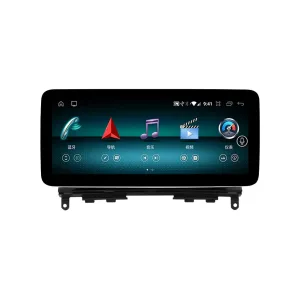
Mercedes W212 Android Head Unit with a cleaner OEM-style cabin result
This Mercedes W212 Android Head Unit upgrades the older E-Class center display into a larger Android screen while keeping the dashboard layout familiar. It is built for 2009–2016 W212 applications with NTG 4.0 or NTG 4.5 version selection, so the correct order path starts with your vehicle year, original system and dashboard photos. The upgrade gives your daily drive modern navigation, wireless CarPlay, Android Auto, DSP audio options and a clearer reverse-view experience without turning the cabin into a generic aftermarket layout.
Upgrade the W212 cabin without losing the Mercedes-style driving feel
This is not a loose universal tablet. iKAGOO prepares the correct screen size, system route, wiring harness and vehicle interface according to your W212 year, NTG version, dashboard layout and connector information.
First buyer concerns answered
Clear product structure before you choose the version
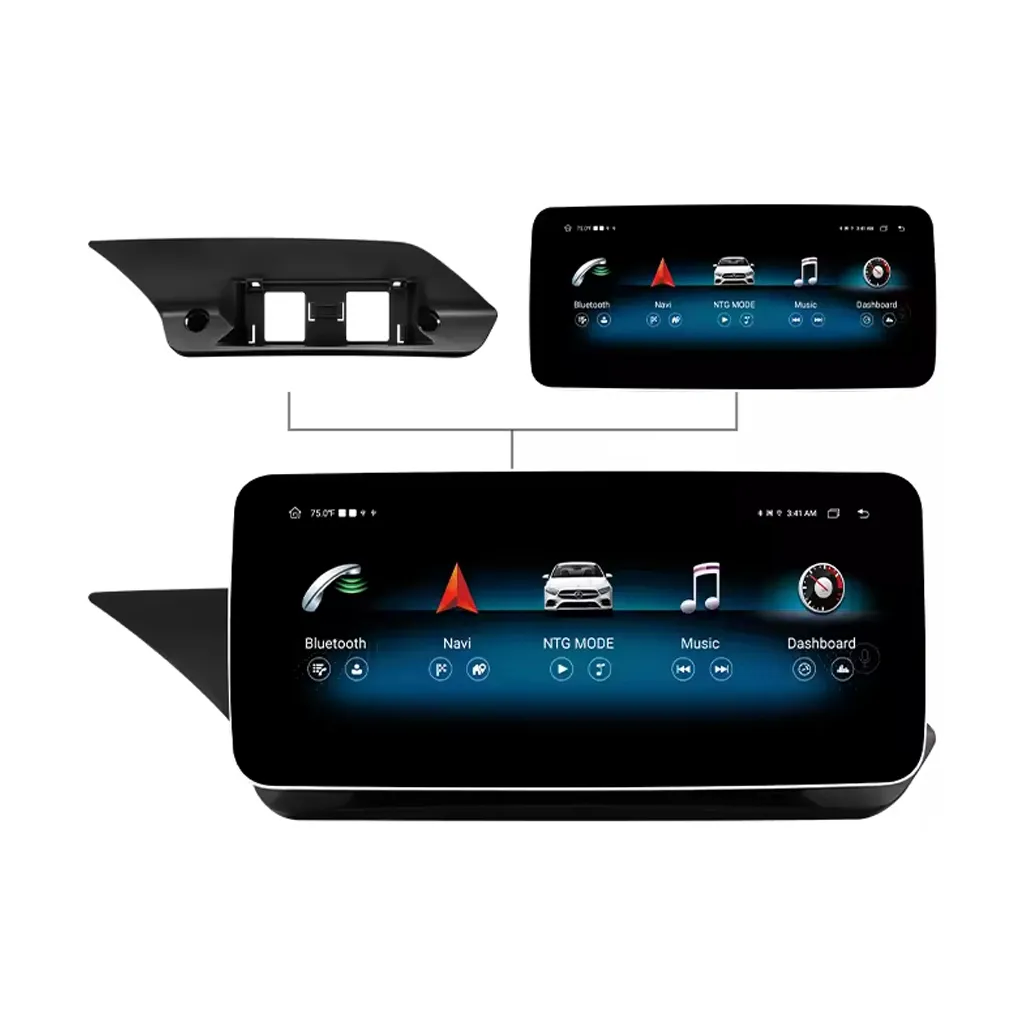
The following product views help you understand the screen design, dashboard fitment route, system selection and accessory preparation before you order.
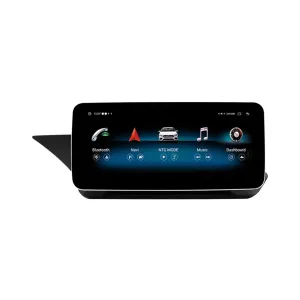
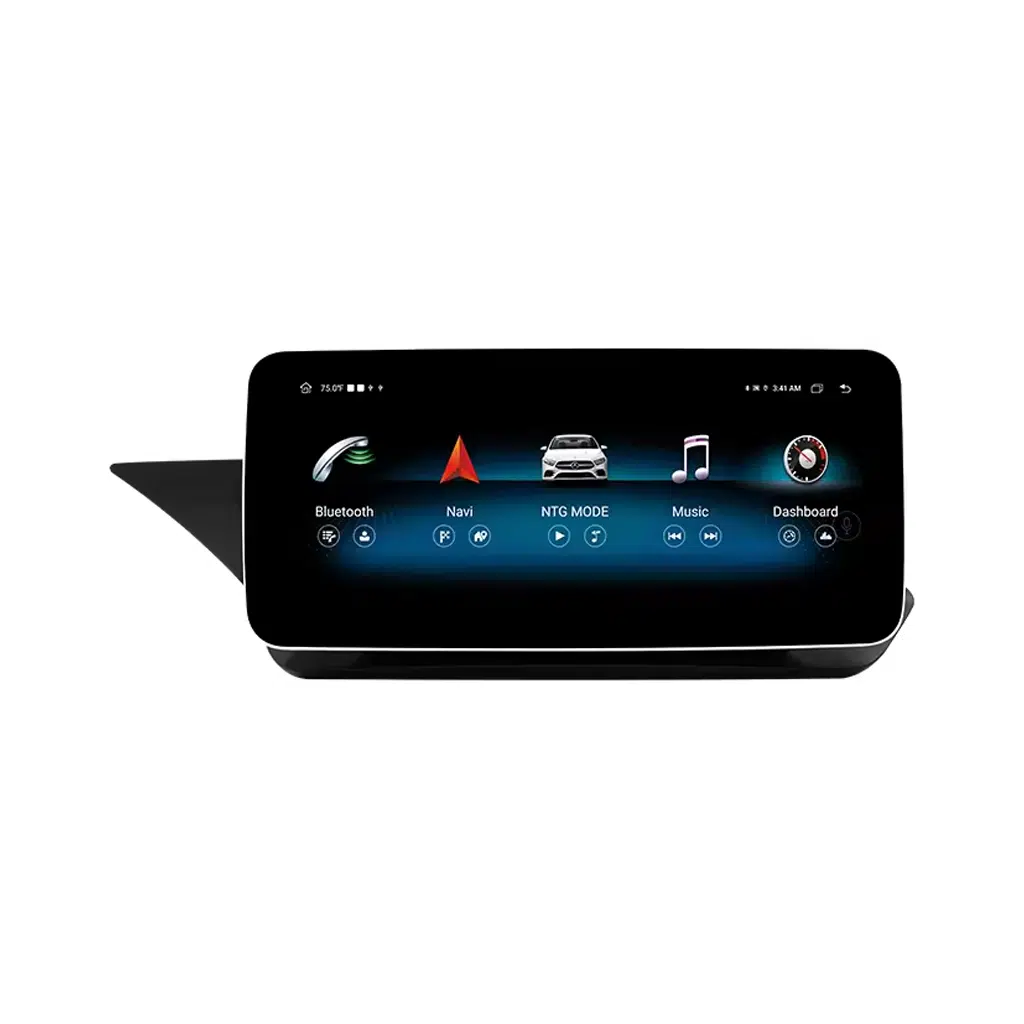
Large display upgrade for a more modern W212 cabin
The front display gives the older W212 cabin a cleaner and more current driving interface. Navigation, music and calls become easier to read at a glance, especially when you select the larger 12.3-inch screen. The shape is designed for the E-Class dashboard route instead of looking like a loose tablet.
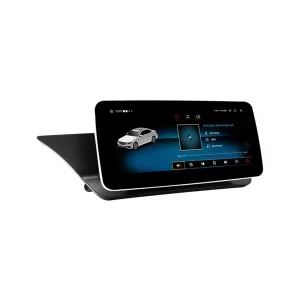
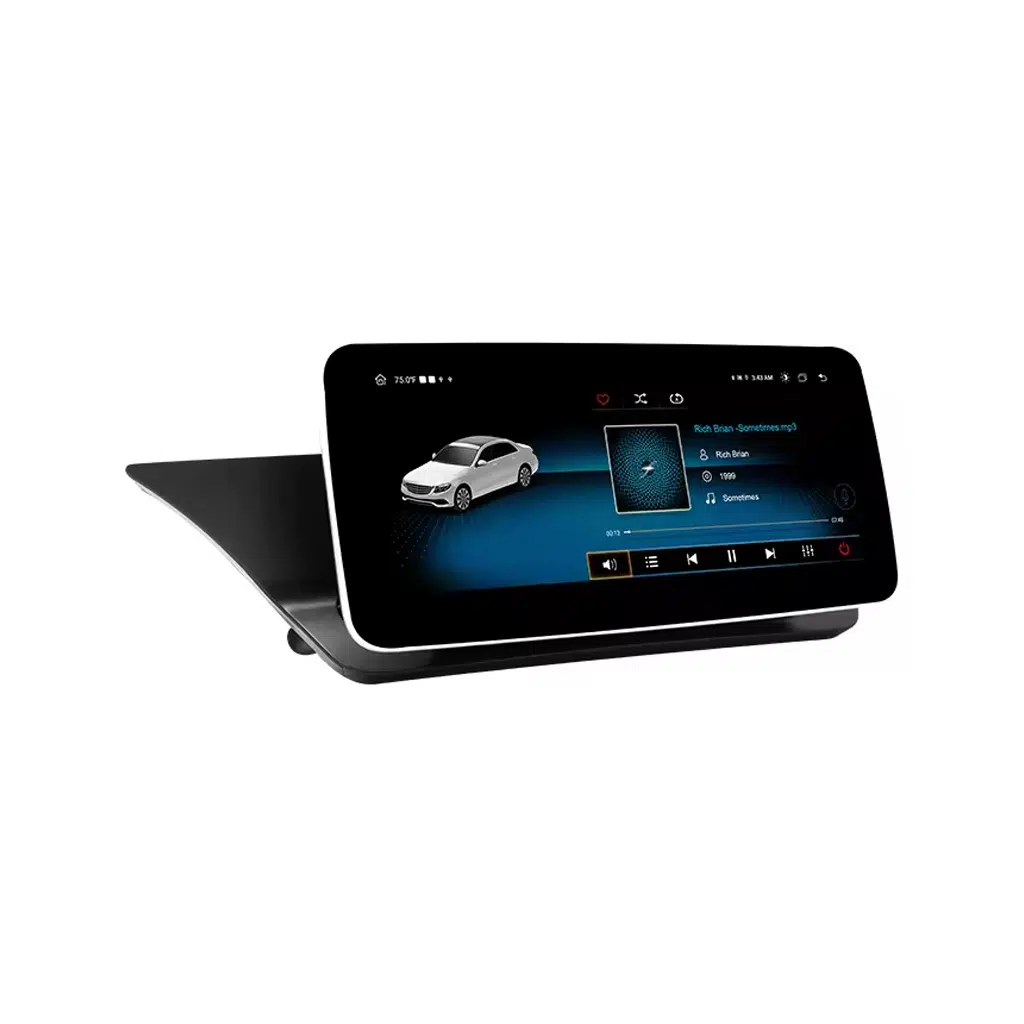
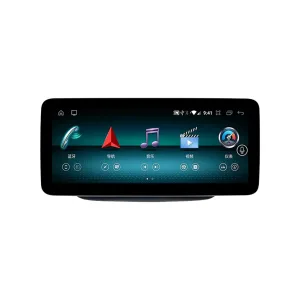
Angled screen view for dashboard proportion checking
The angled view helps you judge how the Android screen sits visually in the dashboard area. This matters because W212 buyers usually want a modern screen without a cheap aftermarket appearance. iKAGOO uses your vehicle photos to reduce wrong-version risk before shipment.
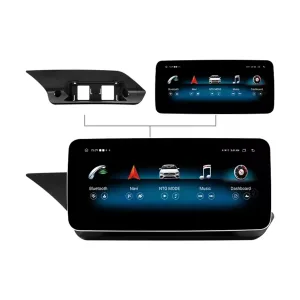
Front and rear structure for cleaner installation planning
The rear side matters because cable routing, LVDS connection, power cable connection and antenna placement decide whether the upgrade works cleanly. A correct version helps the installer avoid guessing behind the dashboard. This is why iKAGOO asks for vehicle and connector information when needed.
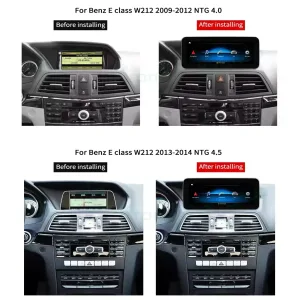
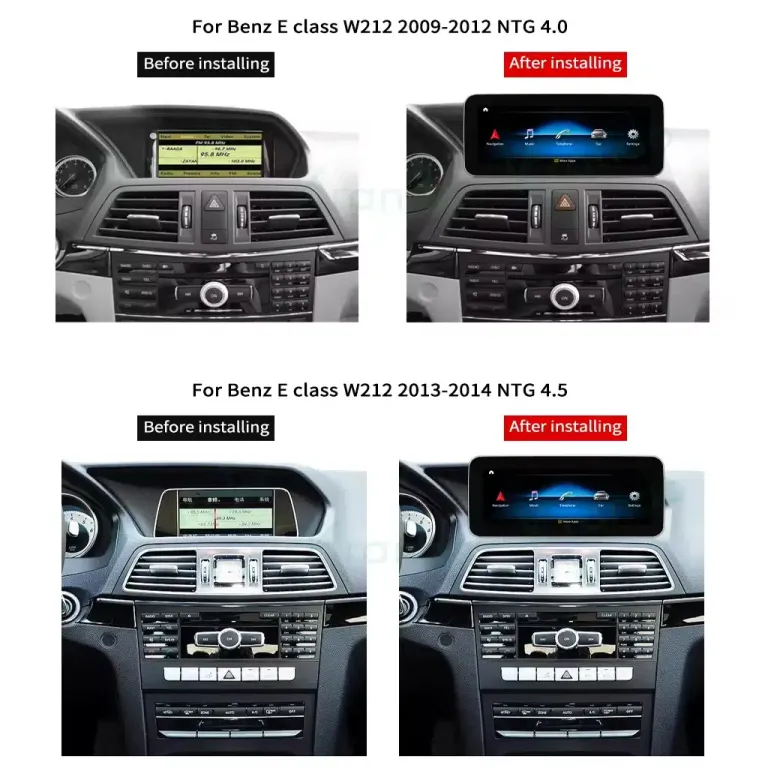
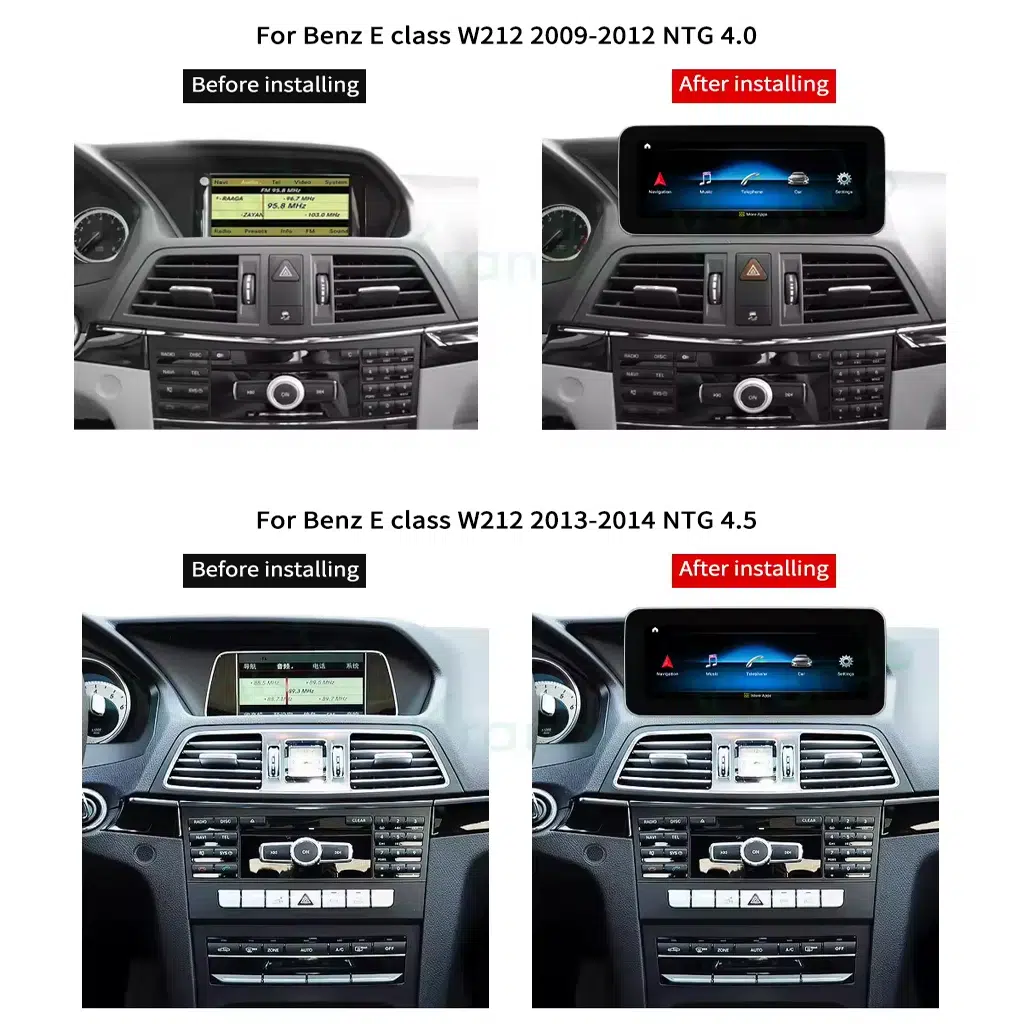
NTG 4.0 and NTG 4.5 dashboard routes need correct selection
W212 buyers should not select only by model name. The original NTG system and dashboard layout affect the screen, cable and interface route. iKAGOO checks whether your order should follow the NTG 4.0 or NTG 4.5 path before the product is prepared.
What is this Mercedes W212 Android Head Unit?
This Mercedes W212 Android Head Unit is an Android 13 screen upgrade for Mercedes E-Class W212 2009–2016 vehicles using the correct NTG 4.0 or NTG 4.5 route. It upgrades the center display experience with wireless CarPlay, Android Auto, navigation, Bluetooth, WiFi, 4G support, DSP audio options and reverse camera input. Supported original steering-wheel controls, camera display and vehicle-interface functions continue to work after correct connection and configuration. Before shipment, iKAGOO checks your vehicle year, dashboard layout, LHD/RHD position, original system and connector information so the correct screen and wiring route can be prepared.
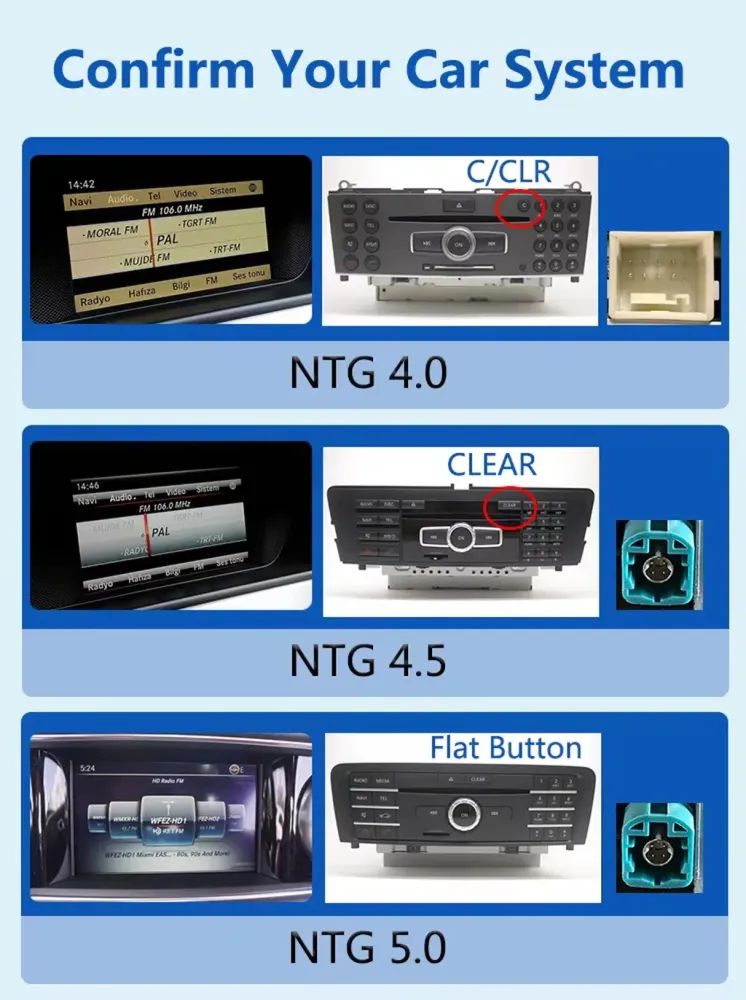
Confirm your original Mercedes system before shipment
Correct system identification is one of the most important steps for this upgrade. A W212 badge alone is not enough because NTG 4.0 and NTG 4.5 orders need the right connection route.
Original system checking lowers wrong-version risk
The factory menu and dashboard layout help identify the correct route. This protects you from selecting a screen that looks similar online but does not match your car behind the dashboard. Send your original system photo when requested so iKAGOO can prepare the proper version.
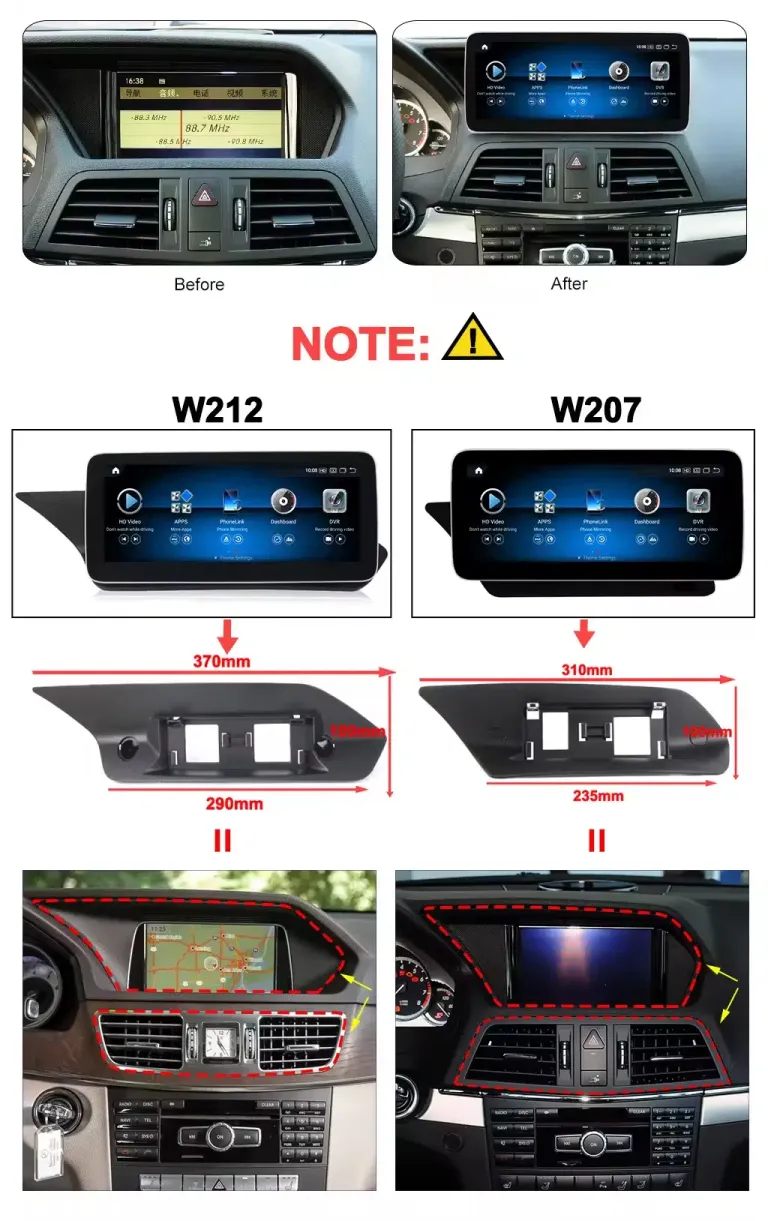
W212 and related E-Class dashboards should not be mixed blindly
Some E-Class coupe, cabriolet or regional listings use similar search language, but the dashboard and screen route may differ. The safer order method is to match generation, dashboard shape, original display and connector photos. This keeps the purchase decision focused on your actual car, not only the product title.
What this upgrade changes in your vehicle
The value is not only a larger screen. The upgrade changes how you use navigation, music, calls, reverse view and cabin controls every day.
CarPlay and Android Auto for modern driving
Wireless CarPlay and Android Auto give you a cleaner way to use navigation, calls and music without depending on the older factory interface. It is especially useful for long-term W212 owners who want current smartphone usability without replacing the vehicle.
10.25-inch or 12.3-inch screen options
The screen size options let you choose between a more restrained OEM-style look and a wider modern display. A larger screen improves map readability, split-screen use and passenger convenience during longer drives.
DSP options for better sound adjustment
DSP-supported configurations give you more control over audio tuning than a basic screen-only upgrade. This helps music sound cleaner after installation, especially when the installer correctly sets the audio route and vehicle interface.
Supported original controls stay useful
Supported steering-wheel controls continue to work after correct connection and configuration. This keeps daily operation familiar, so the upgrade feels integrated instead of forcing the driver to relearn every basic action.
Clearer reverse-view use
The product supports rear camera input, with HD AHD and CVBS paths listed in the product specifications. A clearer reverse-view display can make parking and family travel more comfortable when the camera route is correctly connected.
Prepared around your W212 details
iKAGOO does not rely on the model name alone. Your year, NTG version, dashboard layout, LHD/RHD position and connector photos help prepare the screen, harness and vehicle interface before international shipping.
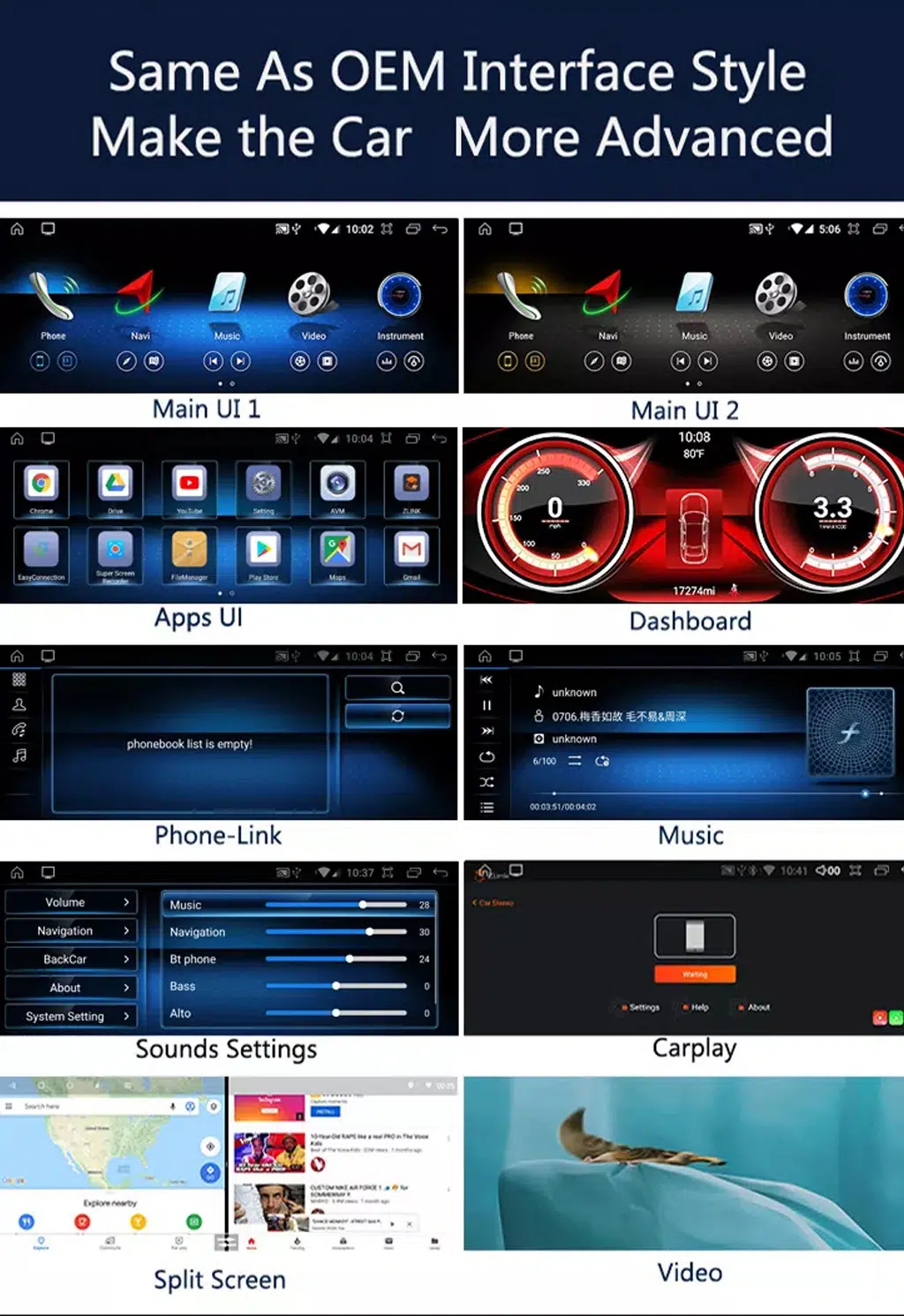
Modern apps, wireless connection and split-screen use
These function visuals explain the practical driving value: easier navigation, cleaner music access, hands-free communication and a more useful screen layout.
Multiple interface styles for different driving habits
Different home-screen styles help you choose the look that fits your daily driving. Apps, dashboard views, music pages and split-screen use make the W212 feel more current without replacing the car itself. This is most valuable for owners who plan to keep the vehicle long-term.
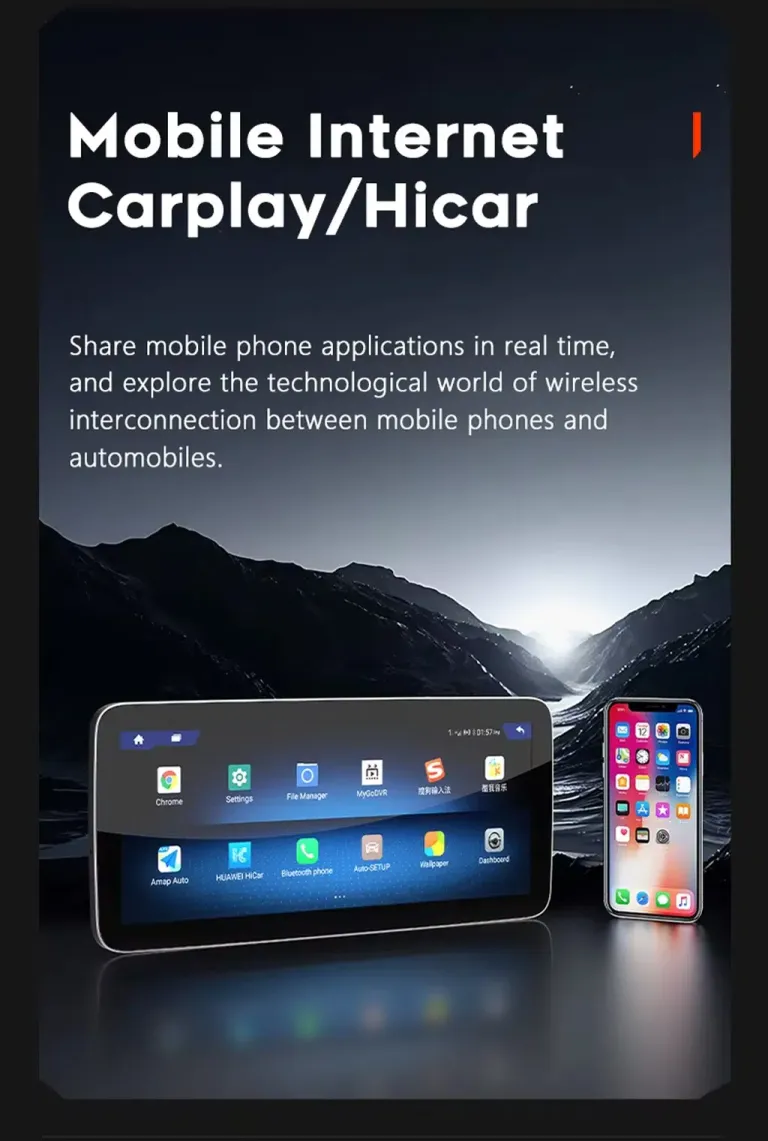
CarPlay, HiCar and mobile connectivity for daily routes
Phone-based navigation and music are the functions most drivers use every day. The upgrade makes those functions easier to reach from the center display. Your family also benefits from cleaner music access, clearer route guidance and a more familiar smartphone-style interface.
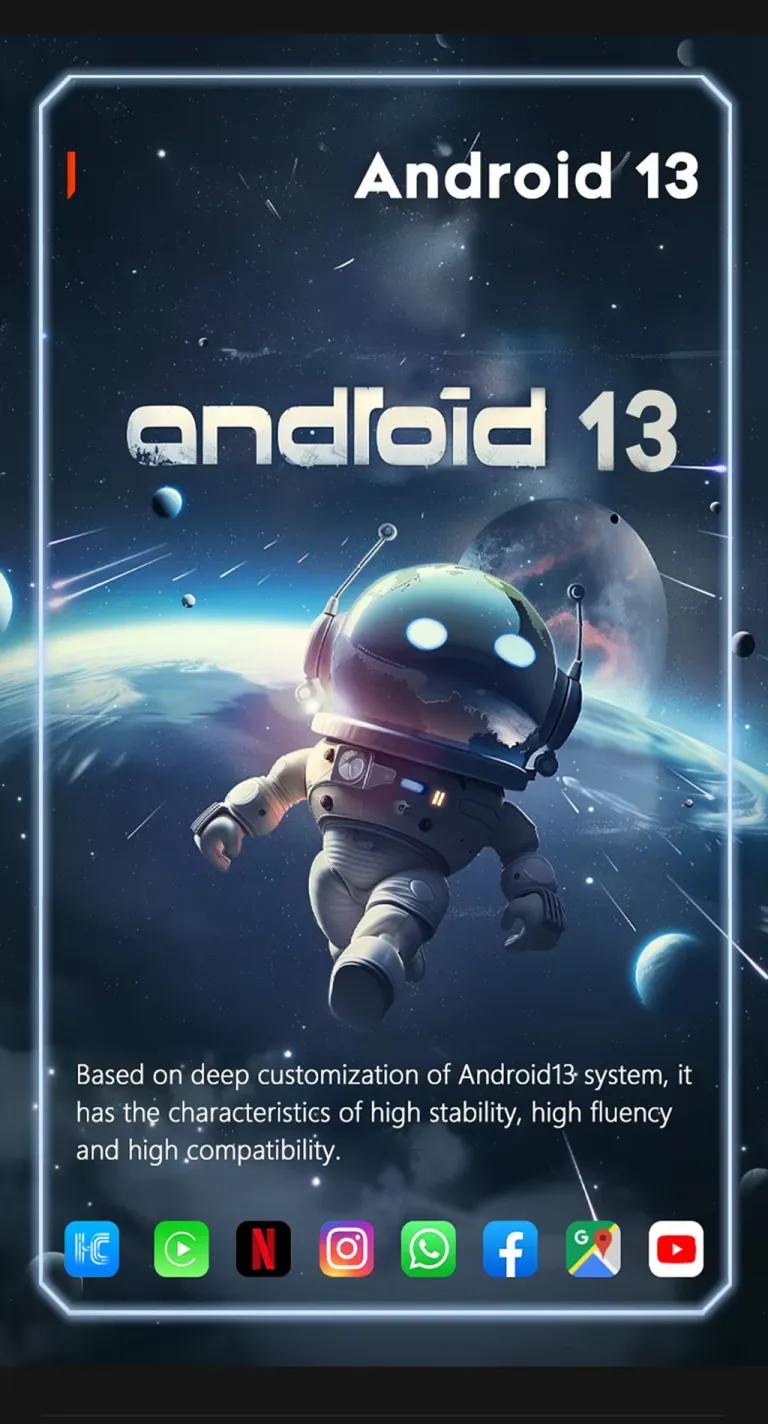
Android 13 platform for a current screen experience
The published configuration lists Android 13, giving the screen a newer app and system environment than the original factory display. The value is practical: more modern menus, better app access and a cabin experience that feels closer to current vehicles.
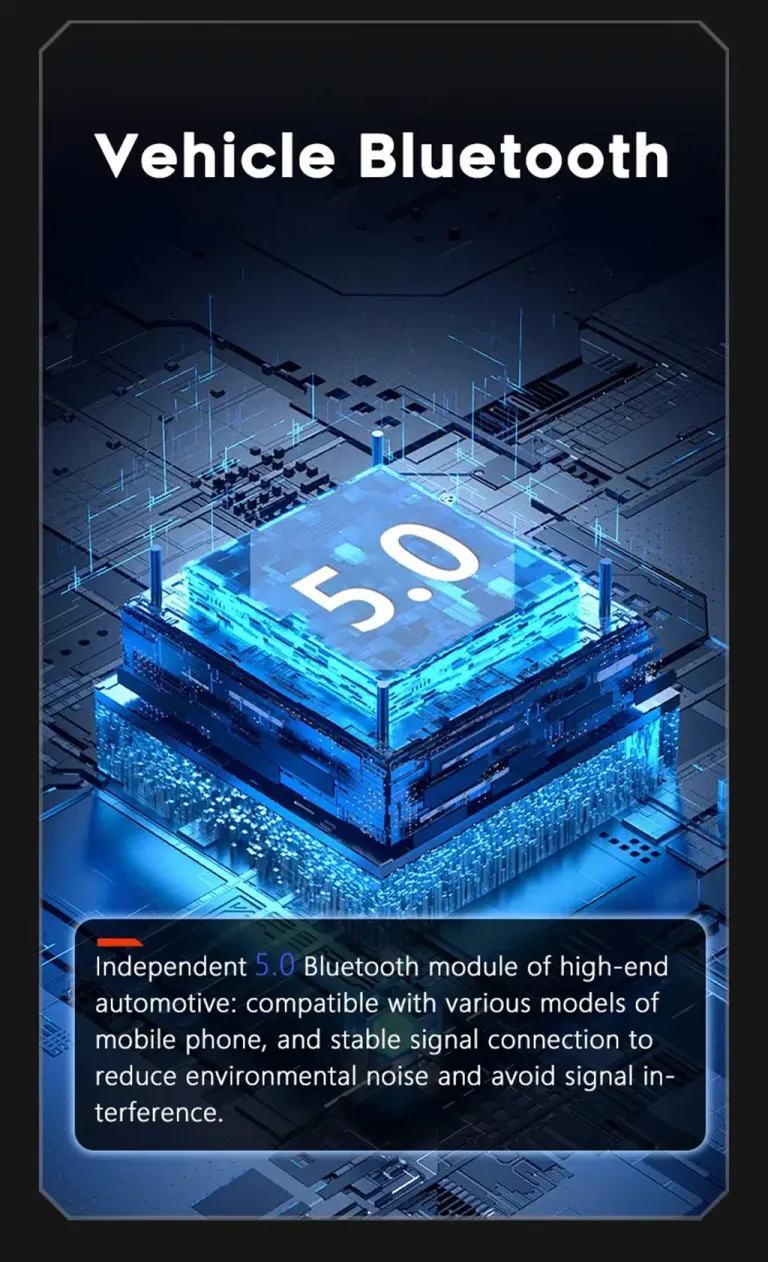
Bluetooth and wireless functions for easier everyday use
Bluetooth support helps with hands-free calls and music playback during normal driving. It reduces the need to handle the phone directly and supports a more modern in-car routine. Correct setup after installation is still important for audio behavior and call quality.
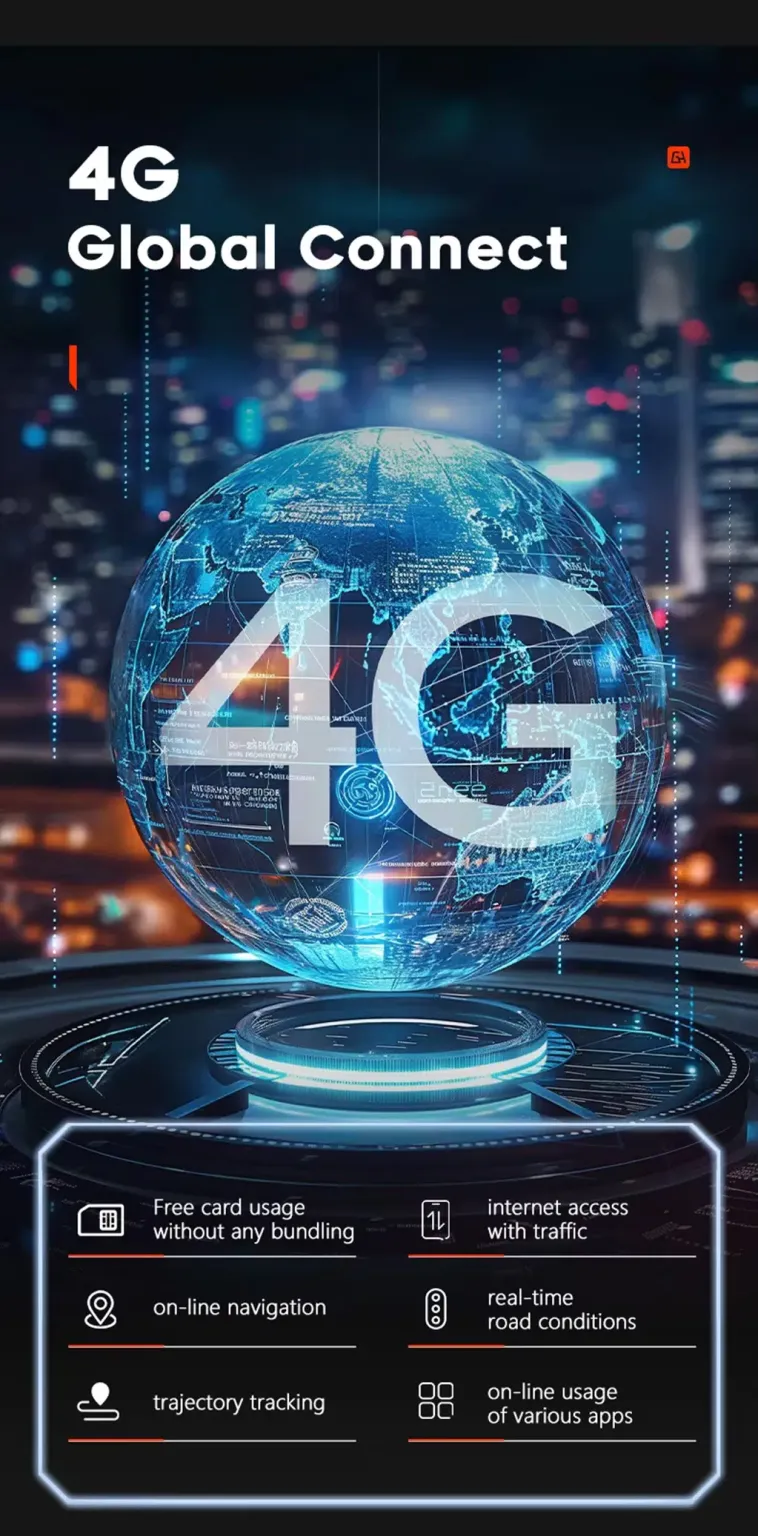
4G support for connected navigation and app use
4G support gives the screen a more flexible connected-use path when the correct SIM and local network conditions are available. This helps navigation, online music and app use feel less dependent on phone hotspot behavior. Buyers should still check local carrier compatibility before relying on SIM use.
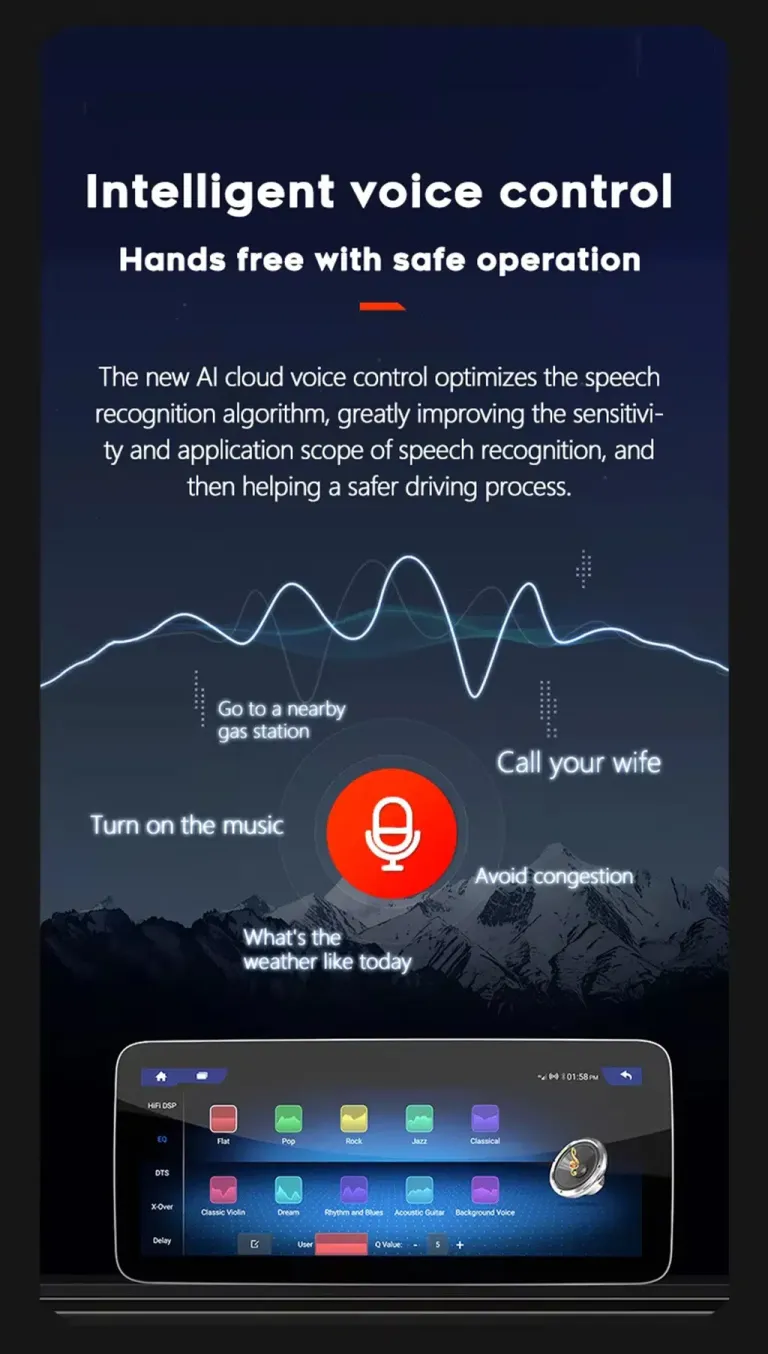
Voice control helps reduce distraction
Voice interaction can make navigation, music and calling easier while driving. The benefit is not only convenience; it also helps reduce the need to touch the screen for simple actions. Function behavior depends on app settings, microphone routing and final configuration.
Originalne funkcije vozila podržane nakon ispravne instalacije
For the correct W212 version and correct connection route, the upgrade is designed to keep familiar factory operation while adding a modern Android screen.
Kontrole na volanu
Supported original steering-wheel controls continue to work after correct wiring and vehicle-interface configuration. This keeps daily control familiar and reduces the feeling of switching to a universal aftermarket device.
Factory camera and parking display route
The product specification includes rear camera input and 360 camera support in some models. iKAGOO checks the camera route so the correct connection instructions can be prepared for your vehicle.
Factory audio route
Audio behavior can depend on the factory system, AUX route, amplifier and selected configuration. The correct setup helps keep sound output stable while letting DSP-supported configurations improve tuning control.
CANBUS communication
The matched CANBUS and wiring route help the Android screen communicate with the vehicle system. This is one reason iKAGOO checks your NTG version and connector information before shipment.
Original dashboard appearance
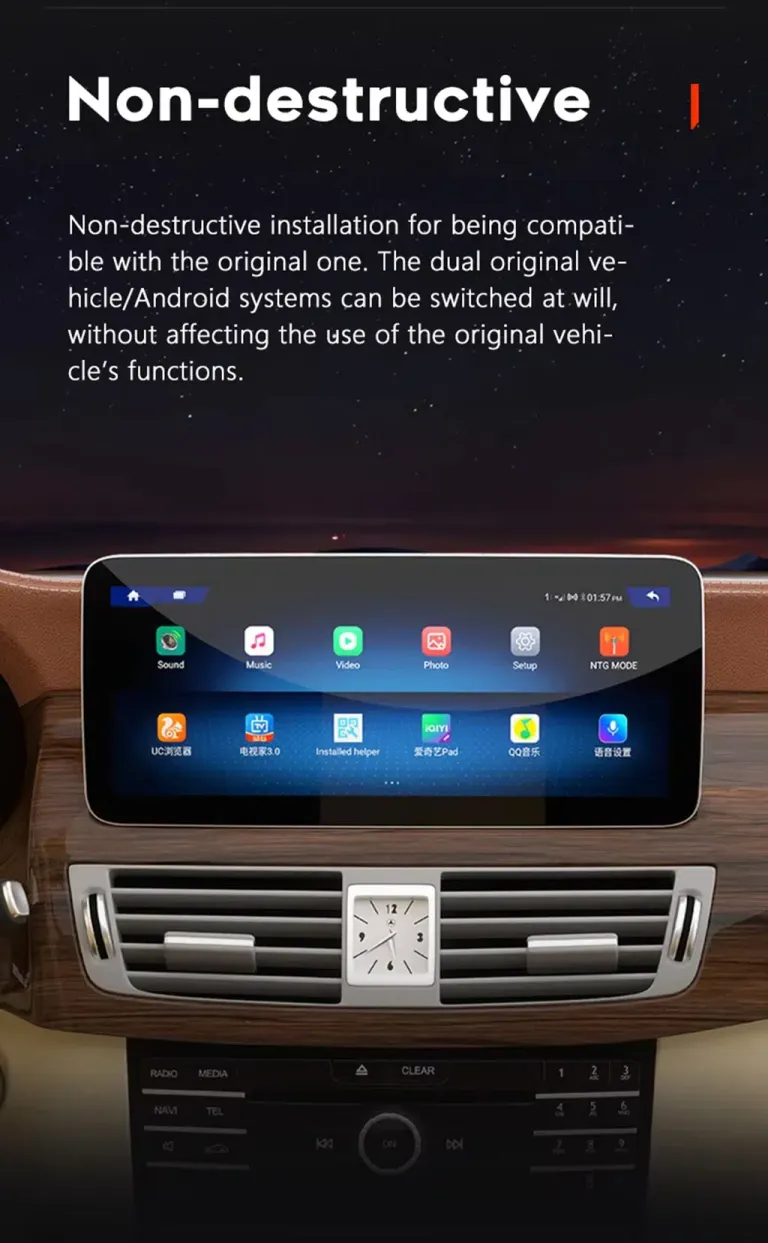
The upgrade keeps the Mercedes dashboard as the visual base and adds a larger modern display. It is intended to look like a purposeful E-Class upgrade rather than a random tablet mounted on the cabin.
Supported wiring approach
The matched harness is designed to connect without intentionally cutting supported factory wiring. Previous modifications, unusual audio systems or non-standard cameras may need additional instructions.
Clearer screen value for navigation, parking and passengers
A good W212 upgrade should improve the driver’s daily use and the passenger experience, not only add a bigger screen.
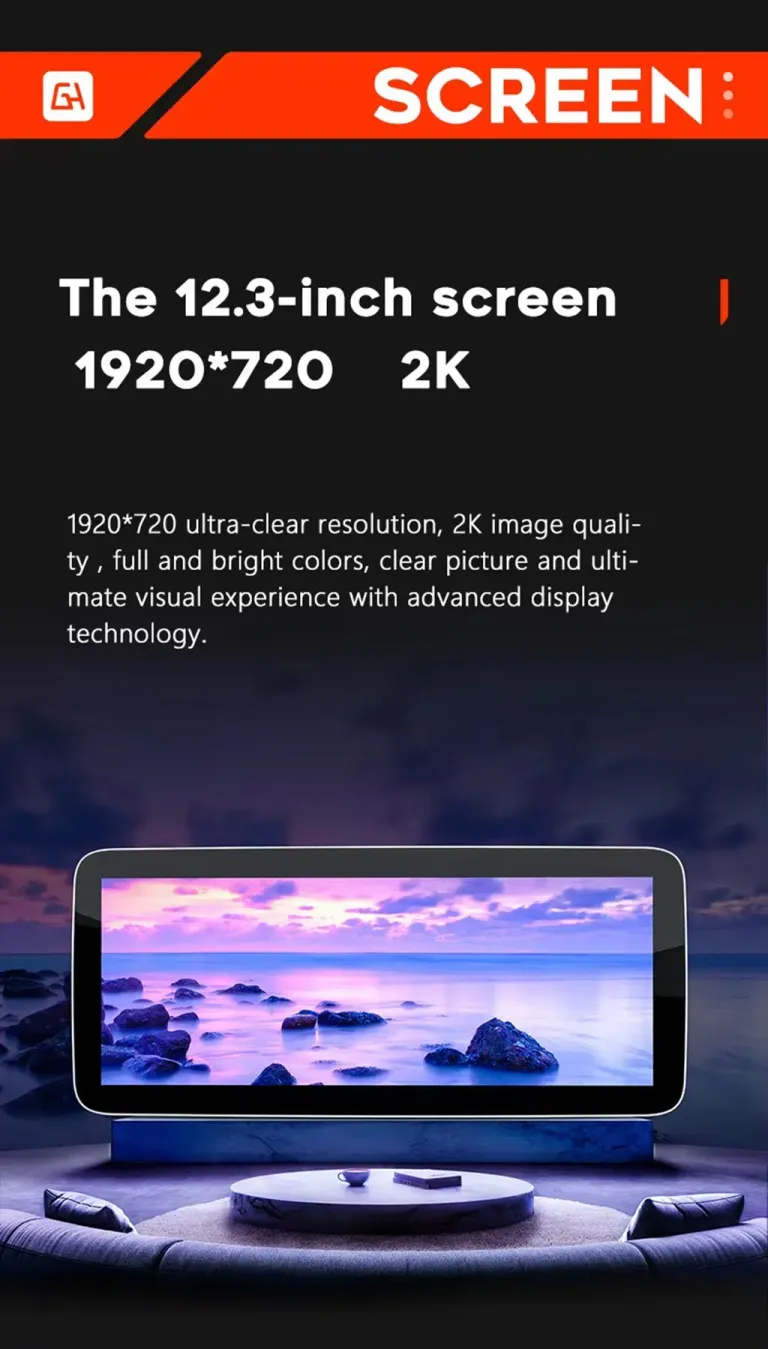
12.3-inch wide display option for stronger visual impact
The 12.3-inch display option gives the W212 cabin a much more modern center-screen presence. Wider navigation and media views are easier to read, especially during long trips. If you prefer a more restrained look, the 10.25-inch option remains a practical alternative.
Matched harness route for a cleaner reversible upgrade
A proper cable route matters more than buyers usually expect. The matched harness helps reduce wrong-connection risk and supports a cleaner installation process. This is especially important for international buyers because correcting a wrong cable after delivery wastes time and money.
DSP audio tuning for a better long-term ownership experience
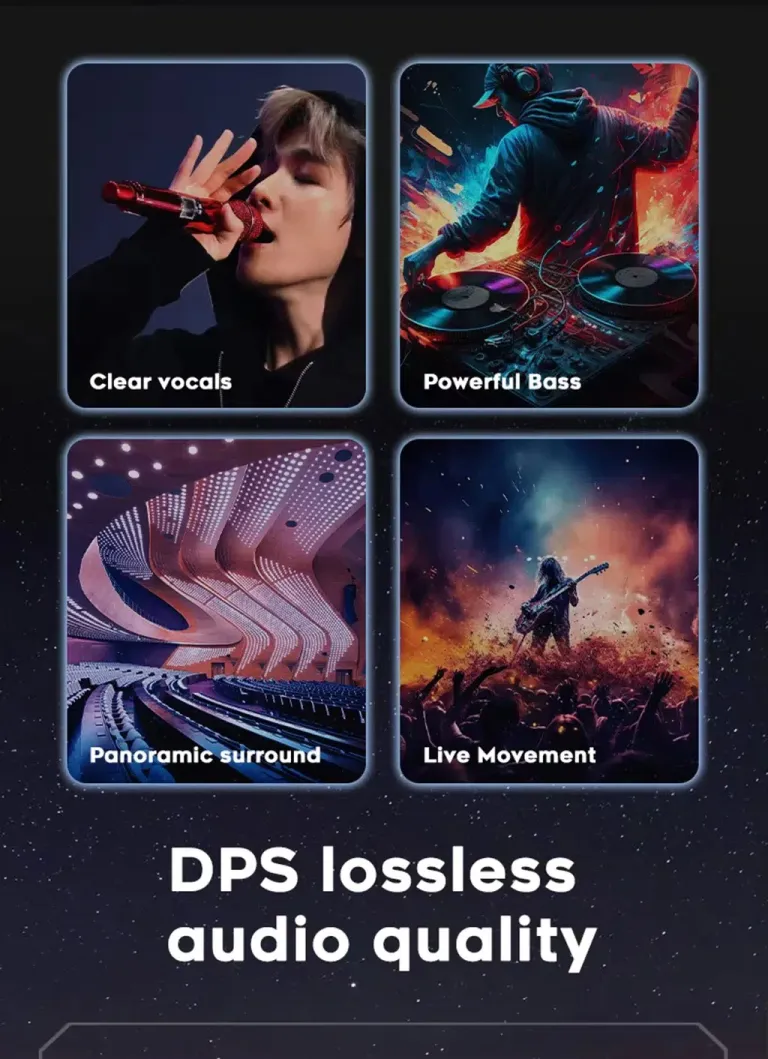
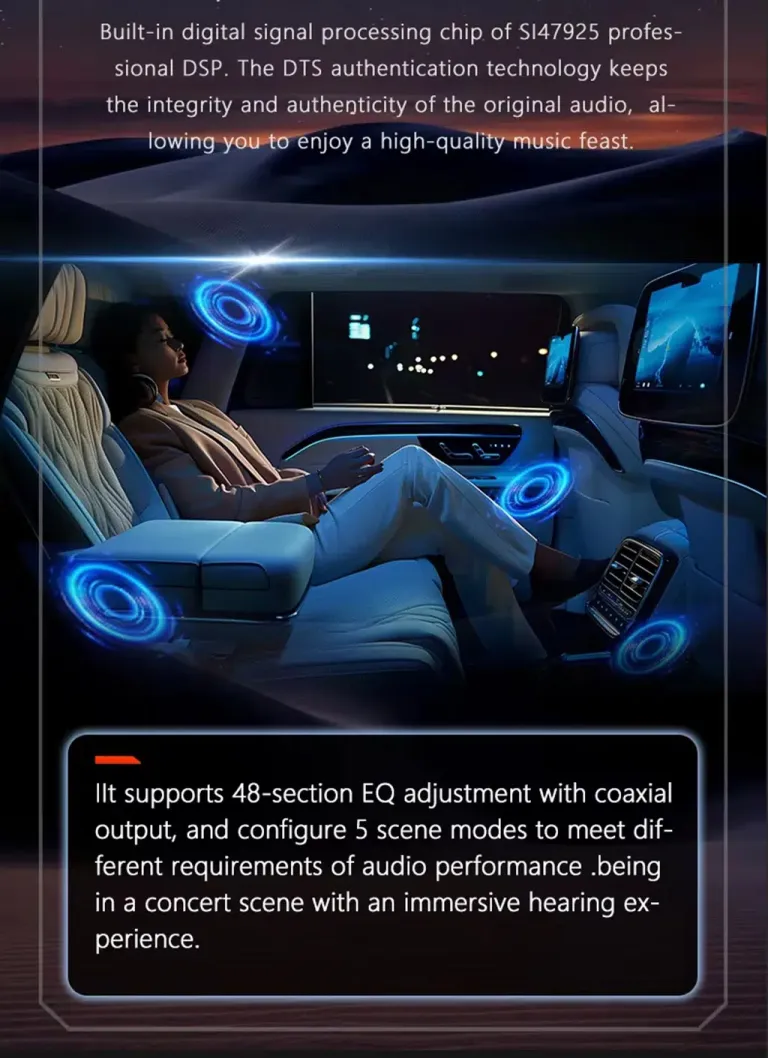
DSP support lets you tune the sound more carefully than a basic screen-only product. This matters if you use the car every day and care about music clarity. The installer should confirm the audio route and settings before the dashboard is fully reassembled.
More detailed sound control for different listening styles
Equalizer and scene settings let you adjust the listening experience for daily driving, highway trips or family travel. This helps the product feel like a complete cabin upgrade rather than only a screen replacement. Final sound behavior still depends on your factory audio route and configuration.
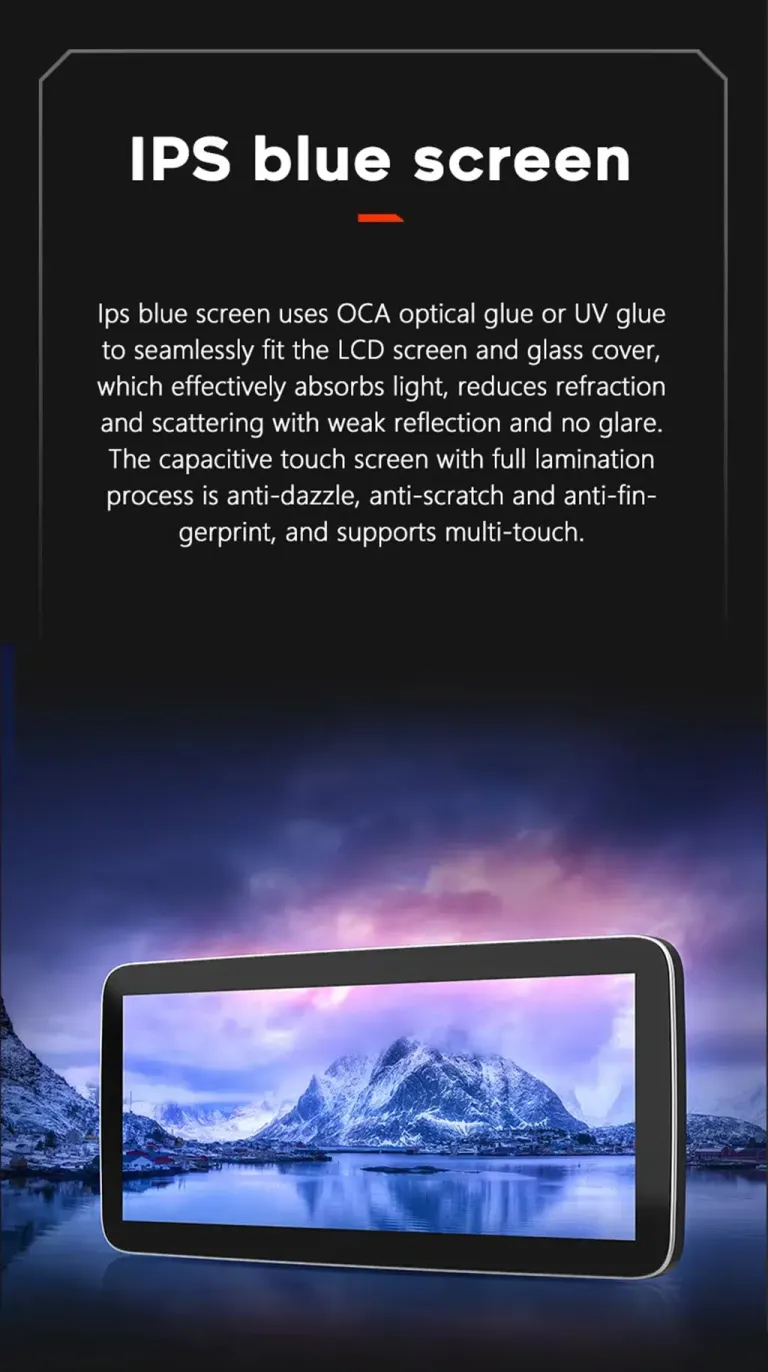
IPS and OCA display design for clearer viewing
A clearer screen helps with maps, music lists and camera views. Better viewing angles and anti-glare design make the display more usable in changing daylight conditions. This is a practical benefit for drivers who use navigation regularly.
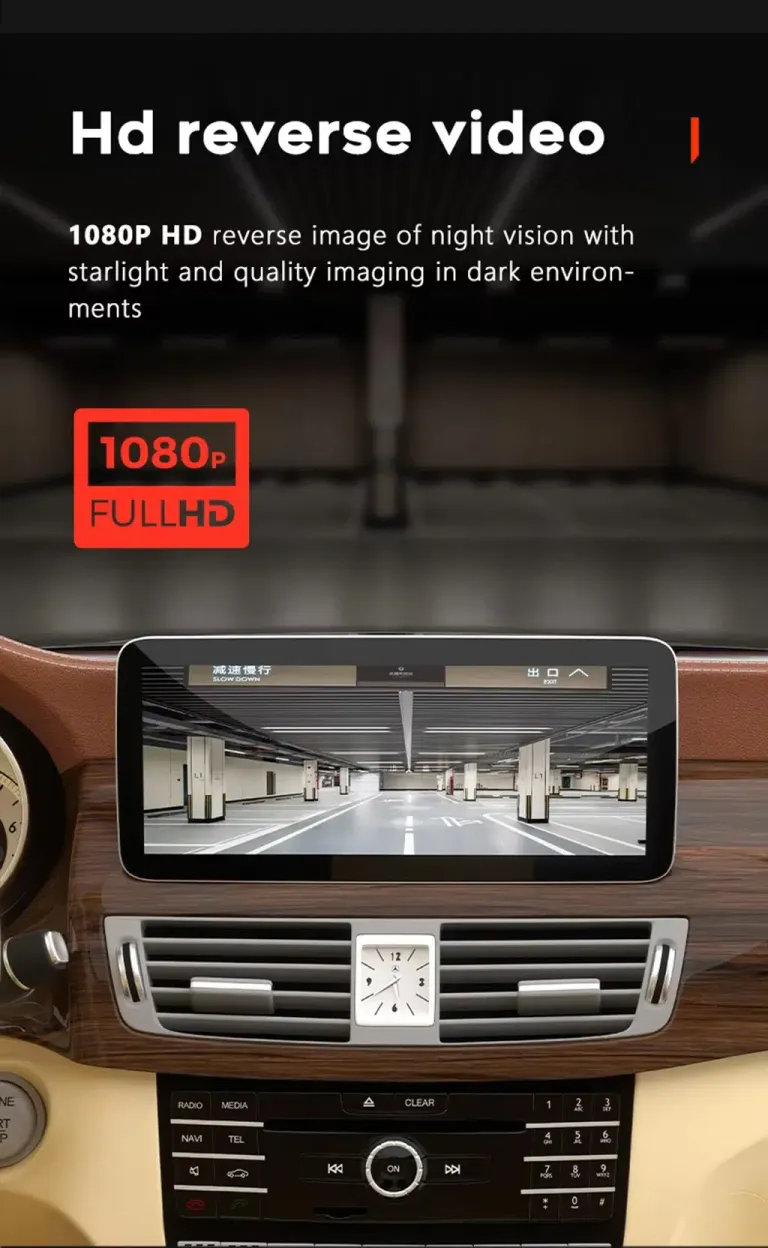
Reverse and camera display support for safer low-speed use
Camera display support helps parking feel more comfortable when the correct connection route is used. Rear camera input is listed in the product specifications, and 360 camera support depends on the vehicle and configuration route. Send camera and factory system details before shipment if your car has a special setup.
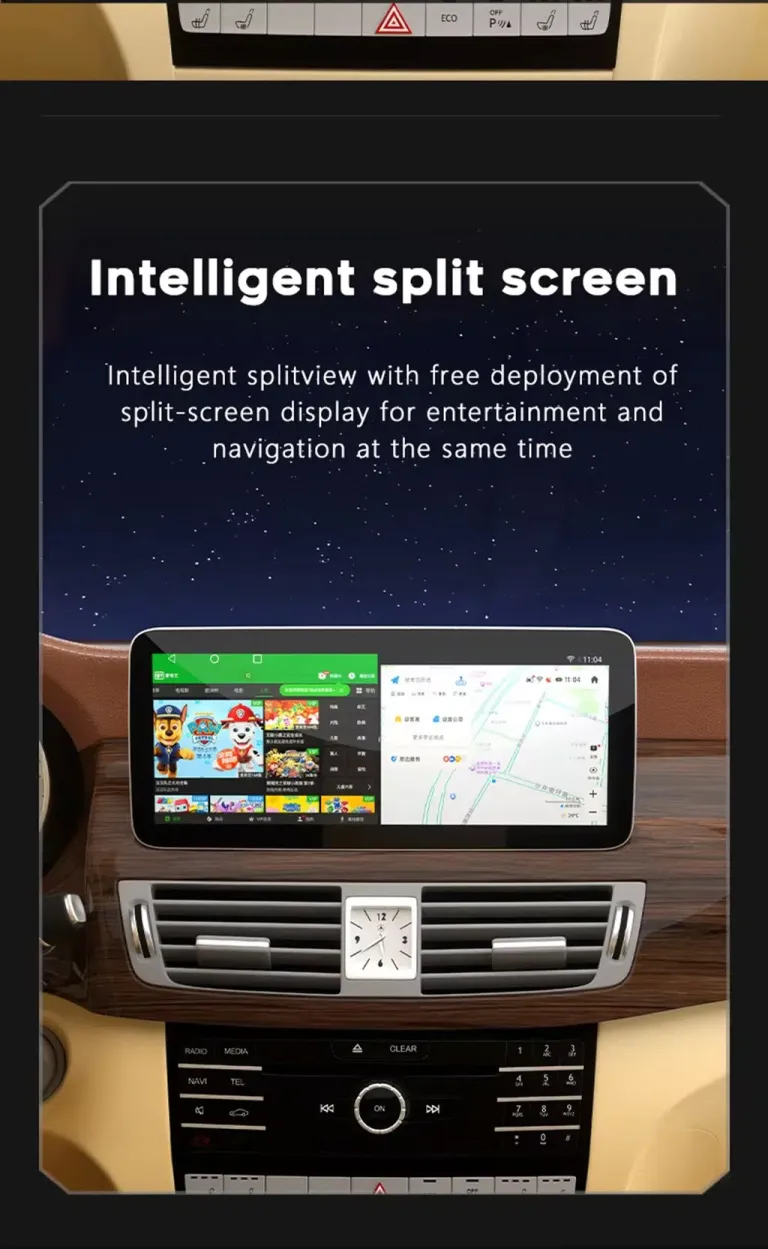
Split-screen use keeps navigation and music visible together
Split-screen use improves everyday usability because you do not need to jump between apps as often. You can keep maps visible while also controlling music or other supported functions. This makes the cabin feel more current for both driver and passengers.
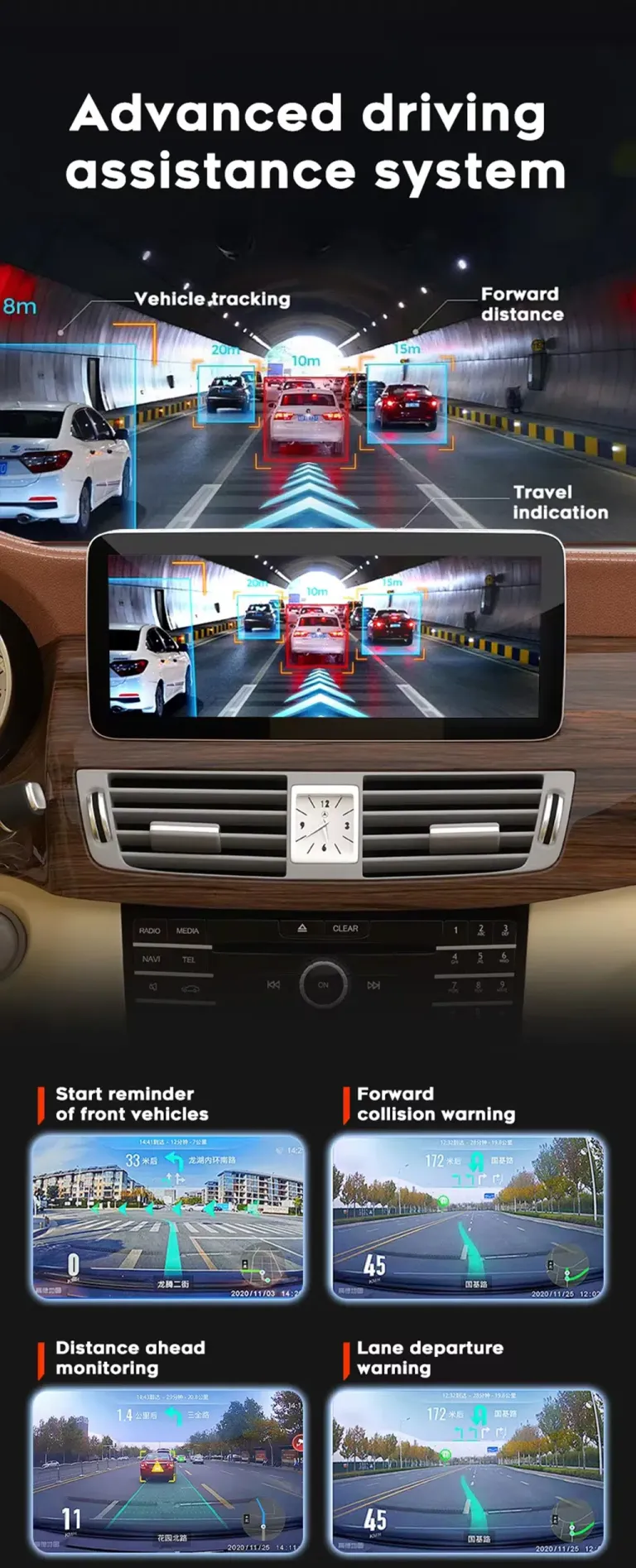
Camera and driver-assistance accessories require fitment checking
Some visual functions depend on extra hardware, vehicle wiring and compatible camera routes. iKAGOO uses your order information to separate standard supported functions from optional or vehicle-dependent functions. This avoids selling you a feature path that your car cannot use correctly.
Correct version preparation is the real value
Many W212 buyers compare only price and screen size. The bigger risk is ordering a product that does not match the original system, camera route, audio route or connector structure.
We check the vehicle before shipment
iKAGOO checks your model year, NTG system, dashboard layout, LHD/RHD position and connector information when needed. This helps prepare the correct screen and cable route before the order leaves our side.
NTG 4.0 and NTG 4.5 are handled separately
The product options separate NTG 4.0 and NTG 4.5 because the original system affects compatibility and connection details. This is why iKAGOO does not treat every W212 dashboard as identical.
Support continues after payment
After you order, iKAGOO can review vehicle details, prepare the correct parts, help with tracking questions and support installation issues using photos, videos and connection details instead of guessing.
What happens after you place an order?
This process is designed to reduce wrong-version risk before shipping and to give you a practical support path during installation.
Secure checkout and order record
Your order number becomes the reference for fitment review, shipping follow-up and later support.
Pregled informacija o vozilu
iKAGOO checks your W212 year, NTG version, dashboard layout, LHD/RHD position, audio system, camera route and connector photos when needed.
Correct version preparation
The screen, wiring harness, CANBUS or vehicle interface and accessory route are prepared according to your vehicle details.
Actual product photos when requested
If you ask before packing, iKAGOO can provide photos of the prepared product or visible accessories before dispatch.
Packing and dispatch
After version preparation, the order is packed and dispatched. Timing can vary by configuration, vehicle-specific preparation and stock status.
Tracking and shipping follow-up
Tracking is added after dispatch. Some international routes may show a local tracking update only after customs or carrier handoff.
Podrška za instalaciju i konfiguraciju
If your installer finds a cable, camera, audio or CANBUS setting issue, iKAGOO will request photos, videos and settings details to guide the next step.
Engineer escalation when needed
When a problem is not a simple setting issue, useful evidence can be organized for technical review by the relevant device engineer.
Software, settings or firmware path
If instructions, settings or software files are needed after confirmation, iKAGOO will coordinate the proper technical route when electronic delivery is possible.
Cable or accessory issue handling
If a required cable, harness or accessory is missing or incorrect, iKAGOO will arrange a solution after checking the evidence and order details.
Confirmed hardware incompatibility boundary
If the correct vehicle information was provided and no reasonable software, cable or accessory solution remains, iKAGOO will give a clear device-level resolution path according to policy.
Support after successful installation
After the product is working, you can still contact iKAGOO for applicable update, activation, troubleshooting or maintenance guidance linked to your order.
Three checks before you buy
These iKAGOO standards help you understand upgrade value, factory-function retention and the right installation path before ordering.
Potreba za nadogradnjom
This score explains why the upgrade makes sense for daily use, not only whether the screen looks newer.
- Older W212 factory screens lack modern wireless smartphone integration.
- Wireless CarPlay and Android Auto improve navigation, calls and music use.
- 10.25-inch and 12.3-inch options create a stronger cabin refresh.
- DSP-supported configurations add useful audio tuning value.
- The upgrade is more complete than adding only a CarPlay module.
Kompatibilnost s originalnim vozilom
A score of 90/100 does not mean that 10% of factory functions are lost. It reflects the upgrade route, vehicle-specific matching and retained-control path.
- Factory Function Continuity 25%: supported original functions are retained after correct setup.
- Original Control Continuity 15%: supported steering-wheel controls continue to work.
- Vehicle Data & Warning Integration 20%: CANBUS route depends on correct vehicle interface selection.
- Physical Architecture Match 15%: W212 dashboard structure and screen size are checked.
- Factory-Style UI & Interaction Match 15%: the upgrade keeps a Mercedes-style cabin direction.
- Installation & Hardware Integration 10%: matched harness and accessories reduce wrong-connection risk.
Nivo jednostavnosti instalacije
This level means the upgrade is suitable for experienced DIY installers or an automotive electronics installer who can remove trim carefully, connect the matched harness and complete function testing.
- Requires careful dashboard trim removal and screen replacement work.
- Requires matched wiring, LVDS, power and vehicle-interface connection.
- Requires CANBUS or system setting confirmation after installation.
- No intentional cutting of supported factory wiring is planned.
- Final testing should be completed before the dashboard is fully reassembled.
Why this product is different from cheaper alternatives
The best option depends on whether you want a complete center-screen upgrade, only phone mirroring, or repair of an aging factory system.
iKAGOO Mercedes W212 Android Head Unit
A complete Android screen upgrade with screen size options, wireless CarPlay, Android Auto, DSP options, camera input and vehicle-specific preparation.
CarPlay-only module
Useful if you only want phone mirroring, but it does not refresh the screen experience as completely and may still depend heavily on the old factory display route.
Used factory replacement
May keep the original look, but it does not solve the older interface problem or add modern Android, wireless CarPlay and Android Auto experience.
Generic low-cost unit
The price may look attractive, but wrong NTG version, wrong cable route or weak support can cost more time than the initial saving.
Current product facts for this W212 Android screen
Use these specifications to understand the product route, then choose the final version according to your vehicle system and preferred configuration.
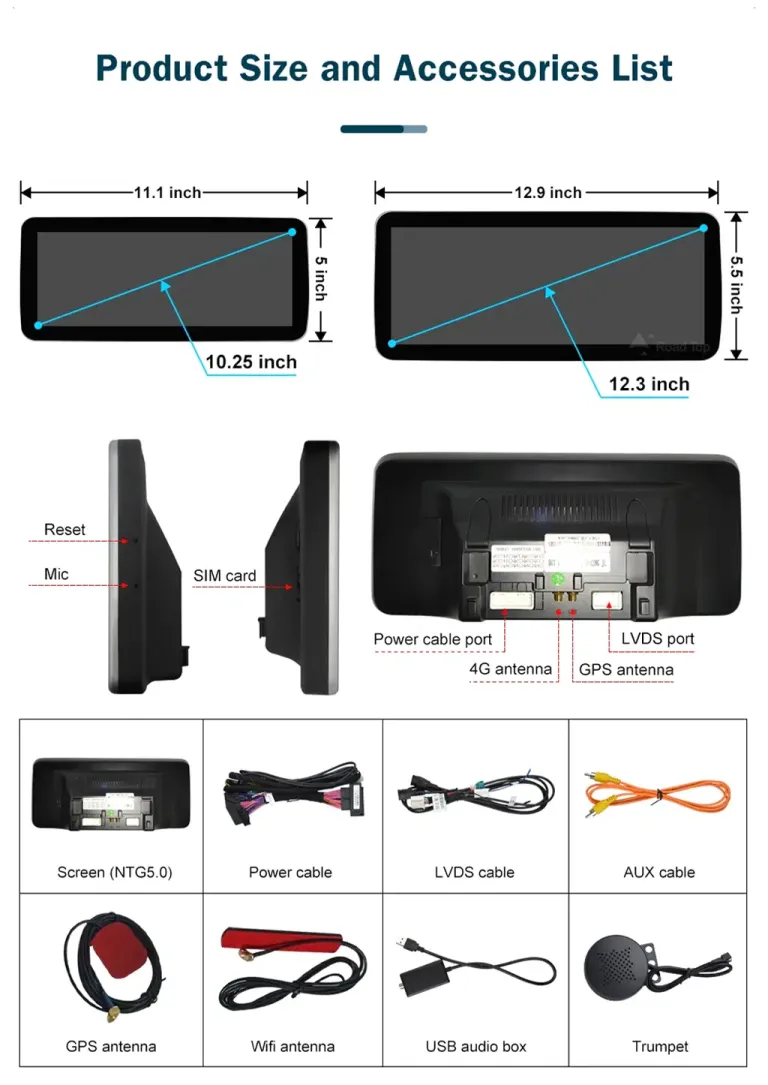
Cables and accessories matter as much as the screen
A successful W212 upgrade depends on the correct screen, harness, LVDS route, power cable, GPS antenna, WiFi antenna and audio interface route.
Accessory layout helps the installer plan the job
The accessory view helps you understand that this is not only a display panel. Power cable, LVDS cable, AUX route, GPS antenna, WiFi antenna and related accessories all affect the final installation. iKAGOO prepares the matching route according to the vehicle details you provide.
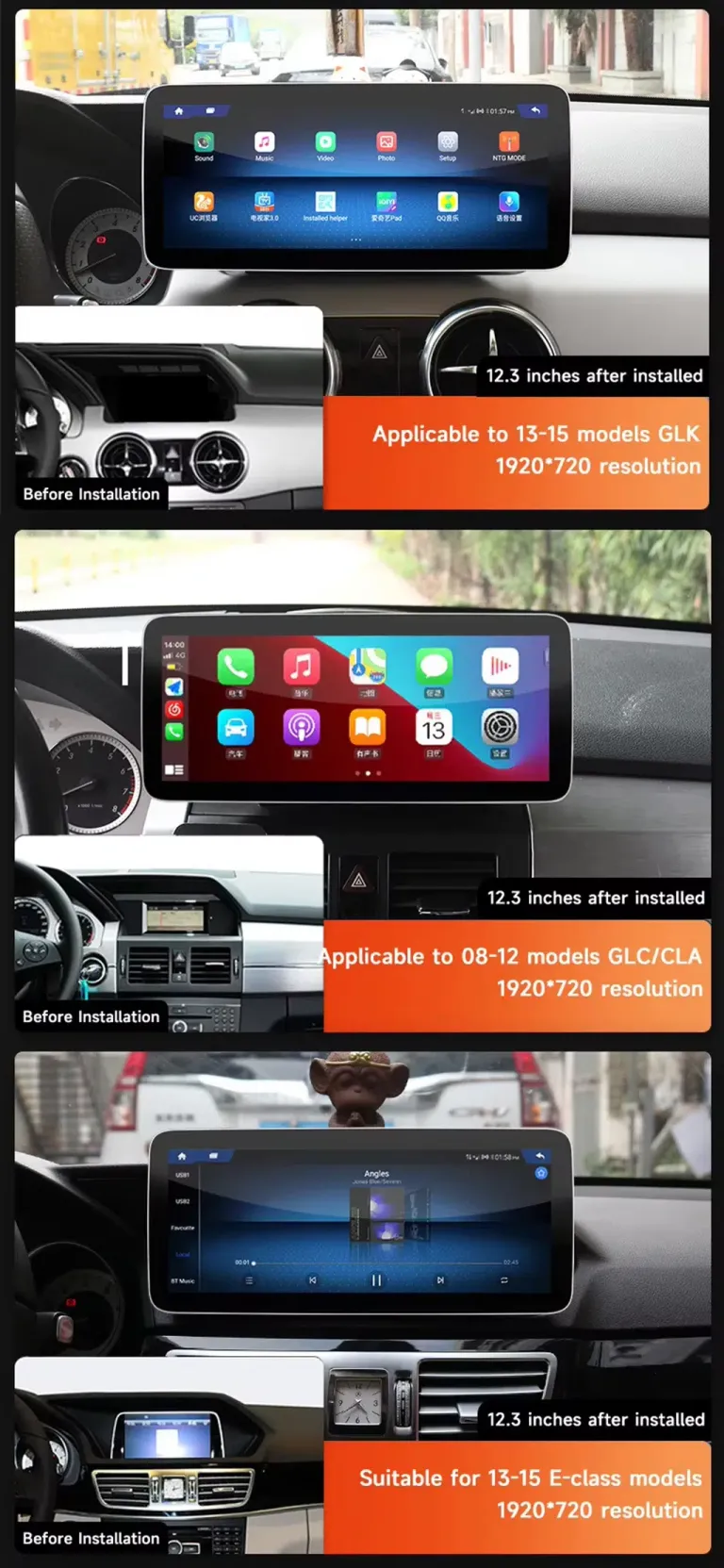
Mercedes dashboard examples explain why photos are requested
Mercedes cabins can look similar in search results while using different dashboard structures and factory systems. iKAGOO asks for photos so the correct product route is prepared for your car. This reduces the risk of receiving a screen that looks right online but does not match the installation path.
Test the system before fully reassembling the dashboard
Do not judge the installation only by whether the screen powers on. Complete function testing protects the final result and avoids repeated trim removal.
Prije instalacije
Confirm the vehicle year, NTG version, screen size option, dashboard layout, LHD/RHD position and any special factory audio or camera system.
During connection
Check power cable, LVDS cable, AUX or audio route, GPS antenna, WiFi antenna, USB route and CANBUS or vehicle-interface connection.
Before final reassembly
Test steering-wheel controls, CarPlay, Android Auto, Bluetooth, WiFi, camera display, audio output, sleep/wake behavior and screen brightness.
When the installer should pause and contact iKAGOO
Stopping early is better than forcing a wrong connection. Contact iKAGOO with clear photos and videos if any of these conditions appear.
Neusklađenost konektora
If the connector, LVDS plug or power cable does not match your car, do not modify pins or force the connection.
Unexpected previous modification
If the car has an old aftermarket unit, cut wires or missing factory modules, document the current wiring before proceeding.
Camera or audio issue
If the reverse camera, factory amplifier or sound output behaves unexpectedly, send photos, videos and settings before final assembly.
Practical support for international W212 buyers
iKAGOO supports the order from fitment checking through shipping, installation questions and qualified after-sales handling.
Shipping follow-up
After dispatch, tracking is added to your order. International routes may involve customs and local carrier handoff before the final tracking update becomes clear.
12-month hardverska garancija
The product is supported by iKAGOO warranty terms for eligible hardware issues. Keep your order number because it connects the device to support and warranty handling.
Podrška za instalaciju
When installation questions arise, iKAGOO works from actual photos, videos, connector details, settings and fault behavior so the response is grounded in your vehicle.
Mercedes W212 Android Head Unit FAQ
These answers focus on real W212 buyer concerns: fitment, NTG version, original controls, camera route, audio behavior and order preparation.
Will this fit my exact Mercedes E-Class W212 year?
It depends. The product is listed for Mercedes E W212 2009–2016, but the correct version still depends on your NTG 4.0 or NTG 4.5 system, dashboard layout, LHD/RHD position and connector route. Send the requested vehicle details before shipment so iKAGOO can prepare the correct version.
Does this Mercedes W212 Android Head Unit support NTG 4.0 and NTG 4.5?
Yes. The product options include NTG 4.0 and NTG 4.5 selection. You should not guess this from the model year alone because original system menus and dashboard structure help confirm the correct route.
Will original steering-wheel controls still work?
Yes, for supported W212 configurations after correct connection and setup. Steering-wheel control retention depends on the matched vehicle interface and correct CANBUS or system configuration.
Will my factory camera or parking sensors continue to work?
It depends. Rear camera input is supported, and some vehicles can use more advanced camera routes depending on configuration. If your car has a special camera, 360 system or previous retrofit, send photos before shipment.
Da li podržava bežični CarPlay i Android Auto?
Yes. The product page lists wireless CarPlay and Android Auto. These functions give you a more modern way to use navigation, calls, music and supported phone apps on the W212 center display.
Do I need to cut factory wiring?
No. The matched harness is designed to connect without intentionally cutting supported factory wiring. If your installer finds previous modifications or a connector mismatch, stop and contact iKAGOO before changing the wiring.
Is this suitable for DIY installation?
It depends. The iKAGOO Installation Ease Level is Level 3 — Advanced DIY. It is suitable for experienced DIY installers or an automotive electronics installer who can remove trim carefully, connect the matched harness and complete function testing.
Šta trebam poslati prije otpreme?
Send your model year, dashboard photo, original system menu photo, LHD/RHD information, connector photos when requested, and details about factory camera, amplifier, 360 system or previous aftermarket modifications. This helps iKAGOO prepare the correct screen and connection route.
What if my vehicle has a special factory audio system?
It depends. Factory amplifier, AUX route and speaker output can affect audio setup. Provide audio-system details before shipment so iKAGOO can prepare the proper connection route and support instructions.
Why buy from iKAGOO instead of a cheaper generic unit?
Because the costly mistake is often not the screen price but the wrong version. iKAGOO checks fitment details, prepares the matching route and provides an after-order support path for cables, settings, camera, audio and software questions.
Can I ask for actual product photos before packing?
Yes. If you request photos before packing, iKAGOO can provide visible product or accessory photos for the prepared order. Ask before dispatch so the team can handle it in time.
What if software or firmware is required?
It depends on the confirmed issue. If settings, instructions or software files are needed after checking the vehicle evidence, iKAGOO can coordinate the suitable technical route when electronic delivery is possible.
Read the standards before ordering
These pages explain how iKAGOO handles upgrade value, compatibility, installation path, warranty and after-sales boundaries.
Potreba za nadogradnjom
Kompatibilnost s originalnim vozilom
Nivo jednostavnosti instalacije
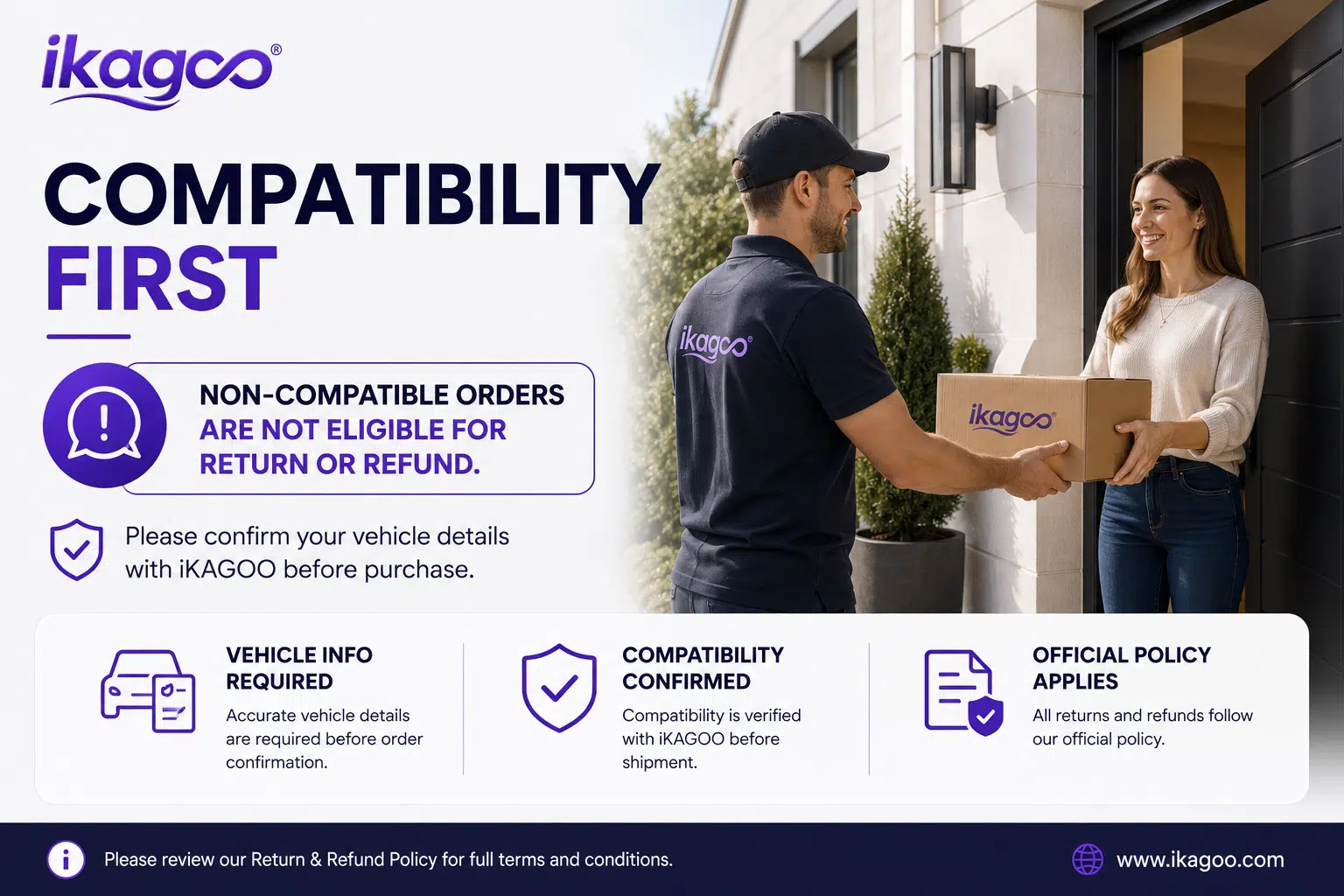
Compatibility and Installation
Politika garancije
Refund and Returns
Choose your screen size and NTG version, then let iKAGOO check the fitment route
Before shipment, iKAGOO can check your Mercedes E-Class W212 year, NTG system, dashboard layout, connector photos and factory function details. This helps prepare the right Mercedes W212 Android Head Unit for your vehicle and reduces the risk of receiving a wrong-version screen after international delivery.


Liam Carter –
Honestly surprised by how smooth this Android Head Unit runs. The plug-and-play setup really worked — I didn’t even need to cut a single wire on my 2014 E-Class. Wireless CarPlay connects automatically every time. It looks OEM, like it came straight from the factory.