


Clearer Driving Data
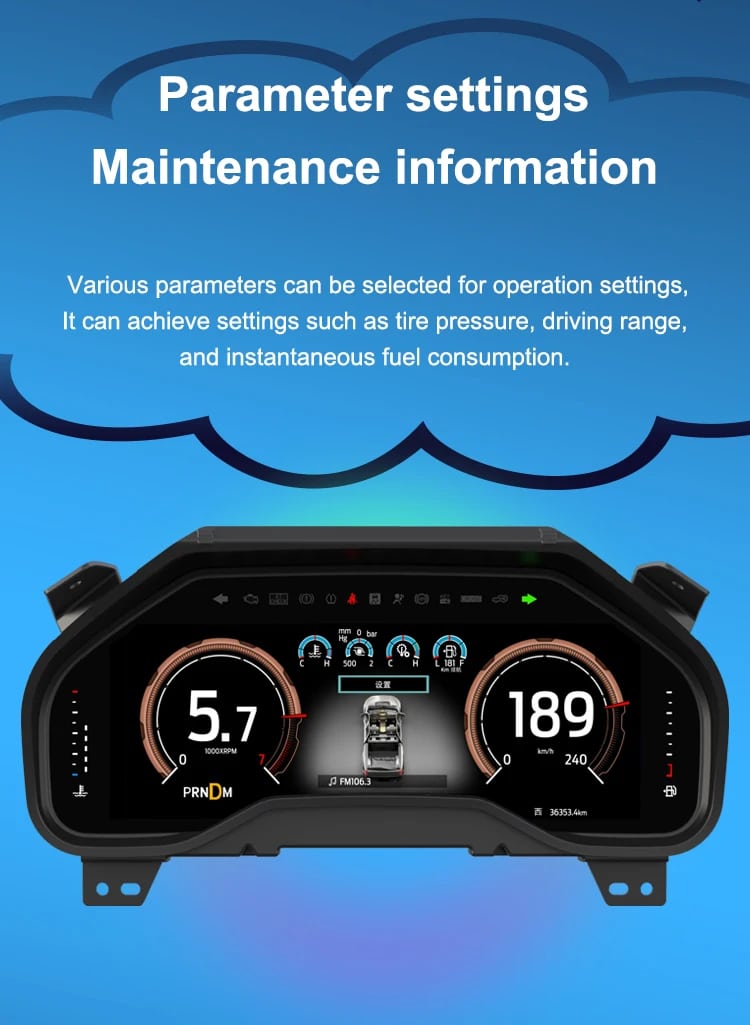
Speed, RPM, gear position, fuel range, oil information, water temperature, TPMS and supported warnings are easier to read than on the original analog layout.

No products in the cart.
| Težina | 4.5 kg |
|---|---|
| Dimenzije | 45 × 35 × 25 cm |
| Prateći automobil | 2009-2012, 2013-2014 |
| Kompatibilnost proizvoda | Plug and play |
| Porijeklo proizvoda | Originalni proizvod |



Od: $1.380,00

Mi se brinemo o svim PDV-ima i carinama. Procijenjena ušteda: $120–$280.
Provjera kompatibilnosti, siguran proces plaćanja, praćena dostava i praktična podrška nakon prodaje.
2009–2014 F-150 · 2010–2014 SVT Raptor
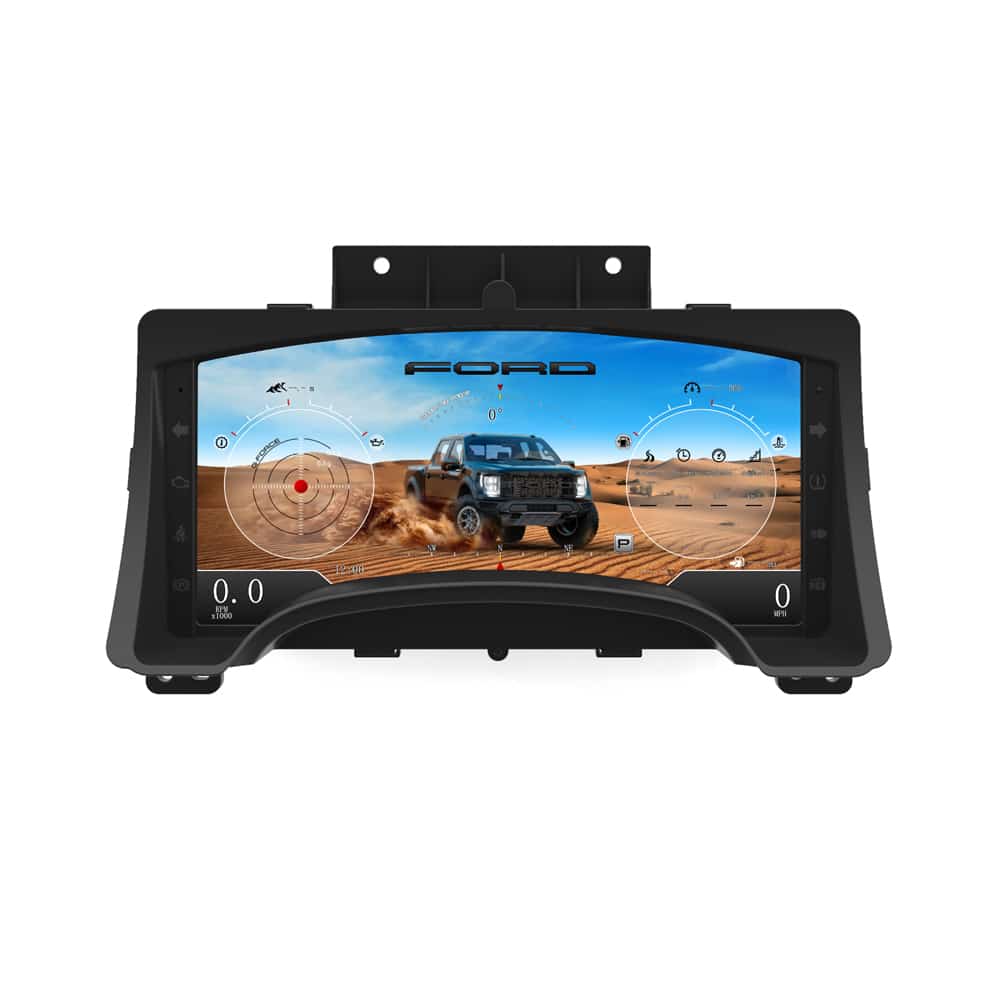
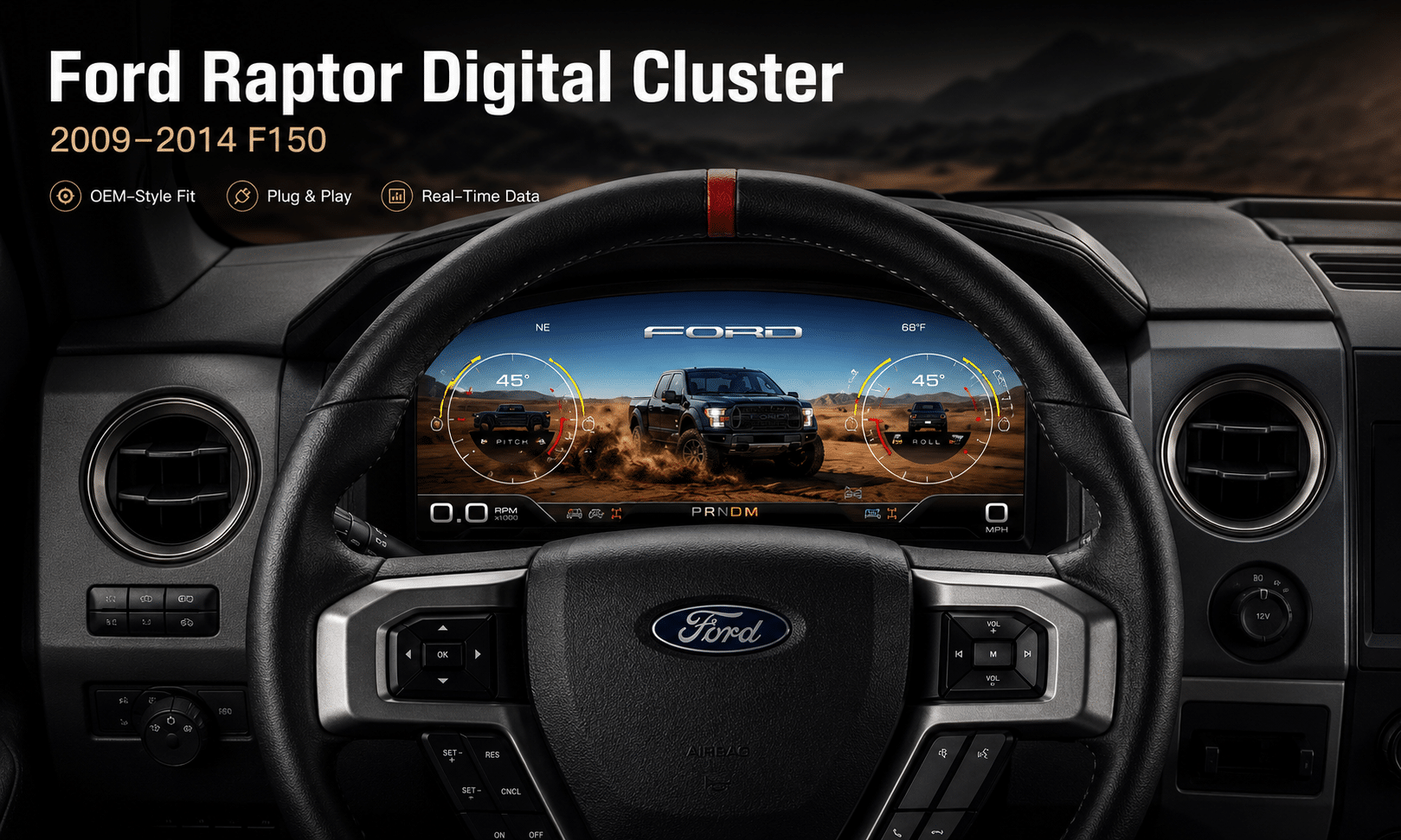
Ovo 2009-2014 Ford F150 digital instrument cluster upgrades the original analog gauge area into a 13.1-inch Linux virtual cockpit. It supports original vehicle data, multiple Raptor-style UI themes, steering-wheel control operation, CarPlay / Android Auto map information display and map mirroring from a compatible Android head unit.
iKAGOO prepares the correct 2009–2012 or 2013–2014 cluster version, connection solution and installation guidance from your vehicle information.
F-150 and SVT Raptor owners who want a full digital driver display, original vehicle information, off-road UI themes and phone navigation information shown in the instrument area while keeping the original dashboard style.
The large digital display fits inside the original cluster position, giving the truck a modern cockpit view without making the dashboard look like a cheap universal screen installation.
Daily-Use Improvement
The strongest value is not only the screen size. The upgrade changes how you read speed, RPM, tire pressure, oil information, fuel data, navigation direction and off-road status during normal driving.
Speed, RPM, gear position, fuel range, oil information, water temperature, TPMS and supported warnings are easier to read than on the original analog layout.
When paired with the compatible source system, the cluster can show phone navigation and Android head unit map information in the driver’s display area, reducing the need to look away from the road.
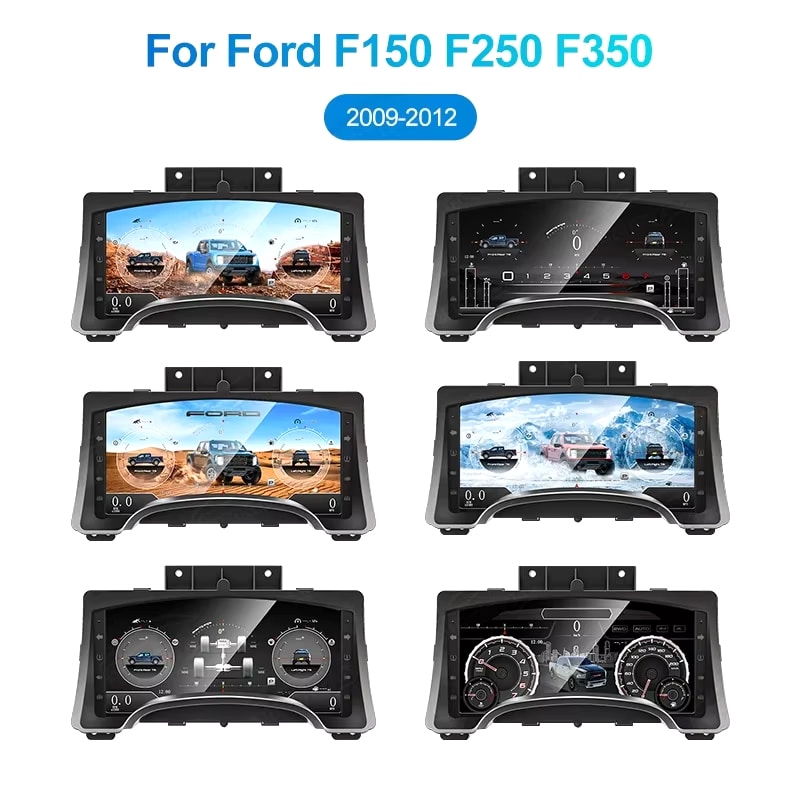
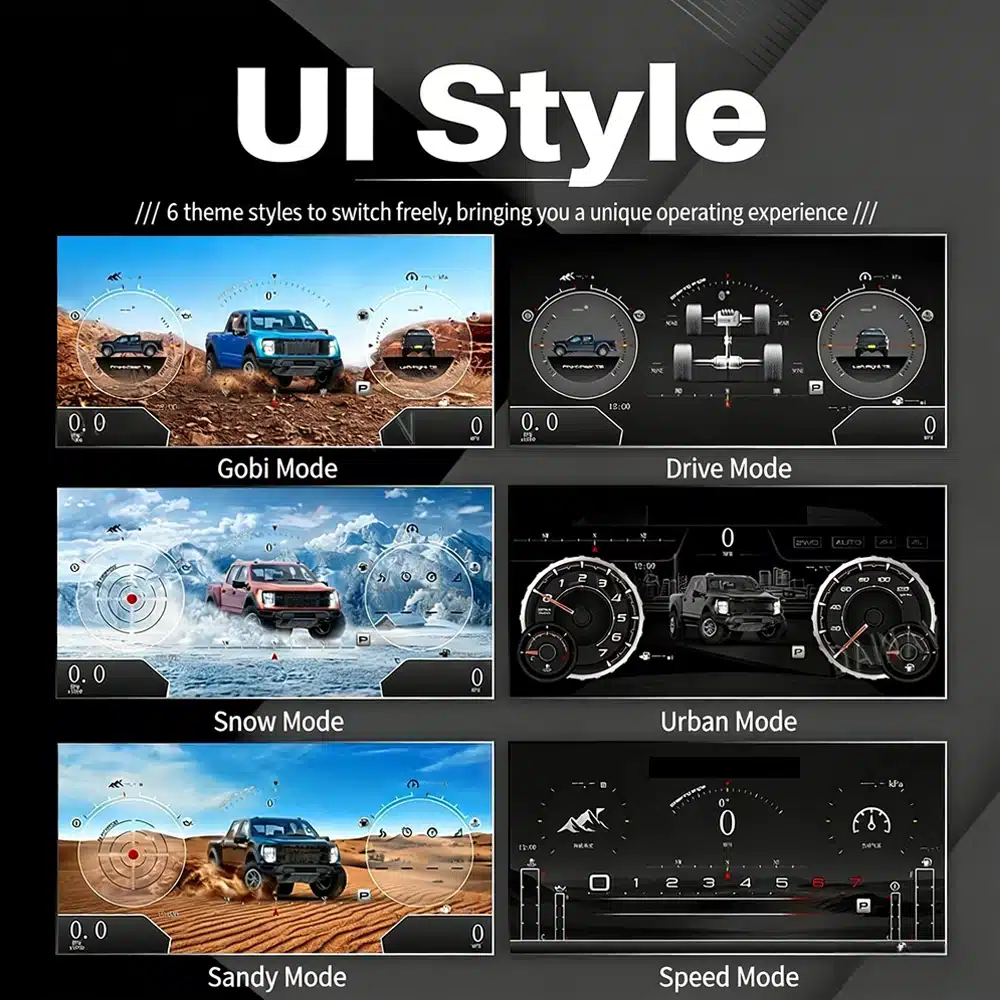
The interface includes multiple visual themes for city driving, speed-focused driving, snow, sand, desert and drivetrain-focused views, making the upgrade feel closer to a modern Raptor cockpit.
Funkcije fabrike su zadržane
With the correct year version, retained original instrument electronics and proper installation, the cluster continues to present the important driving information your F-150 supplies.
Prepared for Your Truck
We separate the 2009–2012 and 2013–2014 dashboard versions instead of treating every 12th-generation F-150 as identical.
We help you confirm whether your CarPlay, Android Auto or Android head unit map source can feed navigation information to the digital cluster.
The installation path retains the required original instrument electronics so vehicle-specific data is not treated like a generic replacement cluster.
We help you check speed, RPM, gear, warnings, TPMS, map display, steering controls, units and sleep behavior before final reassembly.
The matched installation is designed to connect without intentionally cutting the supported factory main wiring.
You receive installation and configuration assistance plus a 12-month limited hardware warranty for eligible manufacturing defects.
Vehicle-Specific Hardware
The molded housing follows the original instrument opening so the finished result looks like a deliberate cockpit upgrade rather than a tablet added on top of the dashboard.

Correct Year Selection
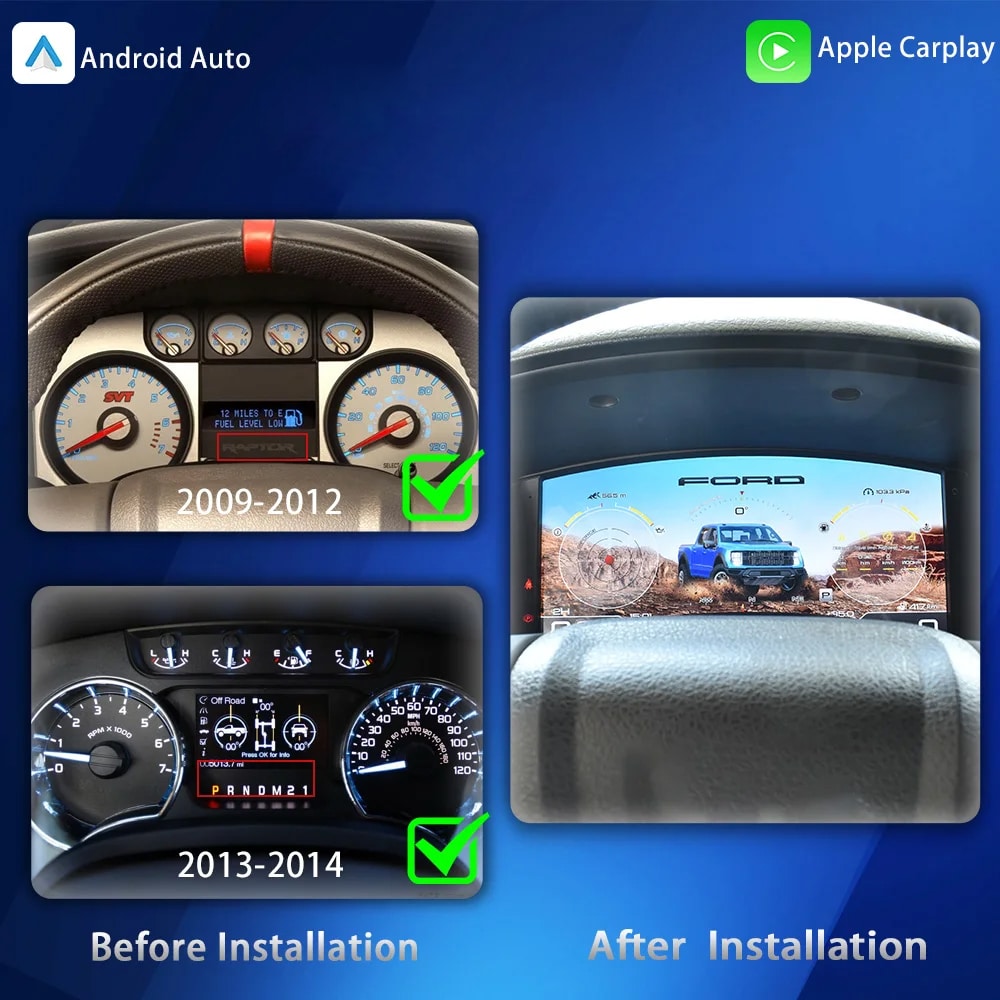
The 2009–2012 and 2013–2014 factory layouts are not identical. Choose the matching year option and send your original cluster photo. The cluster can retain original vehicle data and display supported phone-navigation information when the connected source is compatible.

High-Definition UI Styles
This clear UI image replaces the low-resolution dial-switch image. The available styles include Gobi Mode, Drive Mode, Snow Mode, Urban Mode, Sandy Mode and Speed Mode, giving your F-150 or Raptor a more modern factory-style digital cockpit.
Selectable Cockpit Themes
The display can prioritize different information depending on how you use the truck: city driving, highway speed, desert driving, snow, sand, drivetrain status or daily vehicle information.

CarPlay and Android Auto Map Information
When your connected CarPlay, Android Auto or Android head unit system supports output to the cluster, the instrument screen can present map and navigation information closer to your normal driving view.
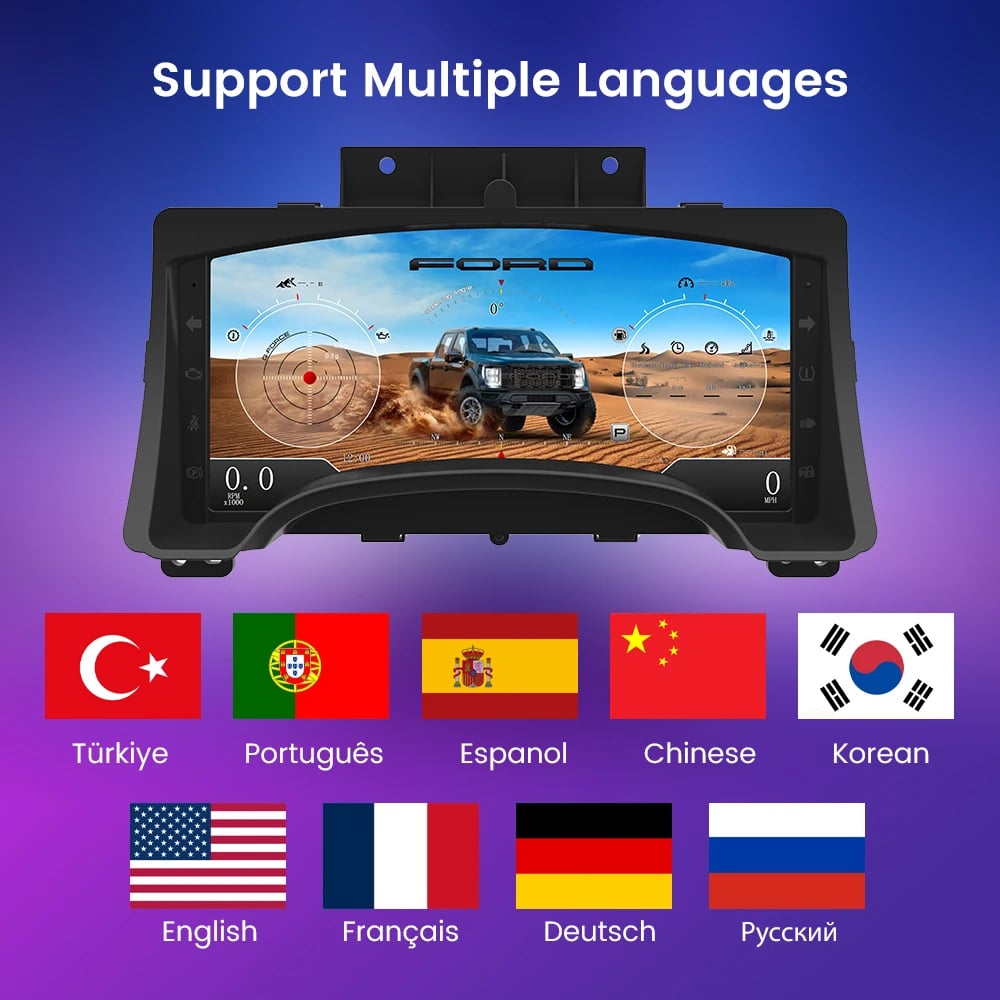
Multilingual Interface
The Linux interface supports multiple languages, including English, Spanish, French, German, Russian, Portuguese, Turkish, Korean, Chinese and Arabic. Ask iKAGOO about your preferred language when placing the order.

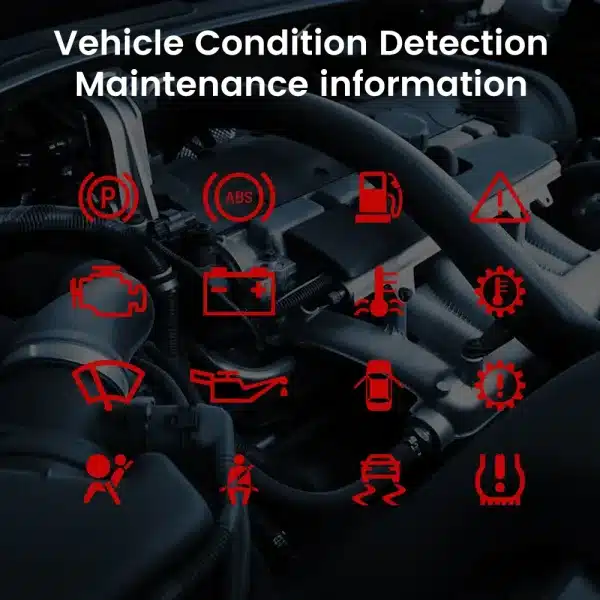
Warnings and Maintenance
Supported warning indicators, maintenance information and vehicle-status messages remain part of the driving experience, helping you notice issues without returning to the limited original display.
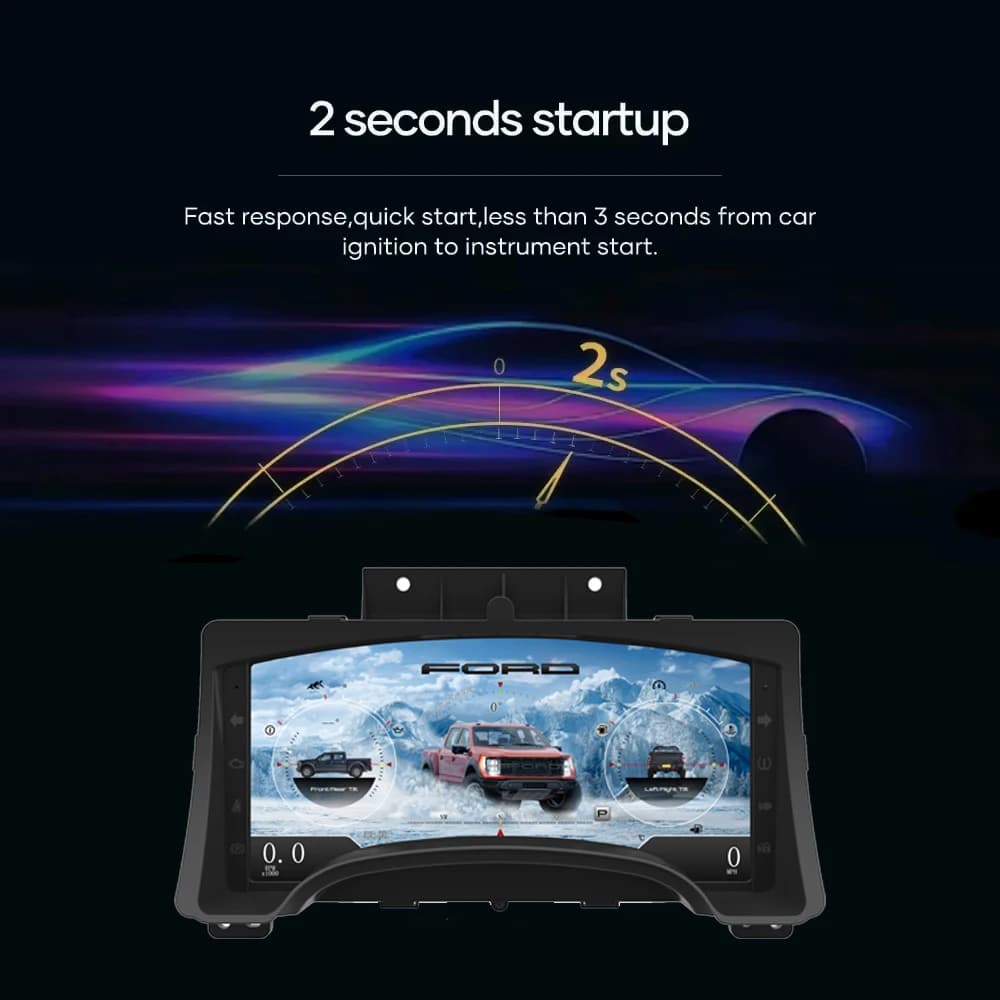
Fast Linux Startup
A dedicated Linux platform keeps startup focused on driving information. The specified startup time is under two seconds after ignition.
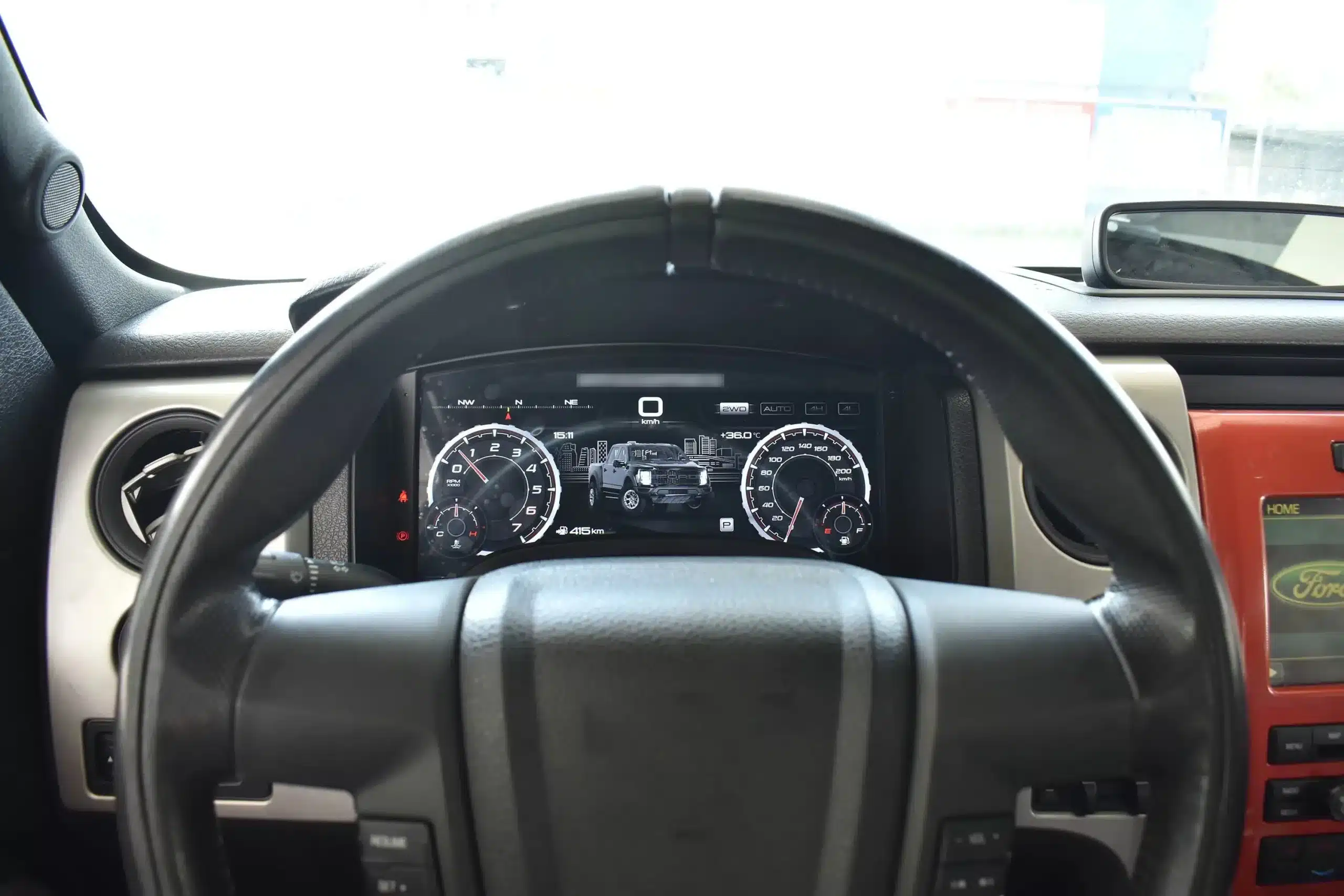
Installed Driving View
The wide screen sits behind the original steering wheel and within the existing dashboard architecture, creating a larger visual upgrade while leaving the center stack and surrounding interior intact.
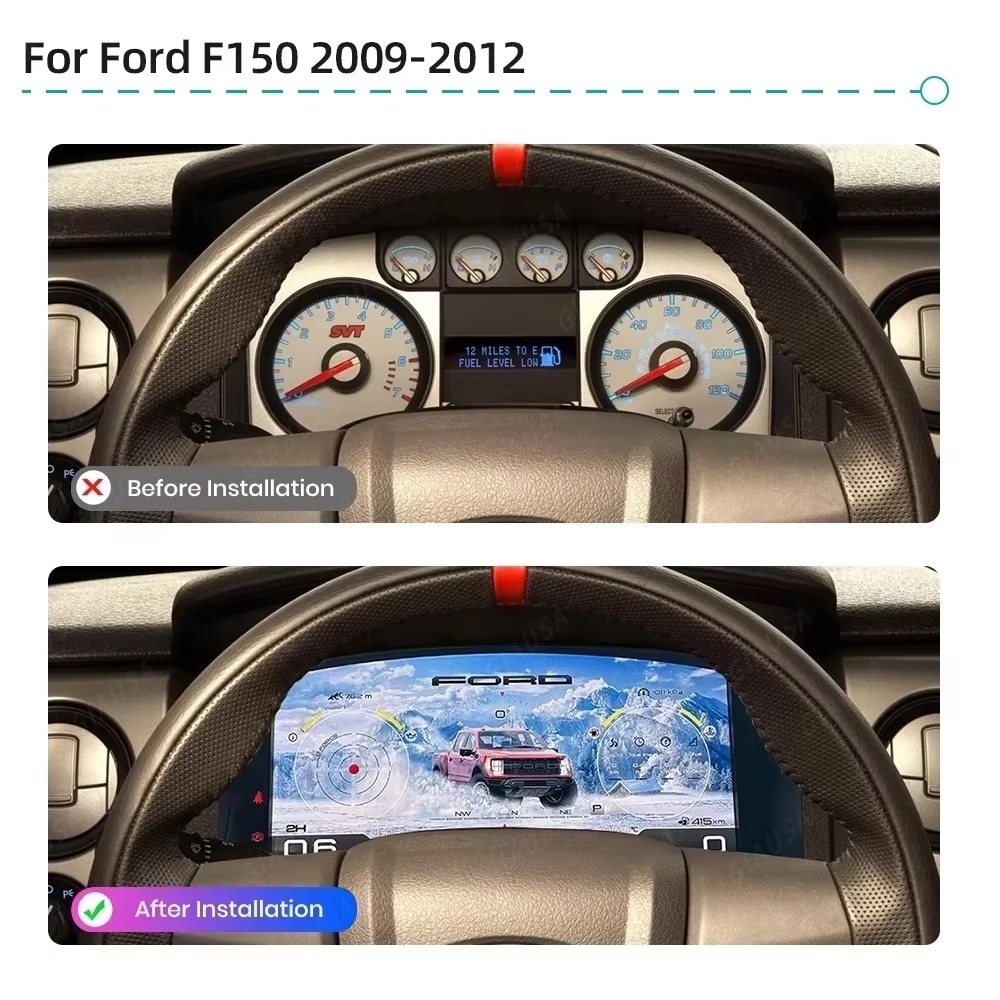
Prije i poslije
The original analog cluster provides basic information, while the digital replacement creates a wider, brighter and more configurable view directly in the driver’s normal line of sight.
Factory Controls
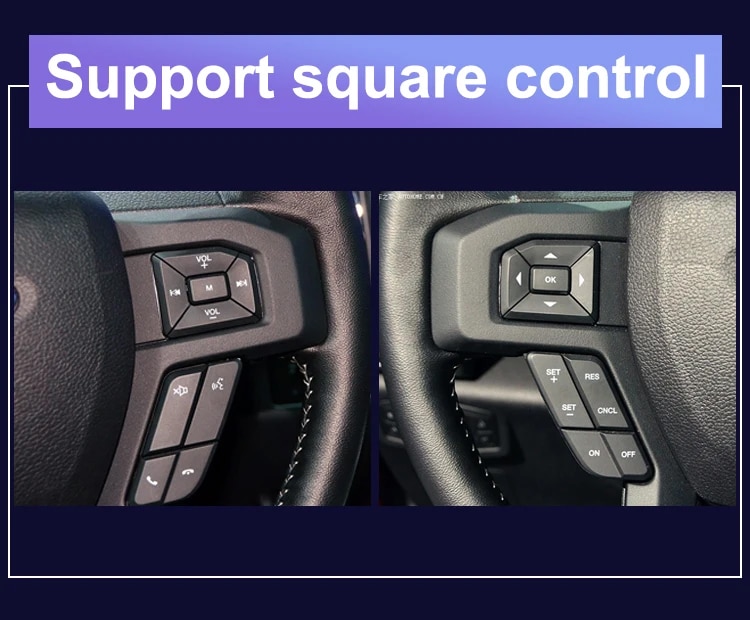
The supported factory arrow and OK controls let you move through cluster pages, settings and UI modes without adding an unrelated controller to the dashboard.
Podaci vozila
The screen layout can vary by year version and selected theme, but the purpose is consistent: make supported vehicle, maintenance, off-road and navigation information easier to find during daily use.
Feature Overview
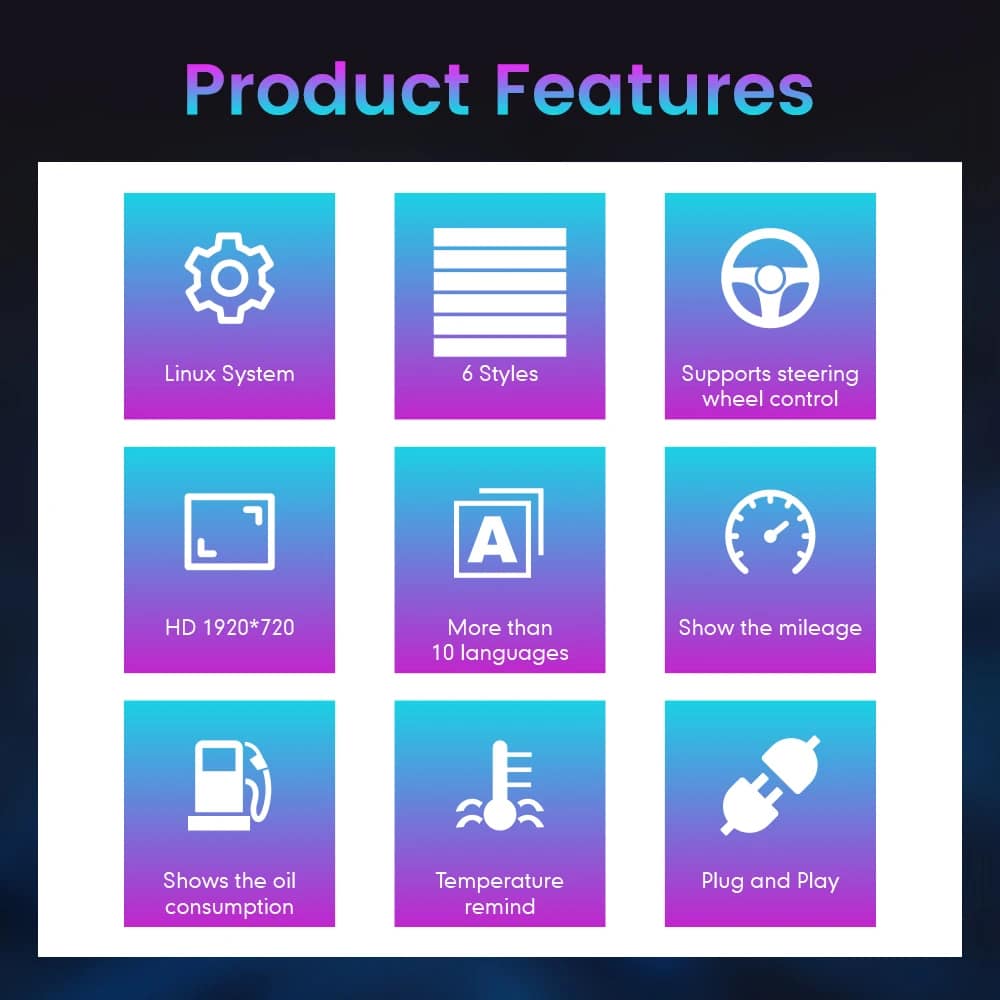
The cluster is built around Linux, selectable layouts, steering-wheel control, mileage display, vehicle-status information and supported CarPlay / Android Auto / Android head unit map information display. For your order, iKAGOO prepares the 13.1-inch, 1920 × 932 configuration stated in the purchase specifications.
Vehicle and Regional Name Guide
This cluster is built around the 12th-generation F-150 dashboard architecture. The purchase area currently provides two hardware groups because the original cluster structure changes across the production run.
Select the 2009–2012 option and provide a clear photo of the original cluster. This includes matching trucks with the earlier gauge layout.
Select the 2013–2014 option and provide the later original cluster photo so the correct physical version can be prepared.
The first-generation Raptor belongs to this F-150 generation. Match by model year and original cluster appearance; there is no 2009 model-year SVT Raptor.
Mexican-market badge names can refer to the same generation, but the dashboard, original cluster and connector configuration must match before ordering.
This product is prepared around the North American left-hand-drive dashboard shown. For an aftermarket RHD conversion, send full dashboard and steering-control photos before purchase.
Do not choose this 2009–2014 version. Use the separate 2015–2020 F-150 digital cluster page .
Specifikacije proizvoda
Priprema narudžbe
Provide the model year, trim, engine/fuel type and market.
Send the original cluster and a full driver-side dashboard photo.
We match the 2009–2012 or 2013–2014 hardware configuration.
Confirm CarPlay, Android Auto or Android head unit map output before shipment.
After delivery, use the provided guidance and contact iKAGOO if the layout or map display behavior differs.
iKAGOO Purchase Evaluations
A score of 92/100 does not mean that 8% of factory functions are lost. The score also reflects that the new Linux interface and menu structure differ from the original Ford analog cluster.
Suitable for an experienced DIY installer or an automotive electronics installer. The level describes the work required; it does not indicate lower product quality or lower upgrade value.
Compare the Real Outcomes
Instalacija
This is not a simple USB accessory. Correct work requires careful trim removal, cluster removal, original-component handling, matched connection, CarPlay / Android Auto / Android head unit map source setup and complete function testing.
Shipping and Support
Normally 1–3 business days before dispatch, with additional time when vehicle information or configuration needs clarification.
Typical delivery after dispatch: USA/Canada 5–9 business days, EU 7–15, UK/Australia 7–10, other supported regions 7–20.
Eligible manufacturing defects and hardware failures under normal use are covered by the current limited hardware warranty.
When iKAGOO confirmed compatibility from accurate pre-purchase information but no reasonable solution works, the current published refund policy applies.
Buyer Questions
Spremni za nadogradnju
Choose the correct year version, send the requested vehicle photos and let iKAGOO prepare the matched digital cluster configuration, UI setup and map-display guidance for your truck.


Jasne informacije o obradi narudžbi, međunarodnoj dostavi, proizvodima specifičnim za vozilo, garancijskoj podršci, povratima i oštećenim pošiljkama.
Ovi odgovori pružaju praktičan sažetak. Potpune stranice politike na koje vode donji linkovi primjenjuju se na sve narudžbe.
Većina iKAGOO narudžbi se šalje iz našeg skladišta u Kini nakon provjere konfiguracije proizvoda i informacija o vozilu. Uobičajena obrada narudžbe traje otprilike 1–3 radna dana.
Procijenjena vremena isporuke nakon slanja su:
Procijenjena dostava može biti pod utjecajem carinskog postupka, lokalnih praznika, dostave u udaljena područja, vremenskih uslova ili kašnjenja prevoznika.
Standardna međunarodna dostava obično ne uključuje PDV u zemlji odredišta, uvozne carine, brokerske naknade ili troškove carinjenja.
Za prihvatljive destinacije u Evropskoj uniji, opcionalni DDP usluga dostave mogu biti dostupne. Troškovi vezani za uvoz su uključeni samo kada je DDP odabran prilikom plaćanja ili potvrđen od strane iKAGOO-a pismenim putem prije otpreme.
Kada DDP nije odabran, primatelj je odgovoran za sve troškove koje naplate lokalna carina ili prevoznik.
Ekspresna ili ubrzana dostava može biti dostupna za odabrane proizvode i odredišta. Dostupnost, prevoznik i dodatni troškovi potvrđuju se prije otpreme.
U zavisnosti od odredišta i vrste proizvoda, iKAGOO može koristiti prijevoznike kao što su DHL, FedEx, UPS, EMS, 4PX ili drugog logističkog pružatelja usluga s praćenjem.
Nakon što je narudžba poslana, broj za praćenje ili link za praćenje obično će biti poslan na e-mail adresu korištenu za narudžbu.
Ažuriranja praćenja mogu potrajati nekoliko radnih dana da se pojave dok se pošiljka prenosi između međunarodnih i lokalnih prijevoznika.
Pravo na povrat ovisi o razlogu povrata, stanju proizvoda, statusu instalacije, priloženom dokazu i tome da li je povrat odobren od strane iKAGOO.
Za povrat neispravnog proizvoda, proizvod mora biti neiskorišten, deinstaliran, kompletan i pogodan za dalju prodaju. Kupac je općenito odgovoran za odobreni trošak povratne pošiljke.
Originalni troškovi dostave, DDP troškovi, PDV, carine i drugi logistički troškovi se općenito ne vraćaju, osim ako to ne zahtijeva važeći zakon ili ako iKAGOO ne potvrdi drugačije.
Ne vraćajte proizvod bez prethodnog odobrenja adrese za povrat i uputa za povrat od iKAGOO.
Dodatna zaštita može se primijeniti kada je iKAGOO potvrdio kompatibilnost prije kupovine, kupac je dostavio tačne informacije o vozilu i kupac je sarađivao u razumnim koracima instalacije i dijagnostike.
Ako iKAGOO potvrdi da nije dostupno nikakvo razumno tehničko rješenje, i problem je prijavljen unutar 7 kalendarskih dana nakon isporuke, kupac može imati pravo na povrat novca za proizvod bez obaveze da vrati proizvod.
Originalna dostava, DDP, PDV, carinske pristojbe i ostali troškovi trećih strana nisu uključeni u ovaj povrat cijene proizvoda.
Uslovljeni iKAGOO proizvodi uključuju a 12-mjesečno ograničeno jamstvo na hardver pokriva provjerene fabričke nedostatke i kvarove prihvatljivog hardvera pri normalnoj upotrebi.
U zavisnosti od problema, rješenje može uključivati daljinsku dijagnostiku, pomoć pri konfiguraciji, zamjenske dijelove, popravku, zamjenu proizvoda, djelimično ili potpuno povraćanje novca.
Garancija obično ne pokriva oštećenja uzrokovana nepravilnim ožičenjem, neovlaštenim izmjenama, slučajnim oštećenjem, prodiranjem vode, udarom, zloupotrebom, nepravilnim naponom, greškom pri instalaciji ili nekompatibilnom opremom trećih strana.
Pregled ili ispitivanje od strane treće strane ne poništava automatski cijelu garanciju. Međutim, oštećenja uzrokovana neovlaštenim popravkom, zamjenom komponenti, nepravilnom modifikacijom, oštećenim sklopovima ili nepravilnim ponovnim sastavljanjem nisu pokrivena.
Kontaktirajte iKAGOO prije rastavljanja ili popravke proizvoda kako bi se mogla osigurati ispravna dijagnostička procedura.
Kontaktirajte iKAGOO u roku od 7 kalendarskih dana nakon isporuke i sačuvajte originalno pakovanje, etiketu za dostavu, dodatnu opremu i proizvod.
Molimo dostavite jasne fotografije ili video koji prikazuju:
Nakon verifikacije, iKAGOO može organizovati isporuku nedostajućeg dijela, zamjenu, popravku, povrat novca ili drugo razumno rješenje, ovisno o konkretnom slučaju.
Kontaktirajte iKAGOO prije instalacije ili korištenja proizvoda. Zamjena ili povrat može biti odobren kada je proizvod neiskorišten, deinstaliran, potpun i pogodan za preprodaju.
Kupci su obično odgovorni za troškove dostave i svaku razliku u cijeni kada je odabran pogrešan proizvod, model vozila, godina ili tvornička konfiguracija.
Besplatna prepaid povratna naljepnica se ne isporučuje automatski.
Kontaktirajte iKAGOO što je prije moguće, po mogućnosti u roku od 12 sati nakon narudžbe, prilikom zahtjeva za adresu, konfiguraciju vozila ili promjenu proizvoda.
Modifikacija ili otkazivanje ne stupa na snagu dok ih ne potvrdi iKAGOO. Proizvodi specifični za vozilo mogu ući u nabavku, programiranje, testiranje, konfiguraciju ili prilagođenu pripremu ubrzo nakon uplate.
Kada su pripreme ili otprema započete, otkazivanje možda neće biti moguće, ili će se odbitati razumni troškovi koji su već nastali.
Sadržaj paketa varira ovisno o proizvodu, modelu vozila, tvorničkom sistemu i odabranoj konfiguraciji.
Ovisno o proizvodu, pakovanje može uključivati glavni uređaj, kablovske snopove specifične za vozilo, CANBUS interfejs, adaptere, USB kablove, antene, mikrofone, montažni pribor i druge dodatke za instalaciju.
Pogledajte relevantnu stranicu proizvoda, fotografije paketa i potvrdu narudžbe za tačne uključene komponente.
Možete kontaktirati iKAGOO putem kontakt obrasca, e-pošte, WhatsAppa ili dostupnih kanala podrške na web stranici. Tipično vrijeme odgovora je unutar 24 radna sata.
Za bržu tehničku podršku, navedite broj narudžbe, model i godinu vozila, fotografije fabričkog sistema, fotografije proizvoda i jasan video koji prikazuje problem.
Posjetite: iKAGOO Kontakt i podrška
Uplate se obrađuju putem sigurnih metoda plaćanja prikazanih prilikom završetka kupovine. Dostupne opcije plaćanja karticama, putem e-novčanika i na rate mogu se razlikovati ovisno o zemlji, valuti, pružatelju usluga plaćanja i ispunjavanju uvjeta od strane kupca.
Bilo koja usluga na rate, uključujući opcije koje nudi PayPal ili drugi pružatelj usluga, podliježe regionalnoj dostupnosti i pravilima odobravanja tog pružatelja.
Pregledajte sve stranice politike prije narudžbe, posebno za proizvode specifične za vozilo, međunarodne porezne aranžmane i povrate vezane za ugradnju.
Ovaj FAQ je pojednostavljeni vodič za kupce. Ukoliko se bilo koja formulacija razlikuje, prednost imaju potpune objavljene stranice politike, potvrda narudžbe i važeći zakon o zaštiti potrošača.
Od: $1.380,00
 English English
  Español
  Deutsch
  Italiano
  Português
  العربية
  Nederlands
  Français
  Bahasa Indonesia
  Svenska
  Русский
  ไทย
ไทย  Tiếng Việt
  Dansk
Dansk  Hrvatski
  Bosanski English English Español
Deutsch
Italiano
Português
العربية
Nederlands
Français
Bahasa Indonesia
Svenska
Русский
ไทย
Tiếng Việt
Dansk
Hrvatski
Bosanski
Bosanski English English Español
Deutsch
Italiano
Português
العربية
Nederlands
Français
Bahasa Indonesia
Svenska
Русский
ไทย
Tiếng Việt
Dansk
Hrvatski
Bosanski
Odaberite ono što planirate kupiti. Prikazujemo samo detalje potrebne za taj proizvod.
Pregledat ćemo detalje i poslati preporučenu verziju proizvoda na vašu e-mail adresu.
Koristimo osnovne kolačiće kako bismo održali web stranicu sigurnom i ispravno funkcionalnom. Uz vašu saglasnost, možemo također koristiti analitičke kolačiće za poboljšanje iskustva pregledavanja. Pogledajte našu Politika privatnosti.

Michael Brown –
Instalirao sam ovo na svom 2009 Raptoru. ‘Off-road Mode’ je apsolutno nevjerovatan—vidjeti pitch u realnom vremenu, uglove rolla i pritisak u gumama na 13.1-inch HD ekranu čini da fabrički analogni mjerači izgledaju kao da su iz kamenog doba. Instalacija je zaista bila plug-and-play
Instalacija je bila plug-and-play, meni je bez kašnjenja, vizualni efekti su zapanjujući, a rezolucija je izuzetno visoka