
















Standard zadržavanja tvorničkih funkcija: Šta će i dalje raditi nakon nadogradnje?
Standard zadržavanja tvorničkih funkcija: Šta će i dalje raditi nakon nadogradnje?
The iKAGOO factory function retention standard is the public scoring and evidence framework created by iKAGOO to evaluate original functions, original controls, integration quality and OEM-style restoration after a vehicle-specific Android head unit, digital instrument cluster, factory display replacement or integrated cockpit upgrade.
Brz odgovor: iKAGOO does not treat “retains original functions” as a blanket sales phrase. Each applicable function is checked, assigned a verified result band, weighted by importance and combined through a published formula. Critical camera, warning, driving-data, primary audio and control items can block publication even when other areas perform well.
Important scope: every conclusion under this standard applies only to the identified product supplied through ikagoo.com or an expressly identified iKAGOO sales channel, together with the reviewed screen or mainboard version, harness and pin standard, CANBUS or interface supplier and firmware, required camera/audio/MOST modules, and confirmed vehicle baseline. It must not be used as proof for a visually similar product purchased from another seller or marketplace.
- Published scoring formula
- Six scored dimensions
- Core ×3 / Important ×2 / Supporting ×1
- 99–0 verified result bands
- Critical-function hard gate
- Evidence-based score ceiling
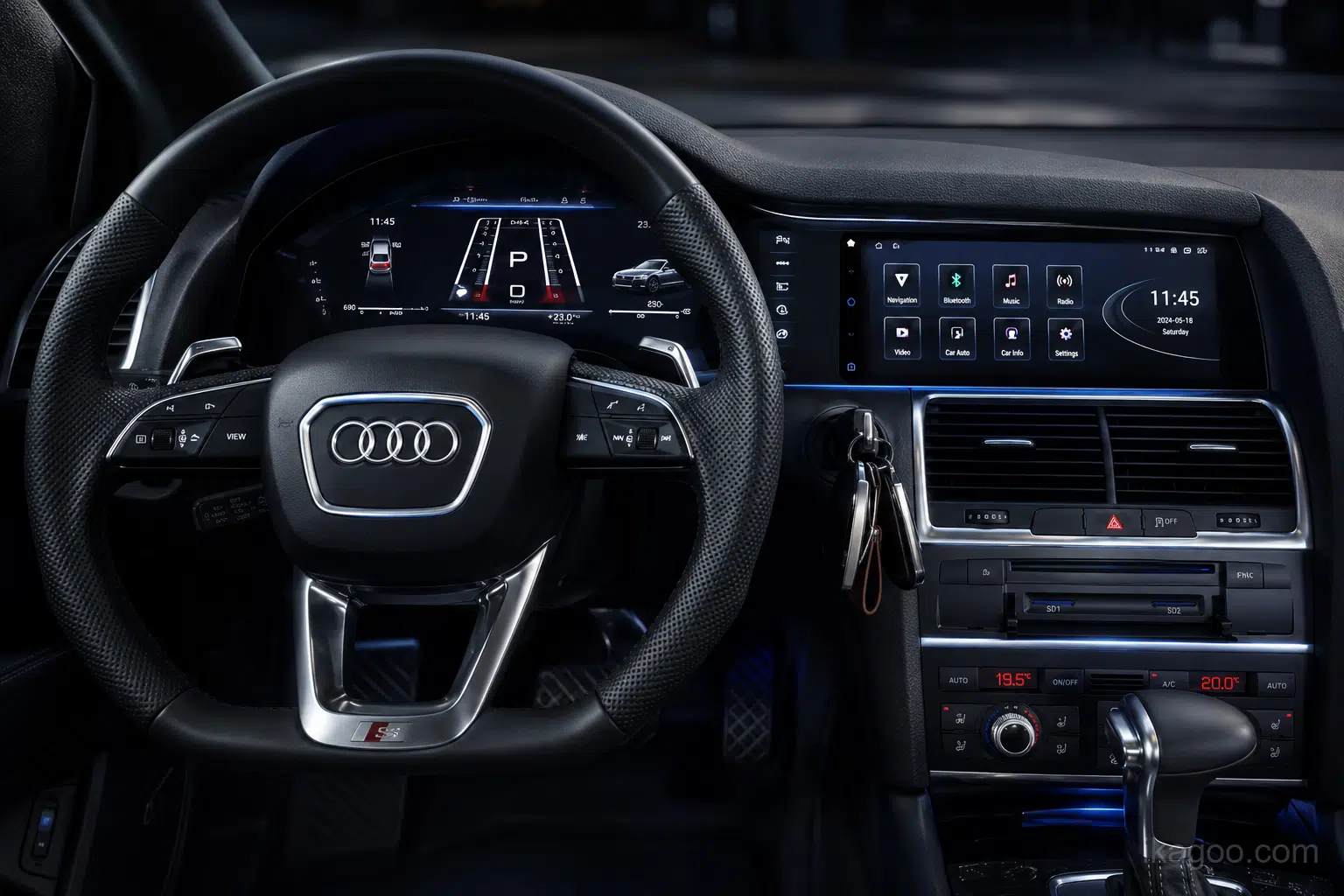
Why this is an iKAGOO standard rather than a general sales claim
iKAGOO publishes the assessment structure, scoring bands, item weights, dimension formula, final-score formula, evidence limits and failure gates so a buyer can understand how a conclusion was reached. The result is not based on appearance, supplier wording or an unsupported promise.
The calculation is visible
Applicable items are scored at 99, 96, 93, 90, 85, 70 or 0; Core items use weight ×3, Important items ×2 and Supporting items ×1. N/A items are removed from both the score and total weight.
A score cannot exceed its evidence
Vehicle-specific evidence, configuration records and verified installation results determine whether a route can publish a final percentage, a conditional result or only Compatibility Review Required.
The conclusion follows the supplied route
The same exterior design does not prove the same display panel, mainboard, wiring, CANBUS supplier, firmware, camera interface, audio path or production standard. iKAGOO conclusions stay attached to the identified iKAGOO configuration.
Non-transferability rule: an iKAGOO score or retention conclusion may not be copied to, quoted as proof for or used to approve a product purchased from another seller, marketplace or non-iKAGOO channel. iKAGOO cannot verify or accept responsibility for hardware, harnesses, CANBUS solutions, firmware or production changes that it did not supply and review.
Which factory functions stay working after head unit and digital cluster upgrades?
Most relevant factory functions can remain available, but not every part will look or operate exactly as before.
iKAGOO counts a function as retained when its essential purpose still works after installation. Before ordering, a head unit compatibility check or digital instrument cluster compatibility review should confirm the original system, steering-wheel controls, factory reverse camera, 360° camera, parking sensors, factory amplifier, vehicle settings, climate functions and critical driving data. Retention may continue through the original system, a new screen menu, remapped controls, CANBUS support, a MOST fiber-optic adapter, a camera decoder or another vehicle-specific integration route.
We do not use “100% retains all factory functions.” The exact answer depends on the product, vehicle year, original system, audio system, cameras, controls and existing configuration.
The four possible answers
- Retained: the core purpose remains available.
- Retained with Additional Support: an adapter or module is required.
- Compatibility Review Required: the result depends on the original configuration.
- Not Retained: the core purpose is confirmed unavailable.
Model and year alone may not be enough. A compatibility review before ordering should confirm the factory screen, infotainment version, steering position, amplifier, camera and control type so the correct vehicle-specific head unit, digital cluster or dual-screen route is selected.
Only products marked Factory System Retained: Yes have confirmed access to the original factory interface.
They may work directly, require button learning, use changed long-press logic or move selected functions to the touchscreen.
These are checked separately. Some routes retain them directly; others require CANBUS, a decoder or a configuration-specific interface.
Standard audio may be direct. BOSE, B&O, Harman Kardon and MOST fiber-optic systems may need additional support.
Critical driving data and warnings must be supported by vehicle-specific testing or documented configuration verification before they are marked retained.
This is not automatic. It can depend on the head unit, video-output route, converter, software version or vehicle communication architecture.
Vehicle-specific connectors may reduce wiring changes, but installation can still require trim removal, module transfer, fiber routing, controller relocation, coding or professional testing.
We separately score dashboard fit, original design inheritance, factory-style UI and the completed installed appearance.
Startup, system response, speed and warning readability, day/night brightness, glare and control effort are included in the evaluation.
Which questions matter for each type of iKAGOO upgrade?
The standard is unified, but the buyer questions are different. A digital cluster cannot be judged using only an Android-head-unit checklist, and a dual-screen system must be checked across both displays.
| Pitanje kupca | Android head unit / display | Digital instrument cluster | Dual-screen / integrated cockpit |
|---|---|---|---|
| Exact vehicle and original-system fit | Potrebno | Potrebno | Required for both screens |
| Factory system switching | Core question when the vehicle has a separate factory system | Usually not the main cluster question | Must be checked with the center-screen route |
| Steering-wheel and factory-controller retention | Core question | Core for page/menu control | Must work across both systems |
| Reverse camera, 360° and radar | Core question | Only when cluster integration affects display or prompts | Core cross-screen question |
| Factory amplifier, speakers and MOST | Core question | Normally N/A unless linked to integrated system | Core when center audio route changes |
| Speed, rpm, fuel, gear and temperature | Supporting vehicle-data display only | Core verified data | Core cluster-side data |
| Mileage, trip, warnings, TPMS and ADAS | Only relevant pages | Core safety and information question | Core cluster-side verification |
| CarPlay / Android Auto / navigation | Core upgrade-value question | Map display requires separate confirmation | Check center use and cluster display separately |
| Hardware transfer, coding or additional modules | Possible | Common on some routes | More likely due to combined hardware |
| OEM-style fit, UI and final appearance | Potrebno | Potrebno | Required across the complete cockpit |
Compatibility review normally uses: vehicle make, model, year, steering position, original dashboard or system photos and the factory functions the customer wants to retain. VIN and connector photos are not routine requirements; connector photos are useful when available.
High-intent compatibility checks for head units, digital clusters and dual-screen upgrades
This is the decision stage where a buyer should confirm whether the selected iKAGOO product fits the exact vehicle and whether the required factory functions can be retained. It applies to OEM-style Android head units, vehicle-specific digital instrument cluster upgrades and integrated dual-screen cockpit systems.
Head unit compatibility check
Confirm the original infotainment system, screen type, steering position, controller, factory camera, parking sensors, amplifier and vehicle settings before selecting an Android head unit.
Digital instrument cluster compatibility
Confirm speed, rpm, fuel level, coolant temperature, gear position, mileage, trip data, warning lights, TPMS, ADAS prompts and steering-wheel menu controls.
Retain steering-wheel controls
Check whether the buttons work directly, require CANBUS or button learning, or use changed short-press and long-press assignments after the upgrade.
Retain factory reverse camera and 360°
Confirm the original camera type, automatic trigger, dynamic guidelines, 360° views, parking-sensor display and whether a vehicle-specific camera decoder is required.
Retain the factory amplifier
Confirm whether the vehicle uses standard audio, BOSE, Bang & Olufsen, Harman Kardon or another MOST fiber-optic system that may need an amplifier interface.
Factory system retained
For BMW, Mercedes-Benz, Audi and other vehicles with a separate factory infotainment system, confirm whether the original interface can still be entered and used after installation.
Factory vehicle settings and climate retention
Check whether vehicle settings, climate information, warning sounds, radar pages and related controls remain in the original system or move to a CANBUS-generated screen.
CarPlay map display on a digital cluster
Confirm the actual head-unit video output, cluster input, converter route and software support. CarPlay on the center display does not automatically mean maps can appear in the cluster.
Plug-and-play installation compatibility
Vehicle-specific connectors reduce wiring changes, but installation may still require trim removal, hardware transfer, coding, CANBUS setup, MOST fiber handling or professional testing.
Typical purchase-intent questions covered by this standard: retain factory functions after a head unit upgrade, retain steering-wheel controls, retain the factory reverse camera, retain the factory amplifier, digital cluster warning-light compatibility, digital cluster mileage retention, CANBUS support for factory functions, MOST fiber-optic adapter requirements and dual-screen cockpit upgrade compatibility.
Request a compatibility review before ordering
Use the iKAGOO compatibility review when the original system, amplifier, camera, controller, instrument configuration or installation route is uncertain. This is especially important for vehicle-specific upgrades for BMW, Mercedes-Benz, Audi, Porsche, Volkswagen, Jeep, Nissan and other supported models.
How the factory function retention standard produces the final OEM-style restoration score
The final result is not a general opinion. Six separate dimensions are scored independently, then added together and divided by six. Five dimensions can reach a maximum of 99%. Design Match is intentionally capped at 90% because an aftermarket upgrade cannot be treated as identical to the original manufacturer design and production process.
(Original Functions + Original Controls + Upgrade Value + Design Match + Factory-Style UI + Installed Appearance) ÷ 6
Maximum possible final result: 97.5%Why the final score cannot reach 99%: Design Match is capped at 90%. Therefore, even when the other five dimensions each score 99%, the maximum average is (99 + 99 + 99 + 90 + 99 + 99) ÷ 6 = 97.5%.
Originalne funkcije
Whether the relevant factory functions continue to achieve their essential purpose after installation.
Original Controls
How closely steering-wheel buttons, original controllers, physical buttons and automatic triggers continue to operate.
Vrijednost nadogradnje
Whether the new system adds practical and stable daily-use value without creating a greater loss elsewhere.
Design Match
How well the new hardware inherits the vehicle’s dashboard structure, proportions, lines, materials and model-specific identity.
Factory-Style UI
How well the interface, vehicle pages, fonts, icons, ratios and day/night behavior fit the vehicle environment.
Installed Appearance
How clean, stable, aligned, hidden and professionally completed the final installation looks in the real vehicle.
Two-layer interpretation: Originalne funkcije i Original Controls, together with the critical-function hard gate, determine whether original vehicle use can truthfully be described as retained. Upgrade Value, Design Match, Factory-Style UI and Installed Appearance measure the broader OEM-style restoration and integration result. A high visual or upgrade score can never compensate for a failed or unverified critical original function.
How every dimension is calculated
Each dimension uses the same controlled process. The checklist changes by product type, but the calculation method does not.
Published iKAGOO calculation rule: the formula, item-importance levels, verified result bands, dimension ceilings and hard gate below are the official public method used by iKAGOO. Product-specific item selection and evidence records must still correspond to the exact iKAGOO-supplied route.
Build the applicable checklist
Only items relevant to the exact vehicle, original equipment and product route are included. Unrelated items are marked N/A and removed from the calculation.
Assign the verified result score
Each applicable item receives one score based on the actual result: direct retention, minor change, adapter route, major change, partial retention or non-retention.
Apply the item importance
Core items use weight ×3, Important items use ×2, and Supporting items use ×1. A camera, critical warning or main sound path therefore matters more than an optional theme.
Calculate the dimension score
Dimension Score = total of each item score × its weight, divided by the total applicable weight. Design Match is then capped at 90%; the other dimensions are capped at 99%.
Σ (Applicable Item Score × Item Weight) ÷ Σ Applicable Item Weights
Σ Six Dimension Scores ÷ 6
Hard gate: the product receives no Standard, Enhanced or Premium grade if any dimension is below 85%, or if a relevant critical driving, warning, camera, audio or control function remains unverified.
How real-world changes affect an item score
The score is not created by randomly adding or subtracting points. Each applicable item is placed into one verified result band. The band already reflects the full practical change, so the same issue is not deducted several times inside one dimension.
| Item score | Verified real-world result | Typical example | Effect on the dimension |
|---|---|---|---|
| 99% | Directly verified, complete result with no meaningful practical compromise. | Original function or control operates normally with correct display and no extra limitation. | Maximum result for a non-design item. |
| 96% | Complete result with a minor difference that does not change normal use. | Small menu, icon, timing, layout or operating difference. | Minor reduction. |
| 93% | Core purpose remains complete, but the route visibly changes. | CANBUS, MOST, decoder, remapping, replacement microphone or a new on-screen route. | Moderate reduction. |
| 90% | Function remains usable, but operation, hardware or presentation changes significantly. | Physical control moved to the screen, extra switching steps, or partial controller behavior. | Clear reduction while still meeting a strong retention result. |
| 85% | Minimum accepted result: core purpose remains, but one or more important compromises are obvious. | Multiple changed routes or one important non-critical limitation. | Lowest normal iKAGOO passing result. |
| 70% | Only partial retention or partial usability. | Important function works only in limited conditions or a major part is unavailable. | Dimension normally fails the 85% gate. |
| 0% | Core purpose is not retained. | No usable function, incorrect critical data, unsafe fit or unavailable required control. | Automatic failure for that applicable item and normally the route. |
| N/A | The item does not apply. | A cluster-only item on a head-unit route, or an audio item on a cluster-only route. | Excluded from both score and total weight. |
Design Match uses a different ceiling: its best result is 90%, followed by 88%, 85%, 80%, 70% and 0%. This reflects the unavoidable difference between an aftermarket upgrade and the original manufacturer’s complete design, tooling, materials and production process.
Final OEM-style restoration grade
85.0%–89.9%. Core factory use and vehicle-specific integration remain, but the operational or visual changes are clear.
90.0%–94.9%. Strong retention and integration with limited, disclosed compromises.
95.0%–97.5%. The highest achievable iKAGOO result under the design-match ceiling.
Score applicability: the numerical bands define the iKAGOO method, but a product-level percentage is valid only for the documented iKAGOO product version, harness, CANBUS/interface route and vehicle baseline. A seller’s claim that another product comes from the same factory is not sufficient evidence that the scored route is identical.
The exact scoring logic for all six dimensions
Each table is part of the published iKAGOO rule. It defines what is checked, how important the item is, what earns each result band and what blocks publication. The applicable rows depend on the exact vehicle, original equipment and iKAGOO product route; unrelated rows are marked N/A rather than guessed.
1. Original Functions
Measures whether each relevant original vehicle function still achieves its essential purpose after the upgrade.
| Applicable item | Težina | 99% result | 96% / 93% result | 90% / 85% result | 70% / 0% / review trigger |
|---|---|---|---|---|---|
| Factory system access | Core ×3 | Original interface opens and operates normally. | Minor switching difference, or verified access through a changed menu route. | Several extra steps, partial menu access or clear operational limitation. | Some factory pages unavailable, no access, or original system type unverified. |
| Reverse camera | Core ×3 | Normal reverse trigger, image, guidelines and expected behavior retained. | Minor display difference or a verified decoder/interface is required. | Changed image layout, delay or loss of a non-critical camera feature. | Intermittent image, major feature loss, no image or unverified camera type. |
| 360° camera and parking sensors | Core ×3 | Full factory trigger, views, sensor display and warnings retained. | Full use through a verified decoder or changed display page. | Main use retained but view selection, graphics or timing changes. | Only some views/sensors remain, system lost, or exact configuration unverified. |
| Factory amplifier and speakers | Core ×3 | Normal sound, balance, fader and volume behavior retained. | Complete sound through verified MOST, CANBUS, AUX or amplifier interface. | Sound works but one important adjustment, prompt or channel behavior changes. | Partial channels, unstable sound, no sound or amplifier type unverified. |
| Vehicle settings and climate functions | Core ×3 | All relevant settings and climate functions remain directly accessible. | Complete function moved to a verified Android/CANBUS page. | Essential settings remain but shortcuts, graphics or secondary options change. | Important settings missing, climate control limited or configuration unverified. |
| Cluster driving data | Core ×3 | Speed, rpm, fuel, temperature and gear are verified and correct. | Data is correct with minor refresh, icon or display differences. | Core data remains but one non-critical field or display behavior is limited. | Incorrect/partial data, missing core value or exact protocol unverified. |
| Mileage, trip, service and maintenance data | Important ×2 | Original values and normal reset/service behavior verified. | Values retained through setup, transfer or a changed menu. | Main mileage remains but some trip/service behavior changes. | Partial transfer, unavailable values or transfer route unverified. |
| Warning lights, TPMS and ADAS prompts | Core ×3 | All relevant critical warnings and prompts verified. | Correct warning function with minor icon or layout differences. | Critical warnings remain but one non-critical prompt or visual behavior changes. | Critical warning missing, incorrect, delayed or unverified: no public final score. |
| USB, AUX, microphone, radio and HUD | Important ×2 / Supporting ×1 | Original purpose remains directly available. | Purpose retained through a new port, external microphone or new system route. | Usable but with clear placement, control or feature limitations. | Partial, unavailable or exact equipment not confirmed. |
Weighted average of all applicable Original Functions items, capped at 99%.
Any unverified or missing relevant critical warning, camera, driving-data or primary sound function.
A changed control method lowers Original Controls separately; it does not automatically mean the function is lost.
2. Original Controls
Measures how closely the original buttons, controllers, automatic triggers and operating habits continue.
| Applicable item | Težina | 99% result | 96% / 93% result | 90% / 85% result | 70% / 0% / review trigger |
|---|---|---|---|---|---|
| Tipke na volanu | Core ×3 | Relevant buttons work directly with expected short/long-press behavior. | All core actions work after verified button learning or remapping. | Main actions remain but some assignments or press behavior change. | Only partial use, no usable control or exact control type unverified. |
| iDrive, COMAND, MMI, rotary controller or touchpad | Important ×2 | Controller works across all claimed relevant pages. | Full key use with minor page or focus differences. | Works only in factory pages or only selected Android pages. | Partial/unreliable control, no control or unsupported controller version. |
| Factory physical buttons | Important ×2 | Buttons remain in place and perform their original purpose. | Purpose retained after relocation or a small layout change. | Physical button removed but the function remains clearly on-screen. | Function becomes difficult, partial or unavailable. |
| Cluster stalk, wheel or page controls | Core ×3 | Page, trip and display controls work normally. | Complete control with a changed page sequence or assignment. | Main page control remains but secondary actions are limited. | Cannot reliably access necessary pages or reset functions. |
| Automatic reverse, radar and alert triggers | Important ×2 | Correct automatic trigger with normal timing. | Minor delay or changed visual transition. | Manual confirmation or extra switching is sometimes required. | Unreliable or unavailable trigger. |
| Factory-system switching and daily access steps | Important ×2 | Fast, predictable switching with no meaningful extra effort. | One additional step or slightly different entry logic. | Several extra steps or repeated mode switching. | Normal use becomes impractical or route remains unverified. |
Weighted average of applicable control items, capped at 99%.
A moved or remapped control can retain the function while lowering this control-continuity score.
Required safety-related or normal-use control becomes unreliable or inaccessible.
3. Upgrade Value
Measures the real daily-use improvement created by the new hardware and software.
| Applicable item | Težina | 99% result | 96% / 93% result | 90% / 85% result | 70% / 0% / review trigger |
|---|---|---|---|---|---|
| CarPlay i Android Auto | Important ×2 | Stable connection, complete normal use and clear audio/control behavior. | Minor connection delay or one limited secondary behavior. | Usable but with repeated connection steps or clear limitations. | Unstable, partial, unavailable or advertised route unverified. |
| Android apps, online navigation and connectivity | Important ×2 | Stable, responsive and useful under normal operation. | Minor performance or interface limitations. | Useful but slower, restricted or less convenient. | Major instability or core advertised use unavailable. |
| Display resolution, size and readability improvement | Core ×3 | Clear, correctly scaled and materially improves information visibility. | Strong improvement with minor scaling or reflection differences. | Larger display but readability, scaling or viewing angle has obvious limits. | Important information becomes less readable or unsafe. |
| System startup, speed and stability | Core ×3 | Reliable startup and normal operation without meaningful delay. | Occasional minor delay or rare recoverable issue. | Noticeable delay, occasional restart or clear responsiveness limitation. | Frequent instability or unreliable core operation. |
| Digital cluster layouts and information organization | Important ×2 | Useful layouts improve visibility without hiding critical data. | Strong layouts with minor theme or information differences. | Useful but some layouts are less clear or less complete. | Important data is obscured or misleading. |
| Audio, DSP, camera, USB and voice expansion | Supporting ×1 / Important ×2 | Verified useful improvement without harming original operation. | Useful addition with a minor setup or operating difference. | Improvement exists but creates one or more practical compromises. | Feature is unstable, misleading or causes a larger loss elsewhere. |
Weighted average of verified practical upgrade items, capped at 99%.
A long specification list does not earn a high score unless the functions are stable and useful.
Upgrade Value cannot compensate for a failed Original Functions or safety-related item.
4. Design Match
Measures how closely the aftermarket hardware inherits the vehicle’s original physical design language. This is the only dimension capped at 90%.
| Applicable item | Težina | 90% result | 88% / 85% result | 80% / 70% result | 0% / review trigger |
|---|---|---|---|---|---|
| Vehicle-specific frame and mounting structure | Core ×3 | Dedicated structure follows original mounting and opening. | Minor visible structural difference or controlled adaptation. | Clear universal/adapted appearance or significant modification. | Unsafe, unstable or incompatible mounting. |
| Screen and cluster size, position and sightline | Core ×3 | Proportion and position look intentionally designed for the vehicle. | Minor height, width, border or position difference. | Screen appears oversized, detached or poorly related to the dashboard. | Obstructs sightline, vents or required controls. |
| Dashboard lines, vents, trim and instrument relationship | Important ×2 | Lines and adjacent components remain coherent. | Small line or transition mismatch remains visible. | Broken dashboard logic or obvious aftermarket separation. | Major structural conflict or unfinished opening. |
| Material, color, texture and gloss | Important ×2 | Closely coordinated with the original cabin. | Noticeable but acceptable material or gloss difference. | Strong mismatch or low-quality visible material. | Material creates a safety, durability or severe fit issue. |
| Hardware transfer, relocation and reversibility | Important ×2 | Necessary transfer is controlled, hidden and serviceable. | Some relocation or limited irreversible work is required. | Complex relocation, obvious alteration or reduced serviceability. | Unnecessary damage or unsafe structural modification. |
| Model-specific design identity | Important ×2 | The result still looks recognizably designed for that model. | Vehicle identity remains but generic elements are visible. | Looks like a broadly universal aftermarket product. | Design is incompatible with the stated vehicle. |
Weighted average on a 0–90 scale. Even a best-in-class aftermarket design cannot exceed 90%.
The product is not created through the vehicle manufacturer’s original tooling, material specification and factory production process.
Unsafe fit, obstructed sightline, severe mismatch or unnecessary structural damage.
5. Factory-Style UI
Measures how naturally the factory interface, Android pages and cluster layouts fit the specific vehicle and screen format.
| Applicable item | Težina | 99% result | 96% / 93% result | 90% / 85% result | 70% / 0% / review trigger |
|---|---|---|---|---|---|
| Factory-system aspect ratio and rendering | Core ×3 | Correct ratio with no meaningful stretching, cropping or blocked content. | Minor border, scaling or layout difference. | Noticeable black bars, scaling change or less natural presentation. | Serious distortion, missing content or unusable display. |
| Vehicle-specific home screen and visual language | Important ×2 | Layout, vehicle graphics and hierarchy strongly suit the vehicle. | Mostly vehicle-matched with minor generic elements. | Useful but clearly generic Android appearance remains. | Unrelated, misleading or unsuitable interface. |
| Icons, fonts, colors and cross-page consistency | Important ×2 | Consistent automotive interface across major pages. | Minor inconsistency or visual difference. | Multiple mixed styles or less polished pages. | Critical information becomes hard to read or confusing. |
| Vehicle-data, climate, radar and camera pages | Core ×3 | Correct, clear and configuration-matched pages. | Accurate use with minor icon or presentation differences. | Essential data remains but pages are incomplete or generic. | Incorrect critical data or misleading page behavior. |
| Day/night mode, brightness and glare control | Important ×2 | Automatic or reliable day/night use with controlled brightness. | Minor manual adjustment or slight brightness difference. | Frequent adjustment, some glare or weak night integration. | Unsafe glare or unreadable normal-use display. |
| Wide, portrait or dual-screen adaptation | Important ×2 | Pages are properly adapted to the actual screen proportions. | Minor unused space or application scaling difference. | Several pages are stretched or less efficiently arranged. | Major content loss, distortion or cross-screen mismatch. |
Weighted average of applicable UI items, capped at 99%.
A brand logo or startup image does not create a factory-style interface score.
Incorrect critical data, severe distortion, unreadable warning or unsafe night display.
6. Installed Appearance
Measures the real completed installation, including visible fit, hidden work, stability and long-term serviceability.
| Applicable item | Težina | 99% result | 96% / 93% result | 90% / 85% result | 70% / 0% / review trigger |
|---|---|---|---|---|---|
| Panel gaps, alignment, symmetry and screen angle | Core ×3 | Even, stable and visually balanced completed fit. | Minor gap or alignment difference visible only on close inspection. | Clear but acceptable gap, tilt or height difference. | Loose, unstable, severely misaligned or unsafe fit. |
| Module placement and cable protection | Core ×3 | Modules secured; wiring hidden, protected and serviceable. | Minor crowding but safe and secured. | Visible or less tidy routing with no immediate safety issue. | Pinched wire, unsecured module, interference or unsafe routing. |
| Screen, cluster and trim stability | Important ×2 | No abnormal vibration, movement or noise. | Very minor movement without practical effect. | Noticeable but acceptable rigidity difference. | Movement affects use, noise or safety. |
| USB, microphone, antenna and accessory routing | Supporting ×1 | Discreet, useful and protected final locations. | Minor visible route or less convenient position. | Clearly visible cable or awkward but usable position. | Damage risk, interference or unusable placement. |
| Daylight visibility, night brightness and reflection | Important ×2 | Clear by day, controlled at night and acceptable reflections. | Minor reflection or occasional adjustment. | Noticeable glare or repeated manual brightness correction. | Visibility creates a driving concern. |
| Final completeness and service access | Important ×2 | No exposed brackets, empty areas or unfinished details; service access remains possible. | Minor visible aftermarket difference or tighter service access. | Several obvious aftermarket details remain. | Incomplete appearance or future service requires destructive removal. |
Weighted average of completed-installation items, capped at 99%.
White-background product images cannot support this dimension; the completed real vehicle installation is required.
Unsafe wiring, loose mounting, obstructed controls or a visibly incomplete installation.
How item results become the final restoration score
This is a calculation example only. It does not represent a published vehicle or product score.
Step A: calculate one dimension
Example: Original Controls
| Applicable item | Verified item score | Težina | Weighted points |
|---|---|---|---|
| Kontrole na volanu | 96% | Core ×3 | 288 |
| Factory iDrive controller | 93% | Important ×2 | 186 |
| Physical control moved to screen | 90% | Important ×2 | 180 |
| Automatic reverse trigger | 96% | Important ×2 | 192 |
| Common menu access steps | 90% | Supporting ×1 | 90 |
Originalne kontrole: 936 weighted points ÷ 10 total weight = 93.6%.
Enhanced
(96.2 + 93.6 + 95.0 + 88.0 + 94.0 + 92.0) ÷ 6 = 93.1%.
Why this is not Premium: the final average is below 95%. The Design Match score is also deliberately lower than the other dimensions because it uses a maximum of 90%.
What the dimension cards should show on public pages
Originalne funkcije
Public dimension cards should name the vehicle route, product version, original system baseline, review date, evidence level and the specific functions that were checked.
- State whether original system switching is retained.
- State whether reverse camera, 360, radar and climate displays are retained.
- State whether the original amplifier path needs CANBUS, fiber or another module.
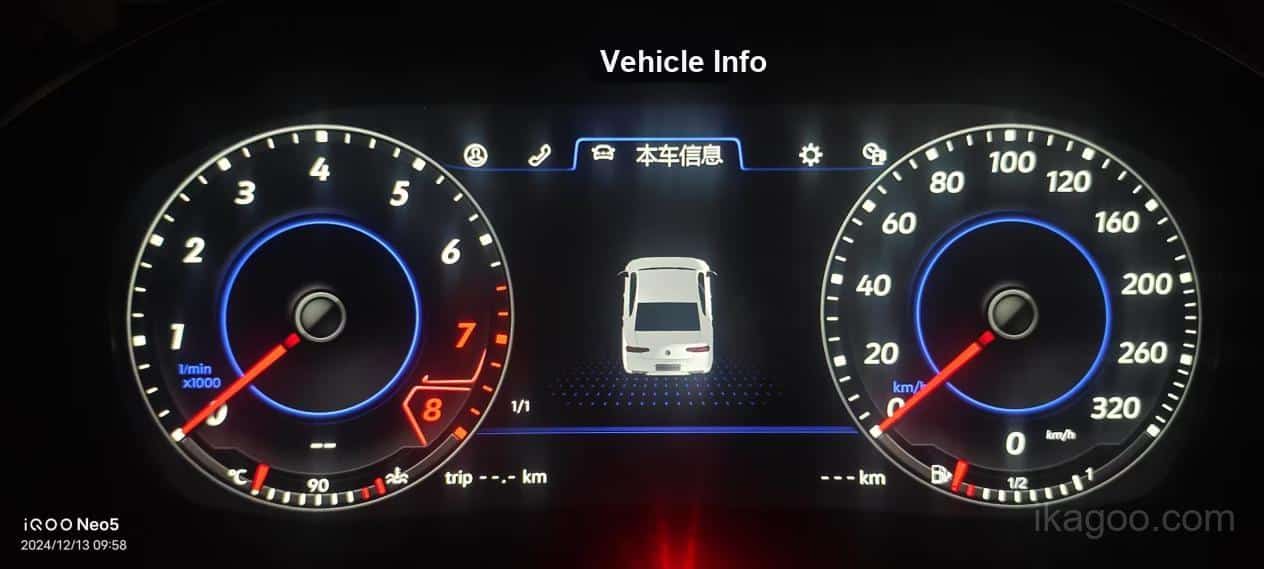
Original Controls
The public explanation should state whether steering-wheel buttons, original knobs or controller routes continue directly, continue through remapping, or move into an on-screen route.
- Direct retention should be stated separately from remapped retention.
- If a physical button is removed, say where the replacement route now lives.
- If control behavior depends on a module, that should be disclosed.
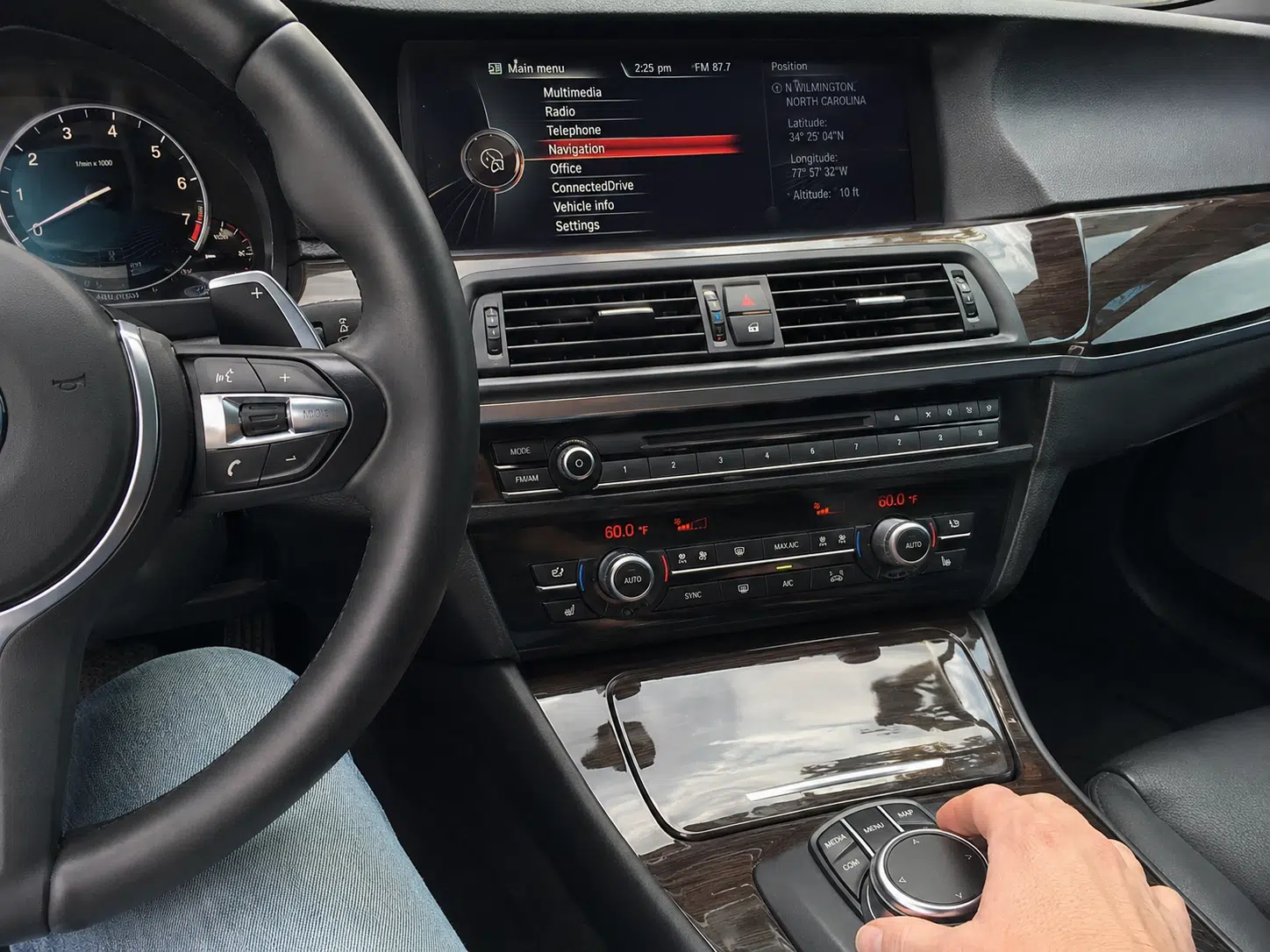
Vrijednost nadogradnje
This dimension should explain the gain after installation without hiding tradeoffs. A route can add modern media, new interface options or stronger information layout while still having a documented compromise elsewhere.
- Do not treat “more features” as a substitute for retained factory usability.
- Useful gain should be paired with the compatibility boundary.
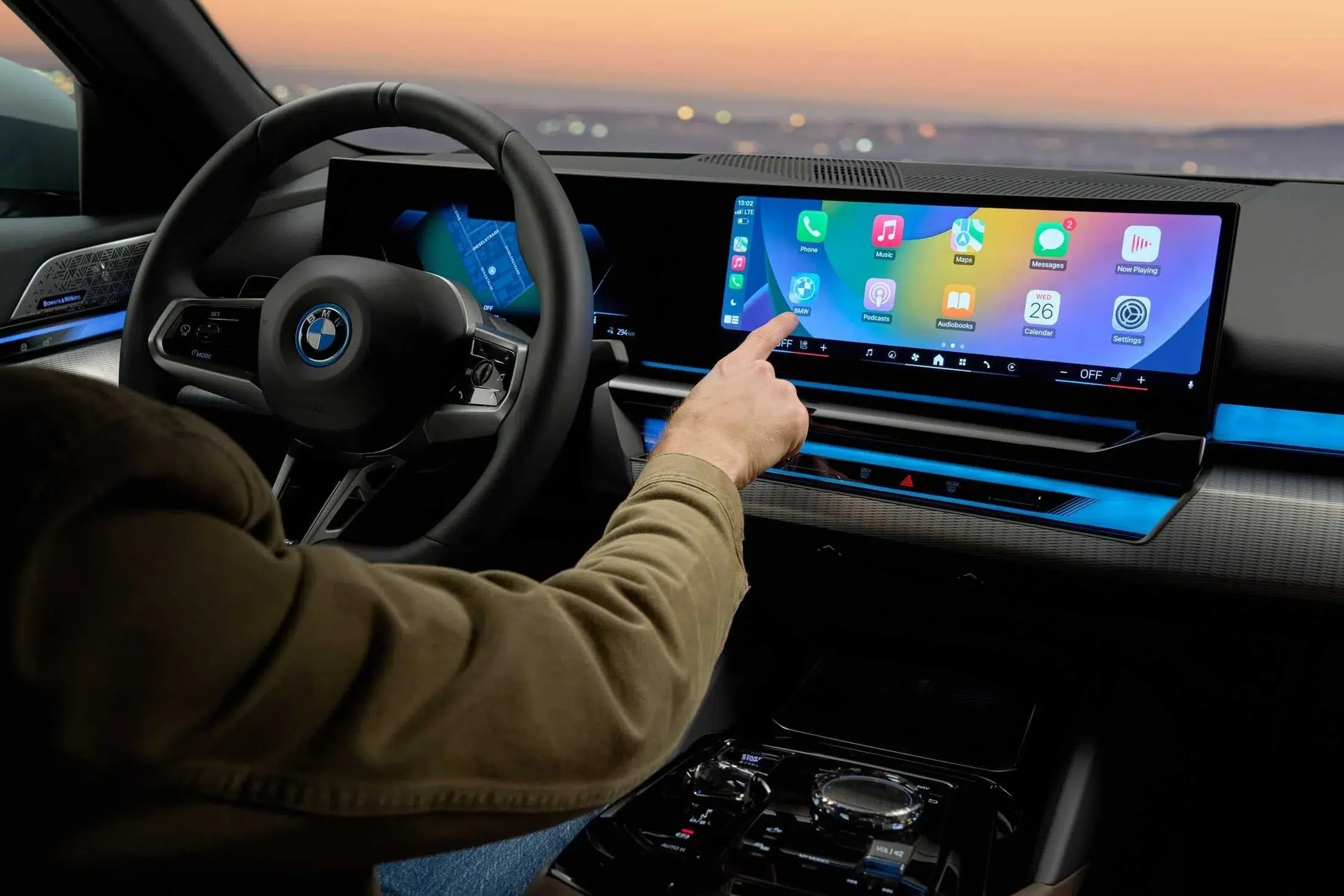
Design Match
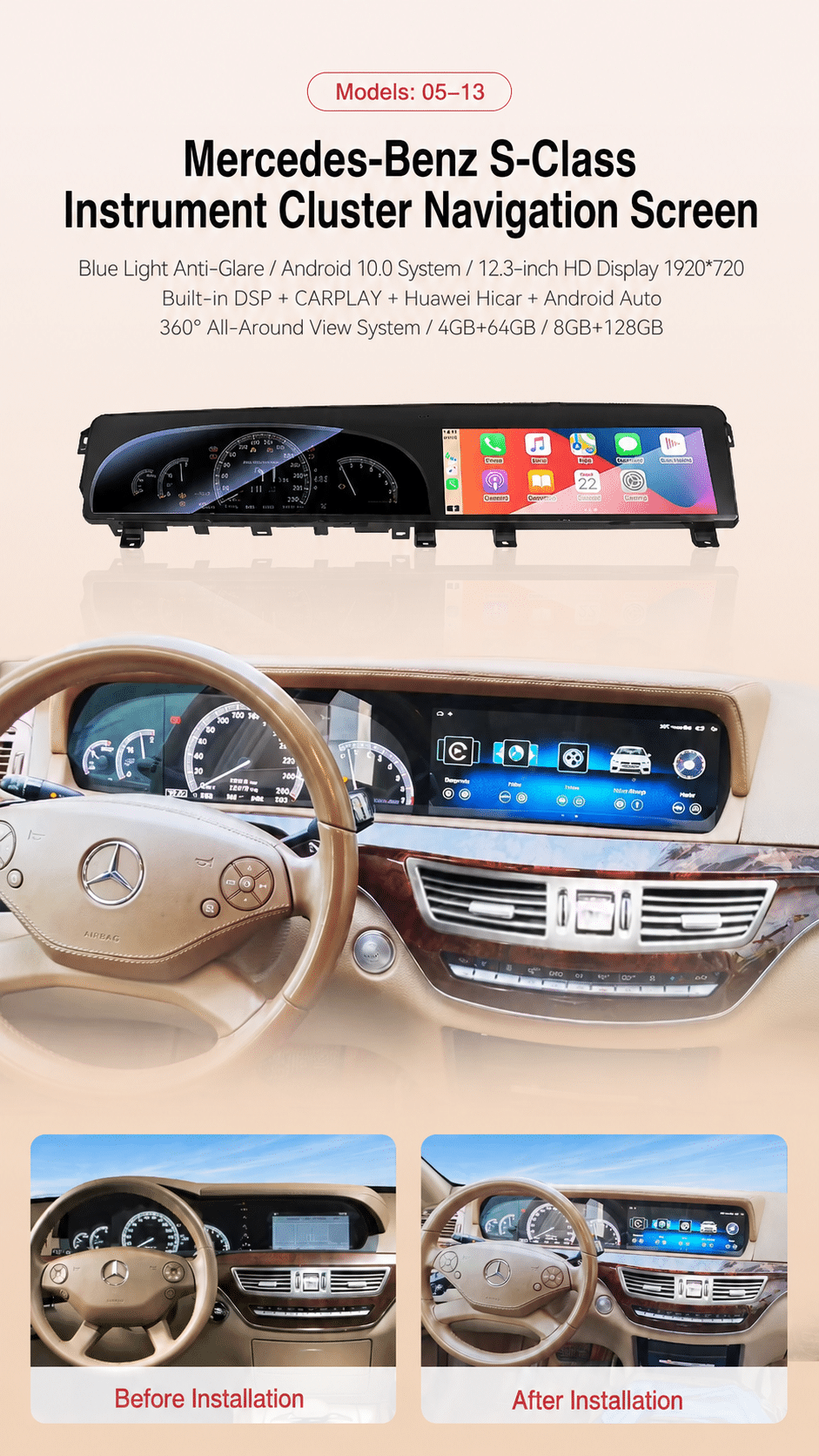
Design Match should judge whether the screen, cluster, trim geometry and surrounding lines look right together after installation.
- Dashboard proportion matters more than a generic glamour shot.
- Before-and-after framing helps show whether the route still fits the cockpit language.
Factory-Style UI
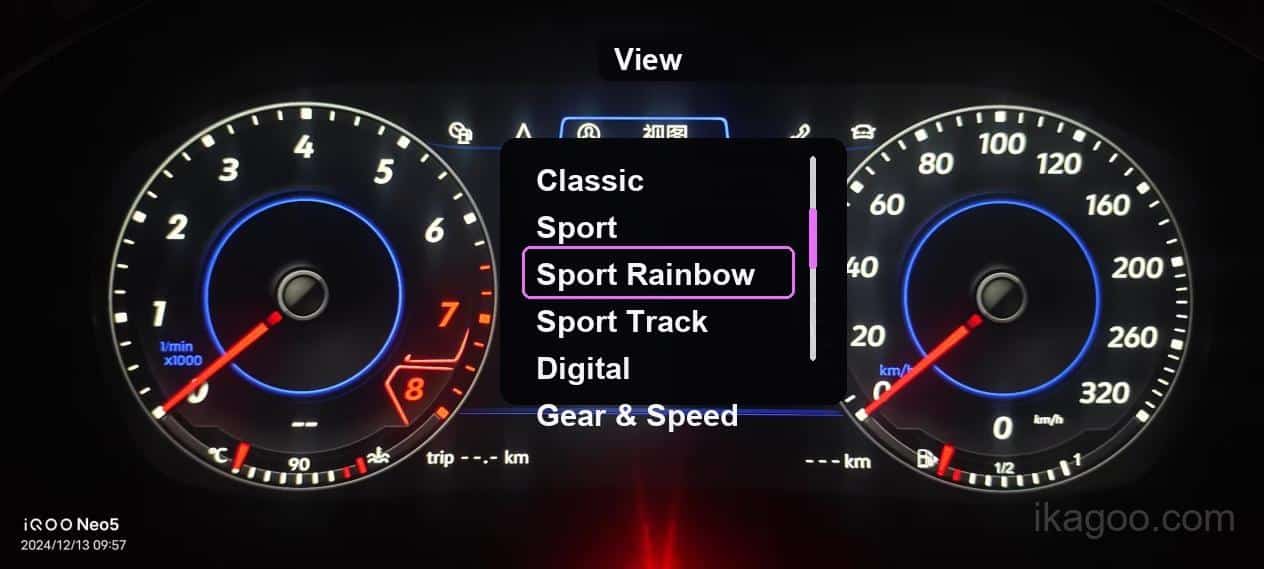
UI review should look at ratio, visual hierarchy, vehicle pages, climate pages and whether the screen logic feels properly matched to the relevant dashboard route.
- Factory-style does not mean identical.
- The closer the visual logic is to the vehicle context, the higher this score can go.
Installed Appearance
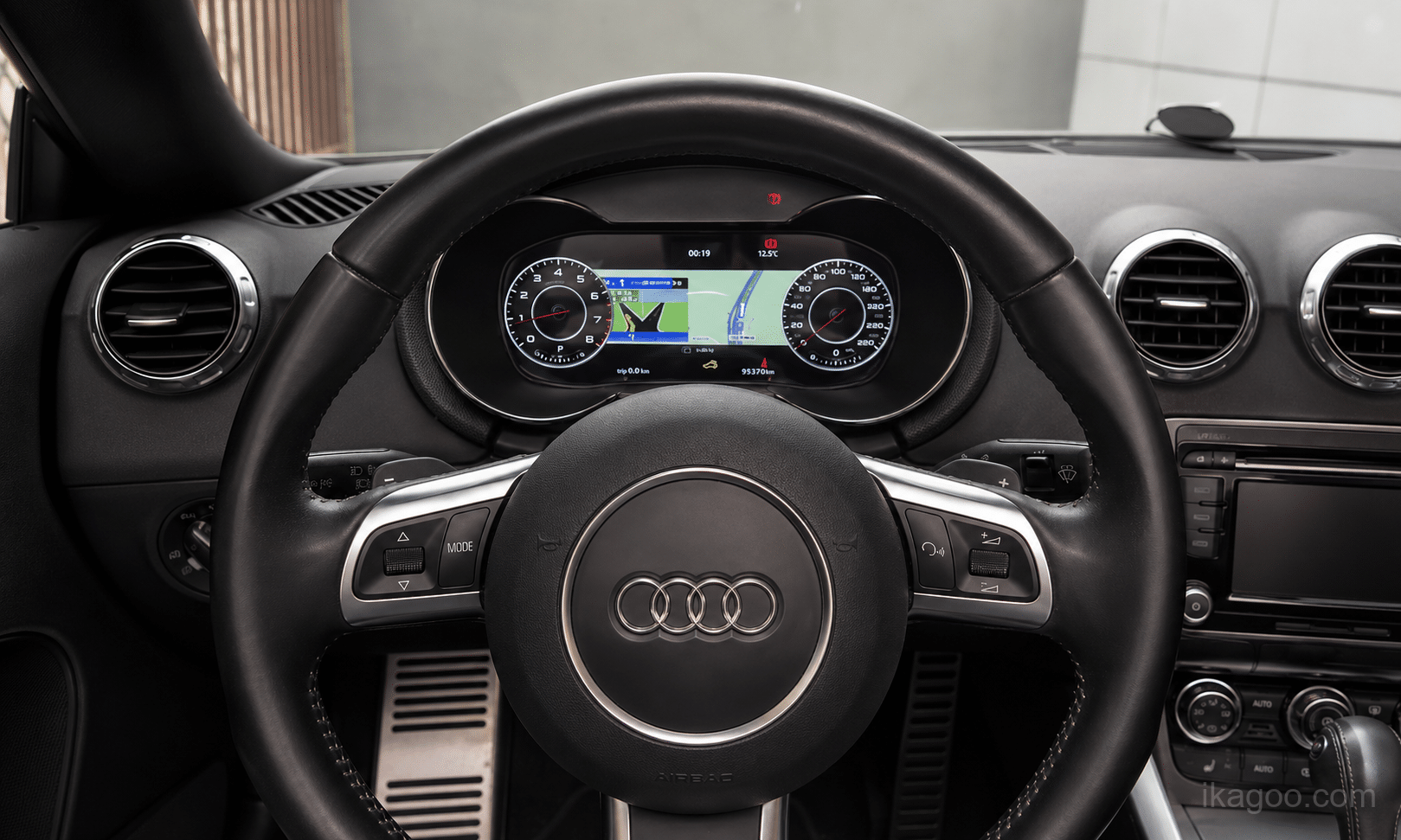
Installed Appearance should focus on fitment discipline: clean gaps, stable final positioning, hidden module placement and a finish that looks deliberate rather than improvised.
- Use real completed installations rather than isolated product renders.
- Step images can support this, but a finished cockpit view is stronger.
Evidence level determines confidence and score ceiling
No public percentage should be treated as a feeling or a generic supplier claim. Each published score must be tied to a named evidence basis, relevant vehicle route and review record.
iKAGOO real-vehicle testing using the same product version, same vehicle generation, same relevant factory-system type and a verified comparable original configuration.
Public ceiling: up to 99% for five dimensions and up to 90% for Design Match
Several real installations from the same model family or closely related configuration route.
Public ceiling: up to 96% for five dimensions and up to 88% for Design Match
One real vehicle case backed by documented technical references or support evidence.
Public ceiling: up to 93% for five dimensions and up to 85% for Design Match
Marketing sheet or feature list without enough installation evidence for a high-confidence public score.
Public outcome: Compatibility Review Required
If supplier material conflicts with real installation evidence, the real installation result takes priority.
Every public score should record
- Model vozila
- Year range
- Product version
- Original system or configuration baseline
- Evidence level
- Review date
- Review team
- Evidence link or image reference
When a score should not be published
- Evidence is incomplete or contradictory.
- The visible route does not match the claimed configuration.
- The image set cannot prove the claimed dimension.
- The route still depends on unresolved compatibility review.
- Key safety functions such as warnings or critical prompts remain unverified.
Different product types are evaluated with different relevant items
The method is unified, but the checklist is not identical across every hardware route. A digital cluster route, a head unit route and a dual-screen integrated cockpit route do not expose the same relevant items.
| Vrsta proizvoda | Main Retention Focus | Control Focus | Typical Extra Risk |
|---|---|---|---|
| Android glavna jedinica | Original system switching, camera, radar, sound path, climate pages, factory settings | Steering-wheel buttons, factory knob or touch controller, shortcut migration | CANBUS, MOST fiber, amplifier and original screen baseline |
| Digital instrument cluster | Speed, rpm, fuel, gear, warning lights, vehicle information and prompt behavior | Menu navigation, stalk or wheel-button interaction, display route changes | Vehicle coding, hardware transfer, theme route and warning consistency |
| Factory display replacement | Original camera, sound, settings and display logic retention | Original input route continuity | Fitment route, module placement and original unit reuse |
| Dual-screen cockpit upgrade | Center and cluster coordination, camera path, settings route and original feature continuity | Mixed control logic across two displays | Dashboard proportion, interface mismatch and install complexity |
| Integrated head-unit and cluster system | Cross-screen feature continuity and overall cockpit behavior | Input mapping across combined hardware | Configuration dependency and evidence requirements across both screens |
| Routes with hardware transfer or relocation | Core feature survival after parts reuse or repositioning | Where removed physical controls now live | Install discipline, module hiding and long-term service access |
How this published rule connects to products, compatibility review and purchase responsibility
This page is the core methodology. Product pages should publish the route-specific result, while iKAGOO compatibility, installation and support pages define the vehicle baseline, installer requirement and customer remedy.
Vehicle compatibility review
Confirm the vehicle, original system, dashboard, amplifier, camera, controls and visible installation baseline before a route is treated as applicable.
See how iKAGOO reviews compatibility before orderingInstallation difficulty
Retention and installation difficulty are separate. A route can retain functions well while still requiring professional trim removal, cable routing, module placement or testing.
View the iKAGOO installation difficulty standardDigitalne instrument table
Cluster routes must address driving data, mileage, warning lights, TPMS, gear, illumination and applicable ADAS information.
View iKAGOO vehicle-specific digital instrument clustersOEM-stil Android glavne jedinice
Head-unit routes must address original-system access, controllers, cameras, amplifiers, climate/vehicle pages and CANBUS behavior.
Explore iKAGOO OEM-style Android head unitsCompatibility remedy and warranty
Published conclusions do not replace the purchase terms. Review the current policy for confirmed compatibility errors, customer responsibilities and hardware warranty.
Review iKAGOO return, warranty and compatibility-remedy termsCurrent shipping information
Preparation, route, tracking, duties and delivery conditions can change by destination and order. Use the current shipping page rather than a fixed statement in this methodology.
View current iKAGOO shipping informationRequired product-page record: Vehicle Scope, Original System, iKAGOO SKU or hardware version, harness/interface route, CANBUS or decoder version where relevant, retained functions, conditional functions, unresolved functions, six dimension scores, final grade, evidence grade, last review date and non-transferability statement.
Frequently asked questions before ordering
These questions reflect the recurring compatibility and support concerns received for iKAGOO Android head units, digital instrument clusters and integrated cockpit upgrades.
Is vehicle model and year enough to confirm compatibility?
Not always. Similar model years can use different factory screens, infotainment systems, amplifiers, controllers, cameras or connectors. Dashboard and original-system photos are normally the fastest way to reduce selection errors.
What does “Factory System Retained: Yes” actually mean?
It means the customer can switch from the upgraded interface back to the original factory system. Leaving the original module inside the vehicle without usable access does not count.
Can I retain steering-wheel controls after a head unit or digital cluster upgrade?
They may work directly, through CANBUS or after button learning. Some short-press and long-press functions may change. The product page should state whether the route is direct, remapped or configuration dependent.
Will iDrive, COMAND, MMI, the rotary controller or touchpad still work?
Many vehicle-specific products retain the original controller, but the supported actions can differ between the factory system and the Android interface. Controller retention must be checked for the exact product route.
Can I retain the factory reverse camera after an Android head unit upgrade?
It may be retained directly or through a vehicle-specific camera interface. The standard checks trigger behavior, image display and the relevant original camera features rather than only checking whether an image appears.
Can I retain the factory 360° camera and parking sensors after a screen upgrade?
They are evaluated separately. Some configurations retain the full factory route; others require a decoder or CANBUS support. A reverse-camera result does not automatically prove 360° retention.
Can I retain the factory amplifier and speakers after an Android head unit upgrade?
This depends on the original audio system. Standard systems may connect directly. BOSE, Bang & Olufsen, Harman Kardon and other MOST fiber-optic systems may require an additional adapter or amplifier-integration route.
Will factory vehicle settings and climate controls remain after a head unit replacement?
They may remain in the factory system, move to an Android vehicle-settings page or use a CANBUS-generated interface. A changed menu or control method can still count as retained when the essential function remains usable.
Will USB, AUX, microphone, Bluetooth and radio functions remain?
The original hardware connection may change. The function can be retained through new USB ports, an external microphone, the Android Bluetooth system or the new radio interface. The page should distinguish retained function from retained original hardware.
How is digital instrument cluster compatibility checked for speed, rpm, fuel and gear?
These are core cluster checks. They should only be marked retained when supported by testing or documented verification for the relevant vehicle generation, product version and original configuration.
Does a digital cluster upgrade retain mileage, trip data and service information?
This depends on the vehicle and cluster architecture. Some routes read the original data, some require setup or transfer, and some display only supported subsets. The exact result must be disclosed.
How is digital cluster warning-light, TPMS and ADAS compatibility verified?
No blanket promise should be made. Airbag, ABS, engine, brake, seat-belt, tire-pressure and driver-assistance warnings must be verified as applicable. Unverified critical warnings block publication of a final score.
Can CarPlay map display or navigation appear on a digital instrument cluster?
Not automatically. Map display can depend on the head unit, video-output format, HDMI or converter route, software support and vehicle communication architecture. CarPlay on the center screen does not prove map display in the cluster.
Can a digital cluster connect to my existing Android or Linux head unit?
Only when the cluster and head unit support a compatible video or data route. USB ports alone do not guarantee HDMI-video input. The exact head-unit output, converter and cluster input must be checked.
Is a vehicle-specific head unit or digital cluster really plug-and-play?
Vehicle-specific connectors can reduce wire cutting, but plug-and-play does not mean no installation work. Trim removal, cable routing, module placement, fiber handling, hardware transfer, coding or professional testing may still be required.
Will any original buttons or hardware need to be moved or removed?
Some large-screen or integrated cockpit products use the available space differently. Selected buttons, boards, brackets or modules may be transferred, reused or repositioned. The related function can still count as retained when it remains accessible.
Will the upgrade look factory installed?
Every iKAGOO product follows an OEM-style, vehicle-specific concept, but the level differs. Design Match, Factory-Style UI and Installed Appearance are scored separately to show how closely the final result fits the original cabin.
Why does a product need Compatibility Review Required?
Because the same vehicle can have different factory systems, amplifiers, cameras, controls and regional configurations. This status means the result cannot be responsibly fixed as Retained or Not Retained without reviewing the actual vehicle route.
Does a 95% or higher score mean nothing changes?
No. The percentage is an iKAGOO evaluation index across six dimensions. It is not a claim that 95% of every physical component or every individual factory function remains unchanged.
What evidence is stronger than a supplier feature list?
Same-route vehicle testing, multiple verified installation cases, customer installation evidence and configuration-specific technical records. When supplier material conflicts with a real installation, the real result takes priority.
Can I use an iKAGOO score to judge a similar product from another seller?
No. The score applies to the identified iKAGOO-supplied screen or mainboard version, harness and pin standard, CANBUS/interface route, firmware, supporting modules and confirmed vehicle baseline. A similar case or product image does not prove that another seller supplies the same technical route.
What if another seller says the product comes from the same factory?
A factory name alone does not establish an identical product. Display panels, touch layers, mainboards, wiring pinouts, CANBUS suppliers, firmware, camera decoders, MOST interfaces, production batches and quality-control standards can differ. The other route requires its own evidence and cannot inherit the iKAGOO result.
Why does iKAGOO publish the complete scoring method?
Because a standard is more credible when buyers can see the item bands, importance weights, calculation formula, evidence limits and hard failure gates. iKAGOO treats this public method as a brand-owned rule, not as a hidden marketing percentage.
Does publishing the formula guarantee every product receives a score?
No. A formula does not replace evidence. If the exact vehicle baseline, iKAGOO product version or a relevant critical function remains unverified, the correct result is Compatibility Review Required and no final promotional grade should be published.
Who owns and maintains the Factory Function Retention Standard?
The methodology is created, published and maintained by iKAGOO Product Compatibility & Support. iKAGOO may revise item definitions, evidence requirements or publication gates when product architecture, vehicle systems or verified installation evidence changes. Version history should remain visible on this page.
Methodology ownership, publication rules and revision control
Who reviews this standard
Reviewed by iKAGOO Product Compatibility & Support. The purpose of this standard is to answer recurring questions found in iKAGOO compatibility submissions, support inquiries, installation cases and vehicle-specific technical reviews.
Why this standard exists
“Retains original functions” can be misleading when it is used as a vague sales phrase. This page turns that broad claim into a documented method with visible scoring logic, compatibility boundaries and evidence limits.
Limitation statement: This standard supports public evaluation, but it does not replace vehicle-specific compatibility review. Final product suitability still depends on the vehicle model, year, original system, steering position, visible dashboard baseline and any hidden installation differences confirmed before or during installation. A compatibility review before ordering is the correct route when a buyer needs to retain factory functions after a head unit, digital cluster or dual-screen upgrade.
Question source basis: recurring compatibility submissions and support questions about exact fitment, factory-system access, steering-wheel controls, original controllers, camera systems, amplifiers, instrument data, warning lights, CarPlay/navigation integration, installation work and OEM-style appearance.
Initial standard-page draft created as a local Elementor HTML deliverable, with no public product percentages published.
Rebuilt the six-dimension scoring logic, capped Design Match at 90%, set the other five dimensions to a 99% maximum, recalculated the theoretical final maximum to 97.5%, and added detailed item-level scoring rules for every dimension. Replaced the sticky navigation with a fixed top progress bar that activates after the reader reaches it, preserves layout height, highlights the current section and removes nested mobile indentation. Added buyer-intent compatibility language, a pre-order decision section, query-matched FAQ headings and stronger internal-link anchors for vehicle-specific head units, digital clusters and dual-screen upgrades without changing the scoring methodology. Fixed the worked-example card height conflict so the final 93.1% Enhanced result card displays correctly on mobile and narrow layouts without removing any content.
Published public methodology. Product-specific ratings may be published only when the applicable checklist, critical-function verification, evidence grade, reviewed iKAGOO configuration and vehicle baseline meet this standard.
Restored the complete public scoring method, exact result bands, item weights, formulas, dimension tables, hard gates and evidence ceilings; established iKAGOO as the methodology owner; and limited every product-level conclusion to the reviewed iKAGOO-supplied product route and confirmed vehicle baseline.





Add comment