
















Vodič za instalaciju digitalne instrument table Volkswagen Jetta
Kako instalirati digitalnu instrument tablu za Volkswagen Jettu
This guide explains installation steps, preparation work, calibration logic, package contents, and common post-install checks for supported Jetta analog-cluster applications.
Važno: Confirm the exact year group, original analog cluster style, and left-hand-drive or right-hand-drive configuration before ordering or installing.
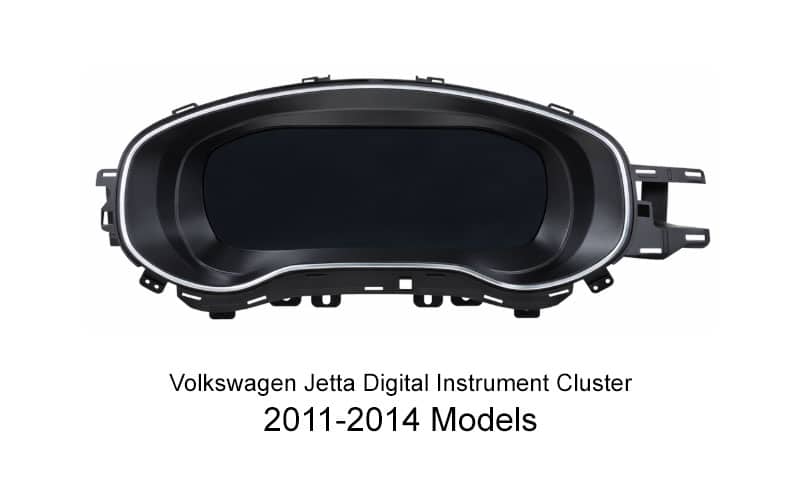
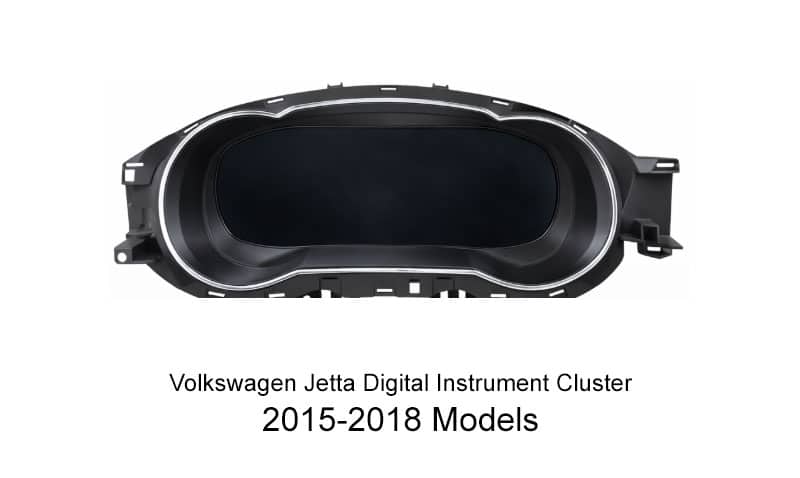
The Digitalna instrument tabla Volkswagen Jetta upgrade is designed for drivers who want a more modern dashboard experience while keeping an OEM-style cabin appearance. For many Volkswagen Jetta owners, the main value is not only the screen itself. It is the cleaner layout, sharper information display, and more refined digital presentation that still looks integrated with the vehicle.
This installation guide is written for global buyers, especially owners in North America, Europe, Australia, and other overseas markets who want to understand installation steps, preparation work, package contents, and common post-install adjustments. Because the product is offered in different fitment versions, installers should still confirm the correct year group, steering side, i original cluster type before work begins.
In real-world search behavior, buyers do not always use the same wording. Some search for a Digitalna instrument tabla Volkswagen Jetta, while others look for a VW Jetta digital cluster, a Jetta digital dash, a digital dashboard upgrade, i LCD instrument cluster, or a virtual cockpit-style upgrade. This page focuses on practical installation and fitment guidance instead of generic promotional language.
What Should Be Confirmed Before Ordering or Installing?
Compatibility Notes Before Ordering
- Ovaj vodič je namijenjen za supported Jetta analog-cluster applications.
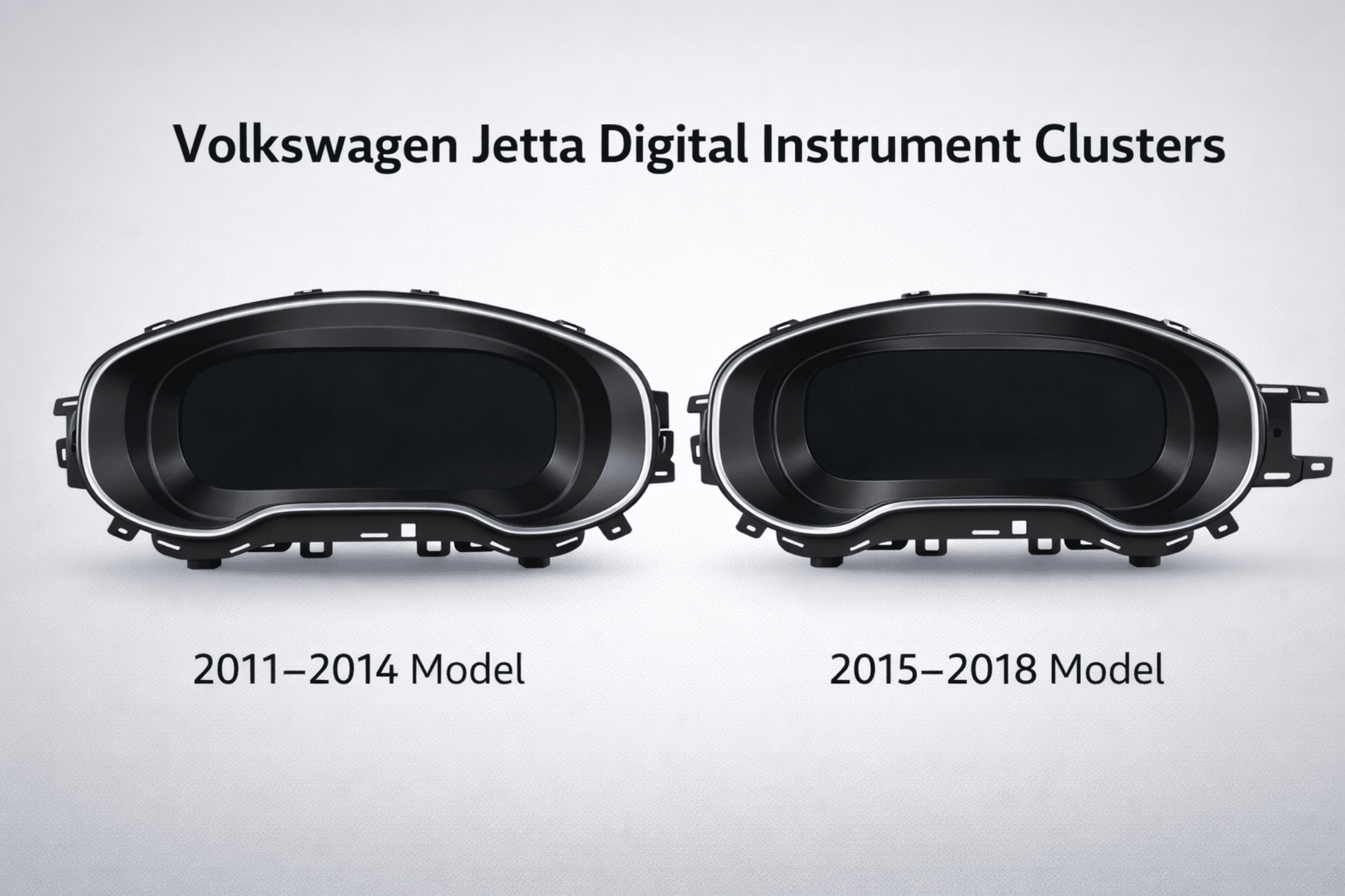
- The selected version must match the actual model-year group i physical shape of the original cluster.
- Left-hand-drive and right-hand-drive versions are not interchangeable.
- Some higher-spec factory mechanical clusters may require auxiliary board transfer during installation.
- Retention of warning logic, body information display, and steering-wheel button behavior may vary depending on the original equipment level and supported configuration.
- Before purchasing, it is best to confirm the vehicle year, cluster photo, and steering orientation together instead of relying on the model name alone.
Kontrolna lista potrebnih alata i opreme
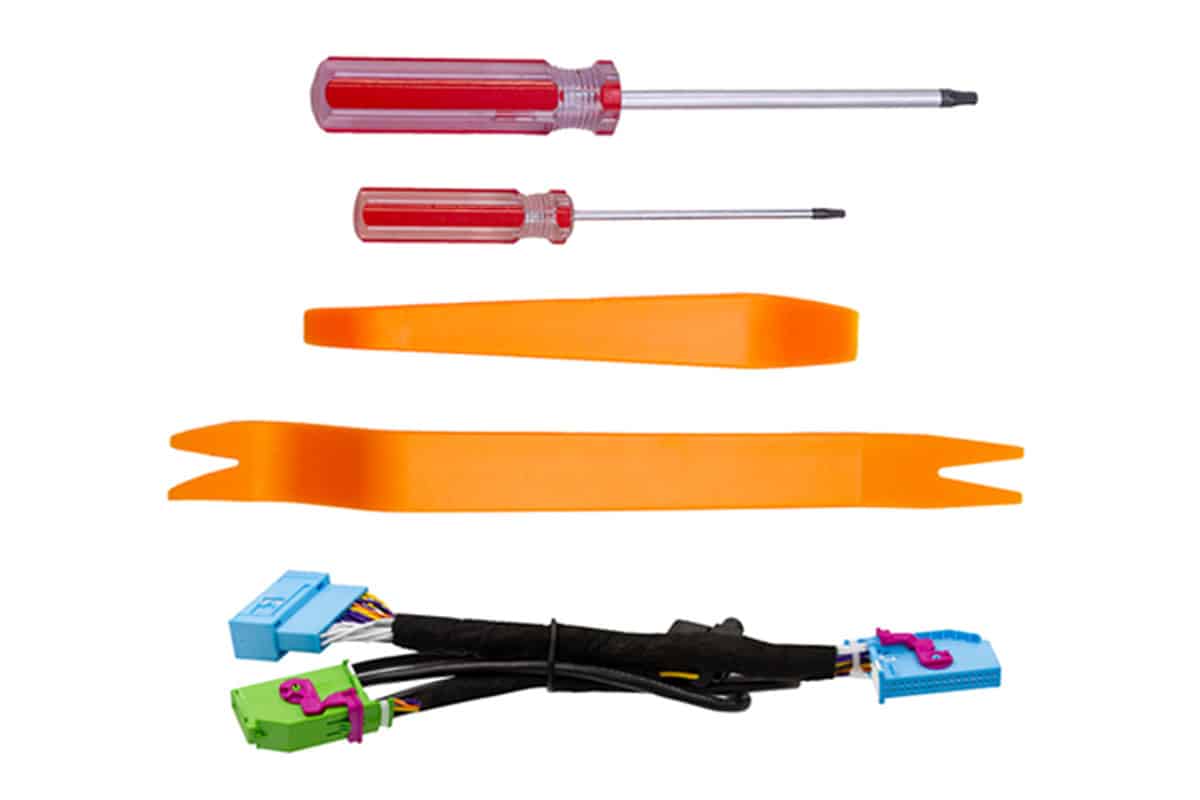
Before starting the disassembly process, prepare the following tools to reduce trim damage risk and keep the installation process clean and controlled.
- Non-Marring Plastic Pry Tool Set: Used to remove the OEM dashboard bezel without scratching surrounding panels.
- T20 Torx odvijač: Needed for the original cluster mounting screws. A magnetic tip is helpful.
- Mikrovlaknasto ručnik: Useful for covering the steering-column trim and nearby surfaces during removal and installation.
What Is Included in the Package?
Before installation, check the package contents and place all parts on a clean work surface. The package should include the correct digital cluster version and the main installation accessories needed for the job.
Kako ovo ažuriranje poboljšava originalno iskustvo instrument table?
Non-destructive concept
Designed around a non-destructive replacement approach and typically does not require drilling or factory wire cutting on supported applications.
Stable operating logic
Designed for stable startup behavior and normal daily driving use instead of flashy but unstable dashboard modification.
10,3-inčni HD ekran
1920 × 720 resolution provides a cleaner and more modern digital dashboard presentation than the original mechanical cluster.
Integracija u OEM stilu
Designed to preserve a factory-style fit and important display logic where supported by the application and original vehicle configuration.
Kako je ovaj LCD klaster testiran na pouzdanost?
The following test summary is based on the supplied product validation chart and is provided as a reference overview for overseas buyers who want a clearer picture of the electrical, environmental, anti-interference, and durability checks associated with this Volkswagen LCD instrument cluster.
| NO. | TEST ITEM | TEST CONDITIONS | RESULT |
|---|---|---|---|
| 1 | Osnovni test funkcije | Confirm all core functions one by one. | PASS |
| 2 | Test radnog naponskog raspona | Radi normalno unutar raspona napajanja od 9 V do 16 V. | PASS |
| 3 | Ripple test | High-frequency ripple test and low-frequency ripple test. | PASS |
| 4 | Test varijacije snage | Simulirani uslovi fluktuacije snage automobila. | PASS |
| 5 | Test elektrostatičkog pražnjenja | Air discharge and contact discharge validation under powered and non-powered conditions. | PASS |
| 6 | Skladištenje na niskoj temperaturi | Čuvano 48 sati u okruženju od -40°C. | PASS |
| 7 | Rad na niskim temperaturama | Radilo je 24 sata u okruženju od -30°C. | PASS |
| 8 | Rad na visokim temperaturama | Radilo je 24 sata u okruženju na 70 °C. | PASS |
| 9 | Skladištenje na visokim temperaturama | Čuvano 48 sati u okruženju na 85°C. | PASS |
| 10 | Electromagnetic Interference Test | No interference to the tested unit during the specified communication condition. | PASS |
| 11 | Test ponovnog uključivanja i isključivanja | Repeated power-cycle endurance test. | PASS |
| 12 | Softverski stres test | Kontinuirani CAN stres-test podataka. | PASS |
| 13 | DDR i Flash Read/Write stres test | Test opterećenja hardvera za čitanje/pisanje. | PASS |
Osnovni test funkcije
Confirm all core functions one by one.
Test radnog naponskog raspona
Radi normalno unutar raspona napajanja od 9 V do 16 V.
Ripple test
High-frequency ripple test and low-frequency ripple test.
Test varijacije snage
Simulirani uslovi fluktuacije snage automobila.
Test elektrostatičkog pražnjenja
Air discharge and contact discharge validation under powered and non-powered conditions.
Skladištenje na niskoj temperaturi
Čuvano 48 sati u okruženju od -40°C.
Rad na niskim temperaturama
Radilo je 24 sata u okruženju od -30°C.
Rad na visokim temperaturama
Radilo je 24 sata u okruženju na 70 °C.
Skladištenje na visokim temperaturama
Čuvano 48 sati u okruženju na 85°C.
Electromagnetic Interference Test
No interference to the tested unit during the specified communication condition.
Test ponovnog uključivanja i isključivanja
Repeated power-cycle endurance test.
Softverski stres test
Kontinuirani CAN stres-test podataka.
DDR i Flash Read/Write stres test
Test opterećenja hardvera za čitanje/pisanje.
How Should the Vehicle Be Prepared Before Removing the Original Cluster?
Proper preparation matters because installation problems often begin before the original cluster is even removed. Complete the following steps first.
Korak 1: Otpustiti statički elektricitet
Prije rastavljanja i instalacije otpustite statički elektricitet sa svog tijela. Prilikom rukovanja PCB-om držite ploču samo za rubove i izbjegavajte direktan kontakt s elektroničkim komponentama.
Step 2: Keep the original instrument buzzer in place
The original instrument cluster buzzer or speaker should not be removed. Removing it may trigger an instrument cluster fault warning.
Korak 3: Podesite postavke upozorenja prije uklanjanja
Before removing the original cluster, set the winter-tire warning and speed warning to their maximum values first, then disable both functions in the multifunction display menu.
How to Complete the Initial Warning Setting Step?
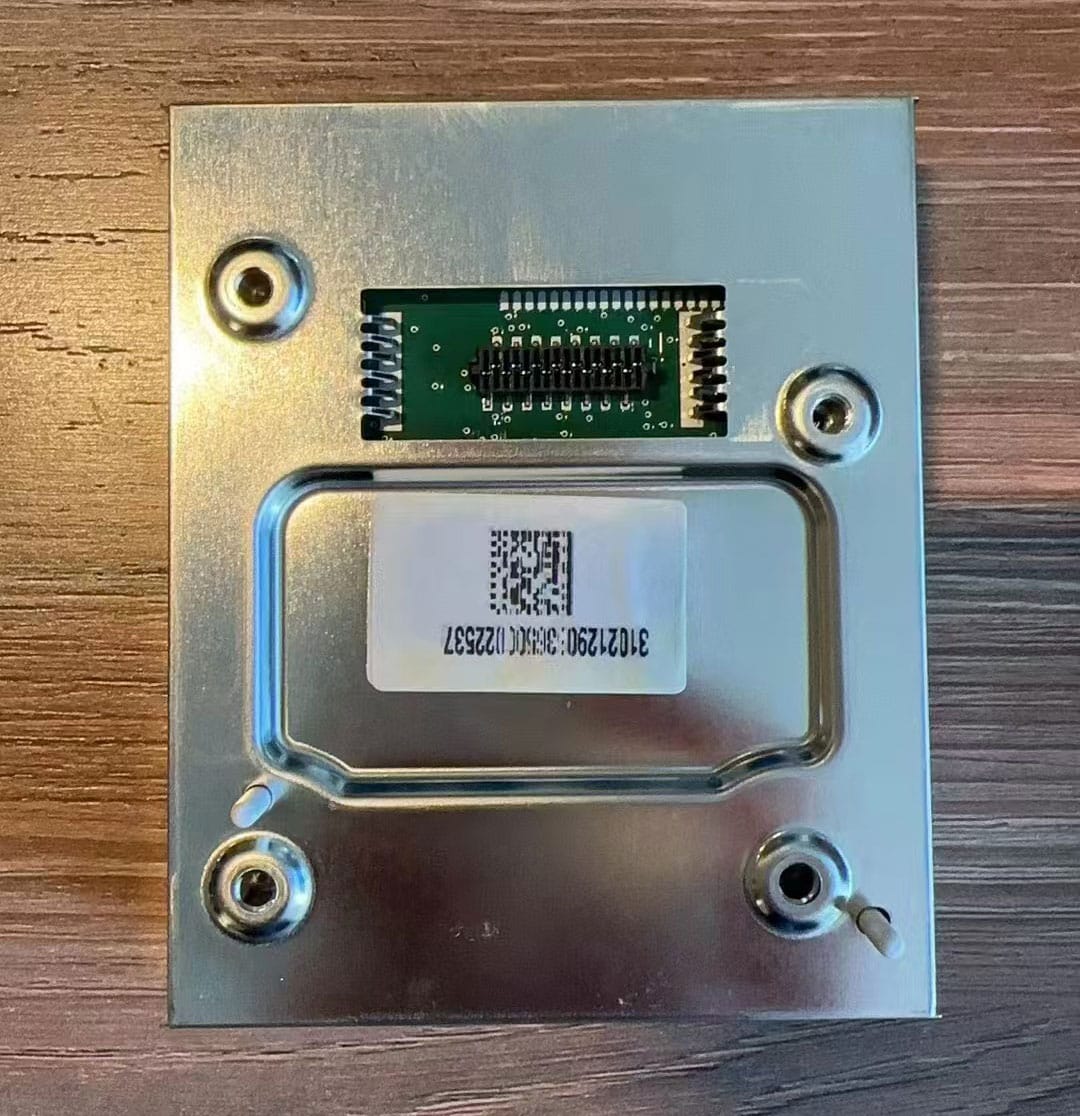
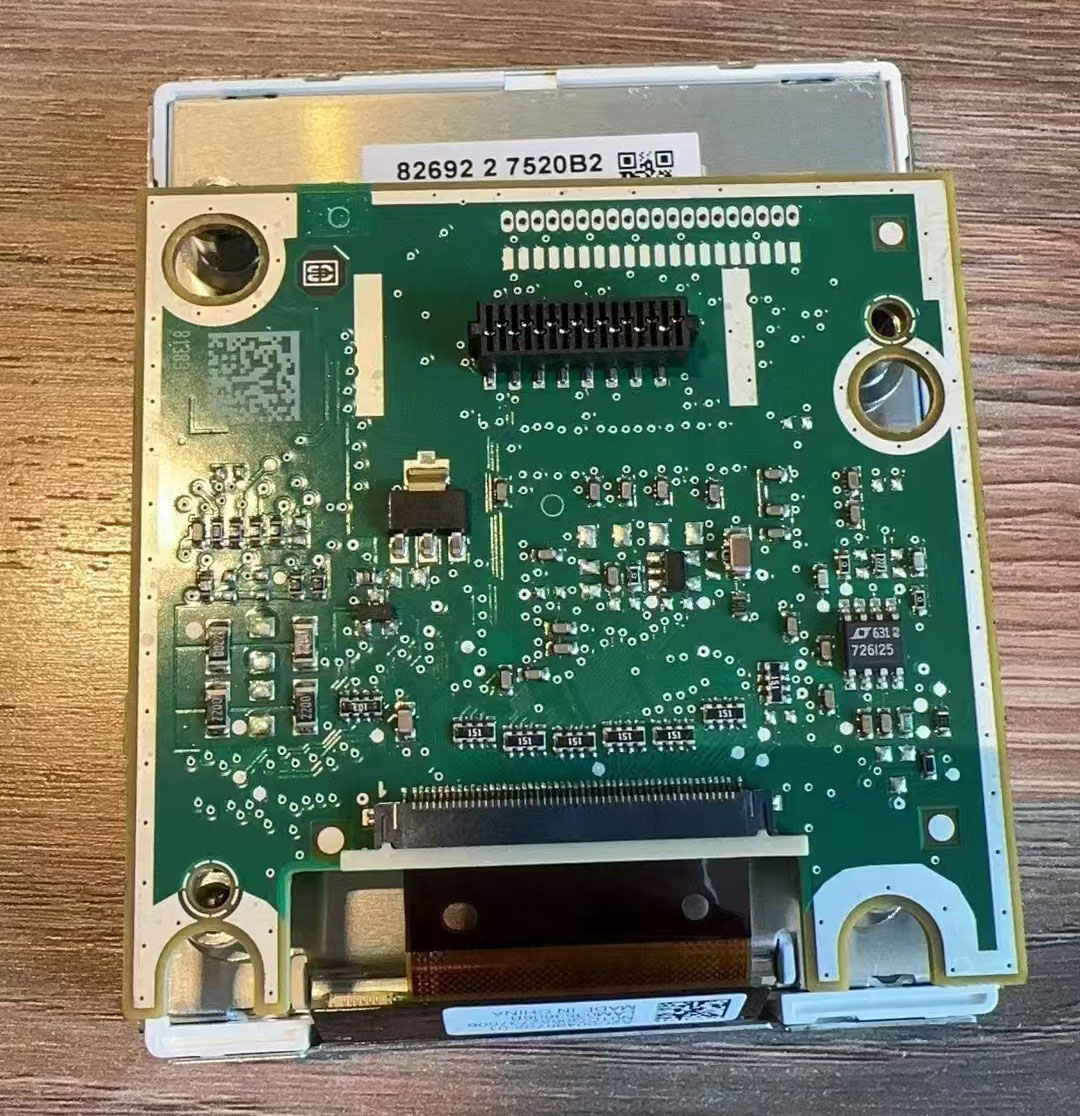
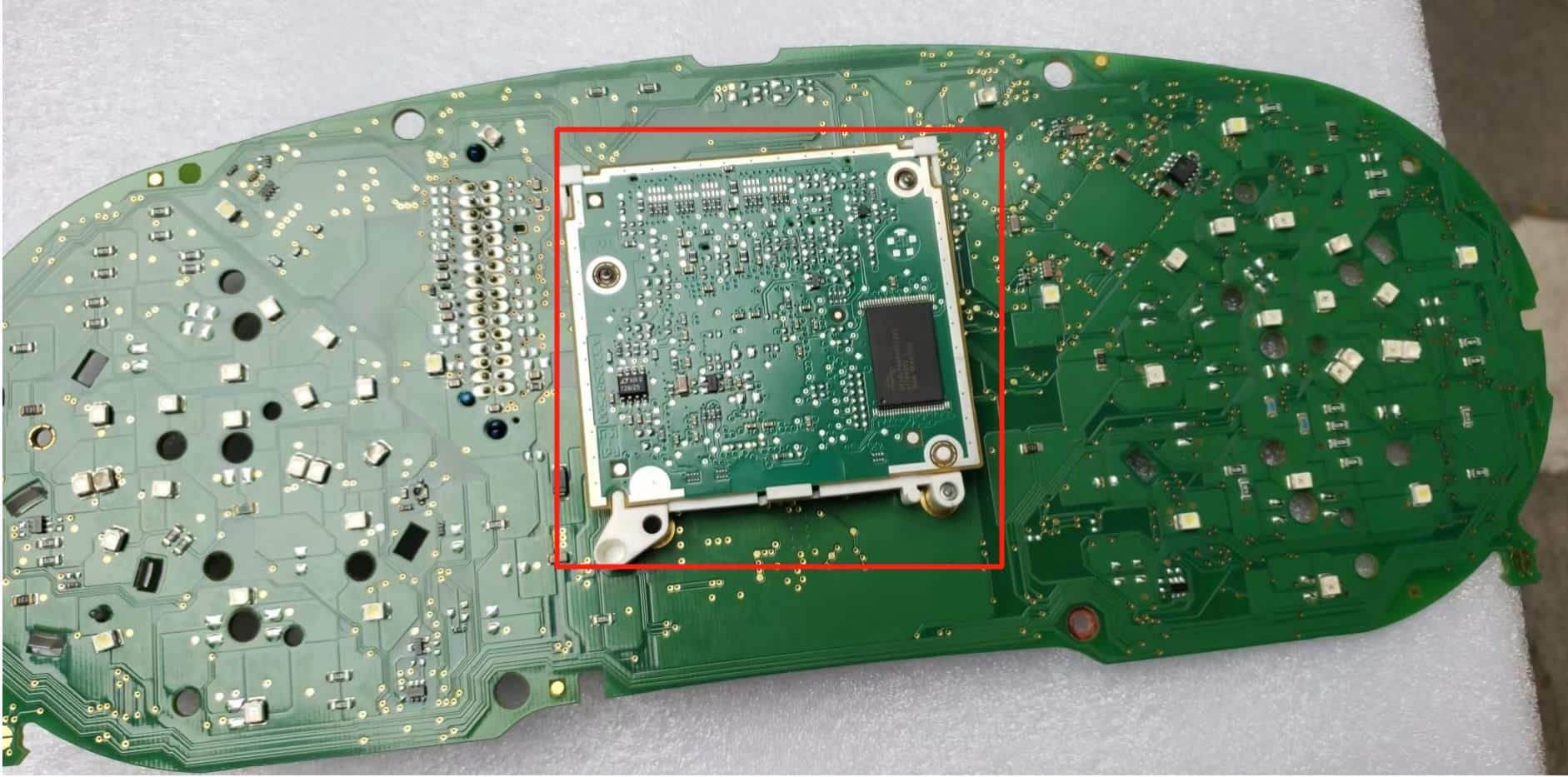
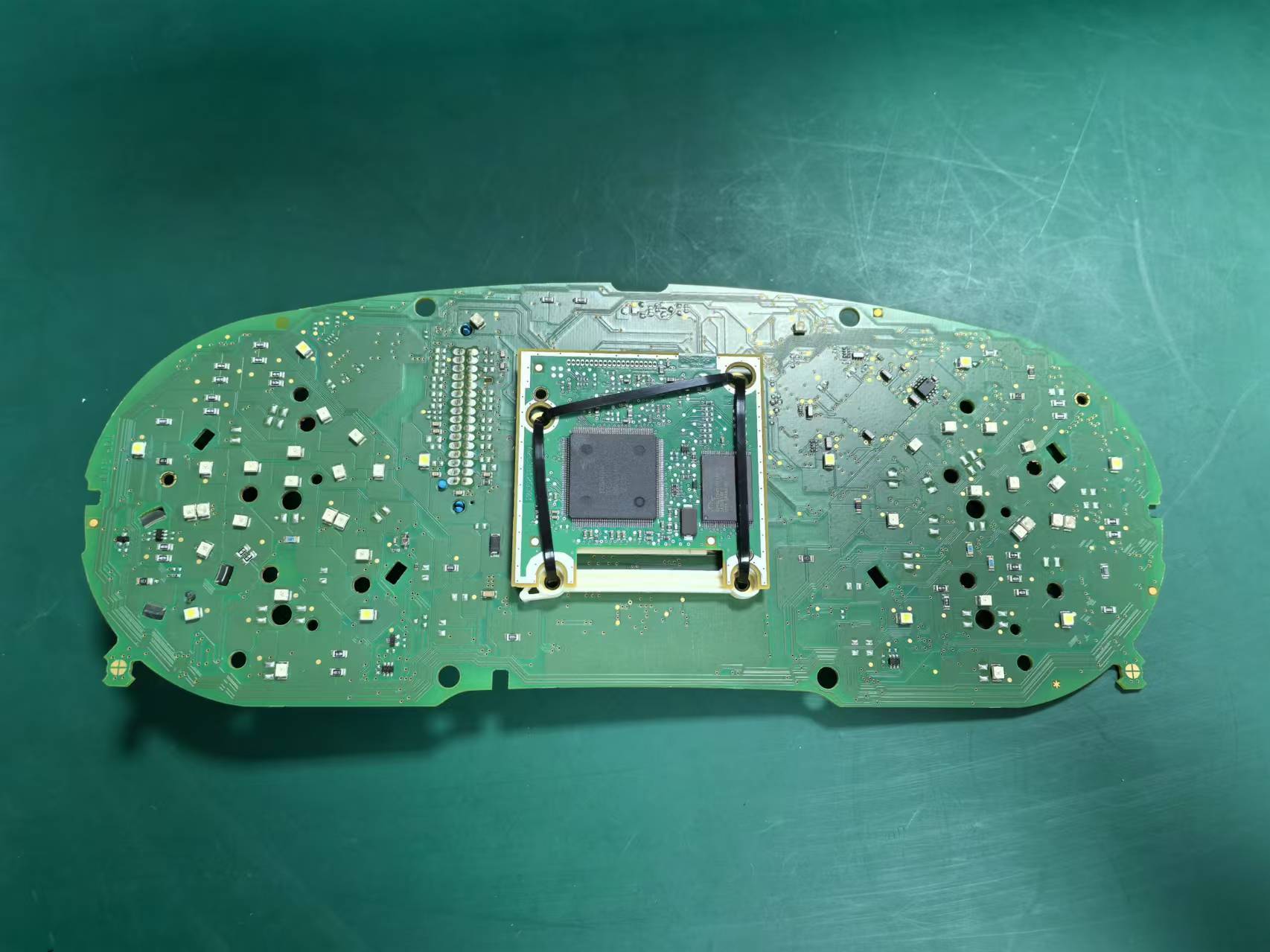
How Should the Auxiliary Board Be Transferred on Certain Higher-Spec Clusters?
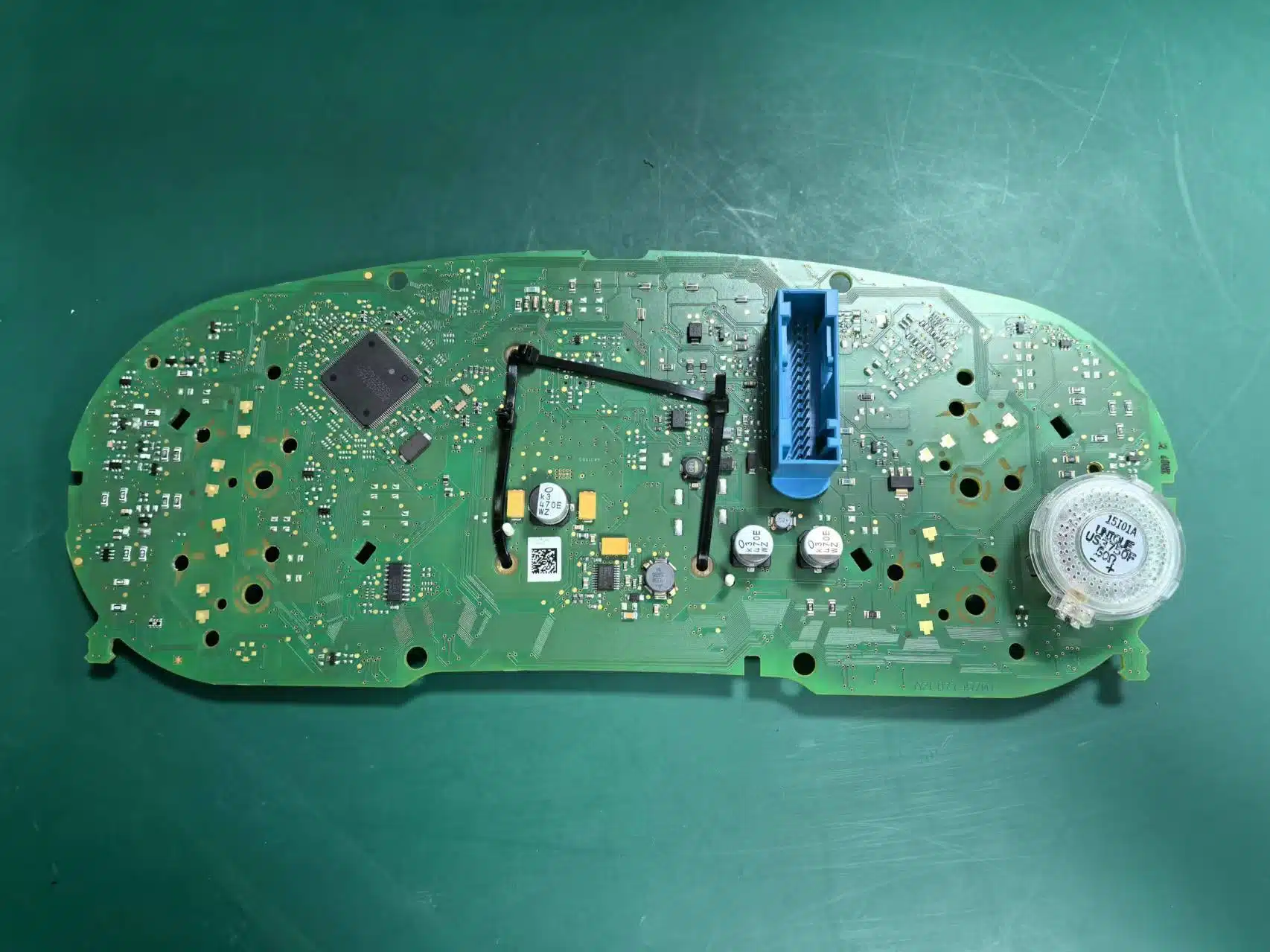
Some higher-spec factory mechanical clusters include an additional small circuit board behind the original display. If your original cluster has this board, it must be transferred and fixed correctly inside the new LCD cluster.
If this board is missing, installed incorrectly, or forgotten during assembly, the fuel-level reading may become inaccurate and the cluster may show a warning.
How Should the USB Cables Be Routed?
The cluster includes two USB leads: one for upgrade-related access and one for smartphone-mirroring-related use. These cables should be routed neatly and placed in the storage compartment below the left side of the steering wheel so the finished installation remains clean and practical.
How Can a Fuel Gauge That Does Not Show Full Be Corrected?
If the fuel tank is full after installation but the gauge does not reach full scale, the fuel-tank capacity should be calibrated in the system settings.
Koraci kalibracije mjerača goriva
- Napunite rezervoar do kraja.
- Drive the vehicle for a short distance.
- Uđite u meni za unos podataka o vožnji.
- Otvorite odjeljak za količinu za dopunu.
- Pročitajte preostalu količinu punjivog punjenja prikazanu tamo.
- Unesite tu vrijednost u Postavke → Kalibracija konfiguracije → Kapacitet rezervoara goriva.
- Kada je vrijednost ispravna, količina za dopunu treba postati nula i mjerač goriva treba prikazivati normalno.
How Can Turn Signal Display Problems Be Corrected?
On the PQ platform, the physical-light option in the settings should not be enabled casually. If it is switched on, the turn-signal indicator may fail to display correctly.
How Can the Vehicle Graphic Display Be Corrected?
Ako grafika vozila prikazana u interfejsu ne odgovara stvarnom automobilu, idite na Postavke → Odabir modela vozila, odaberite ispravan model, zatim isključite paljenje, zaključajte vozilo i sačekajte nekoliko minuta da se promjena primijeni.
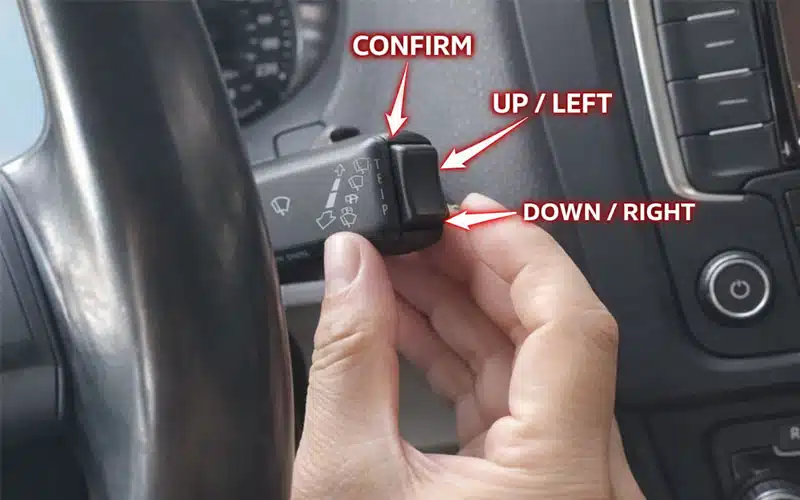
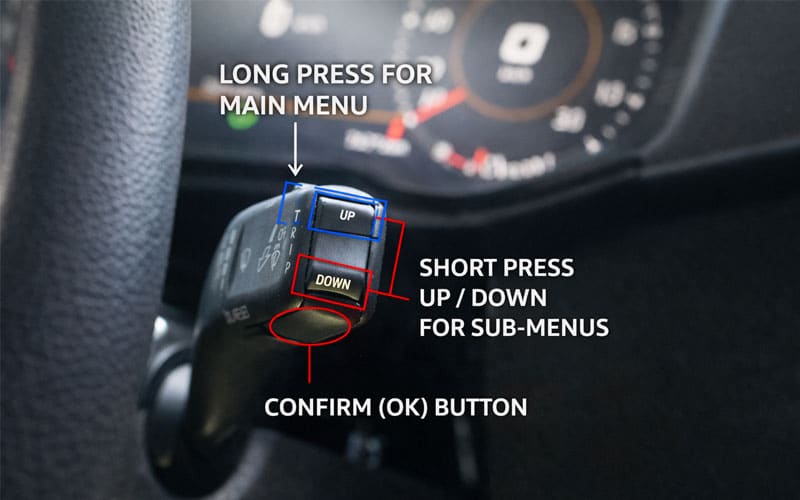
What If the Steering Wheel Controls Do Not Work Normally?
Steering-wheel control behavior depends on the original vehicle equipment and protocol support. Some vehicles may not behave exactly like the reference demos if the original setup differs.
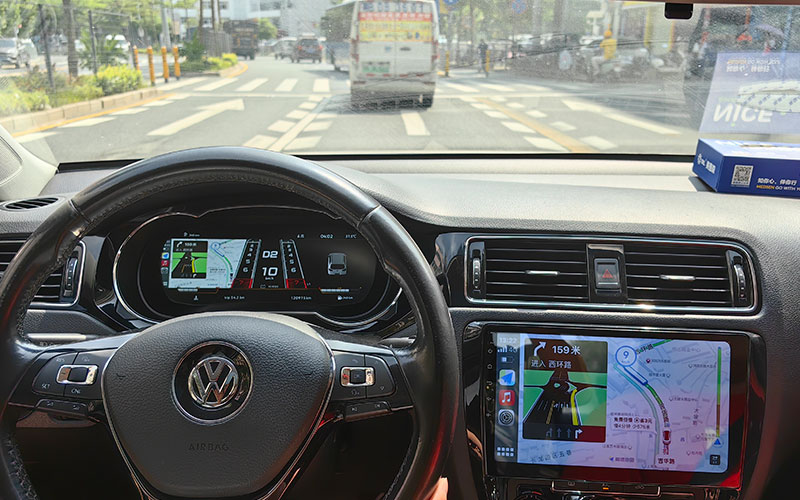
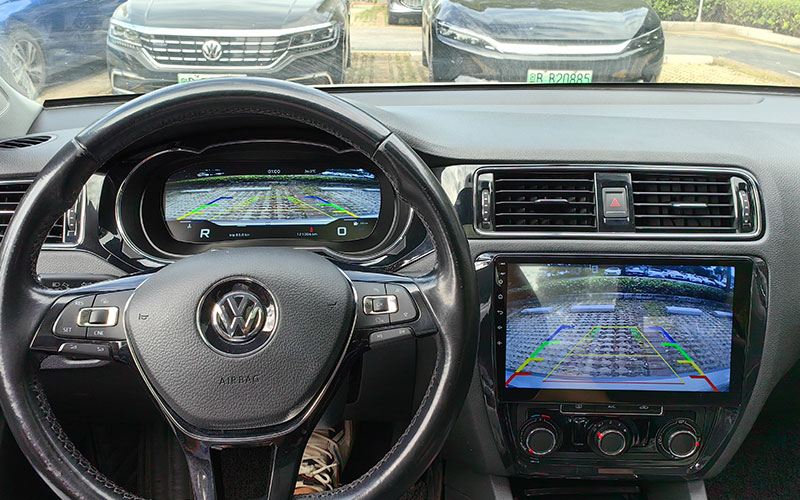
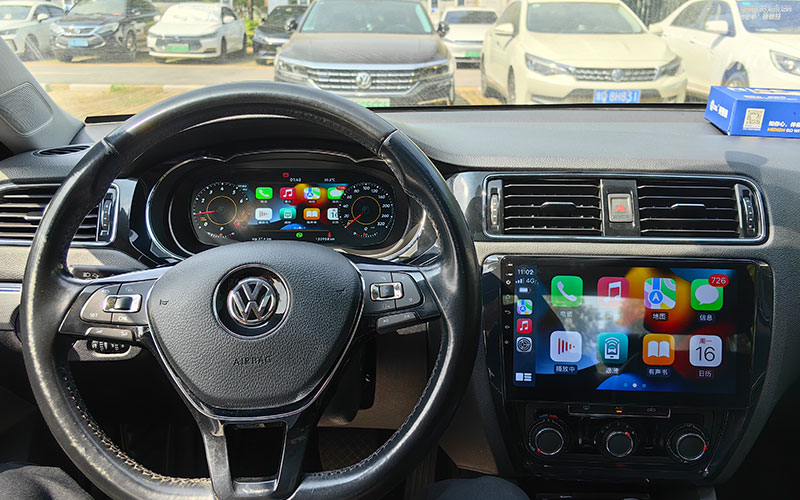
Kako izgleda konačni rezultat nakon ugradnje?
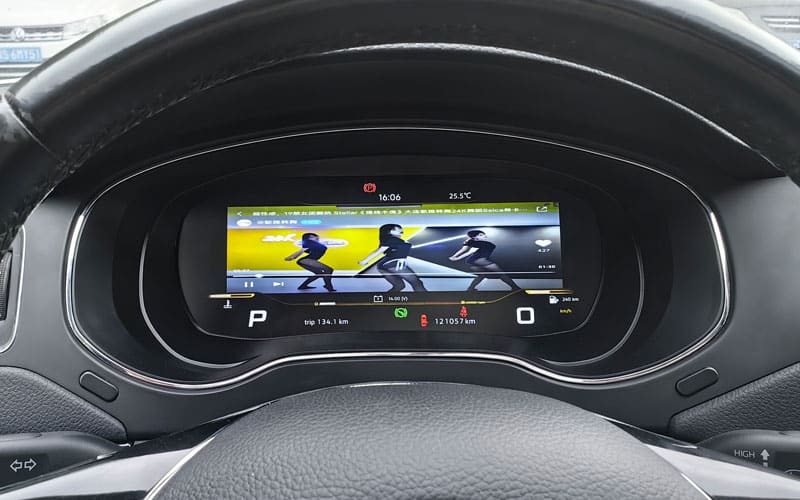
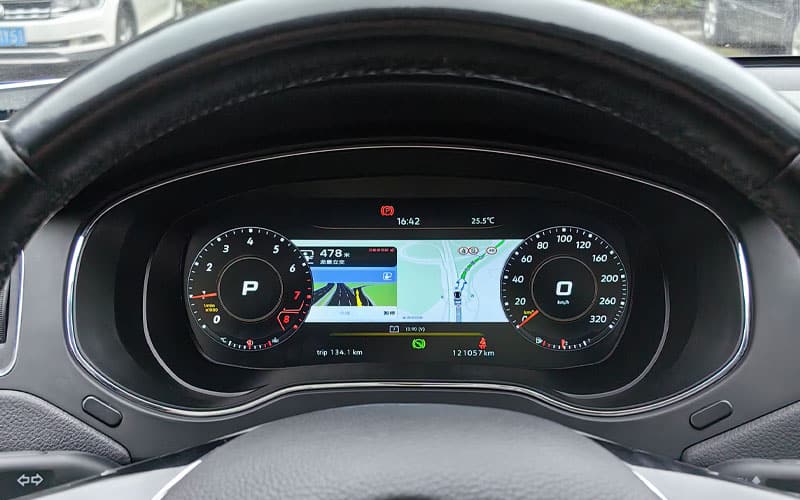
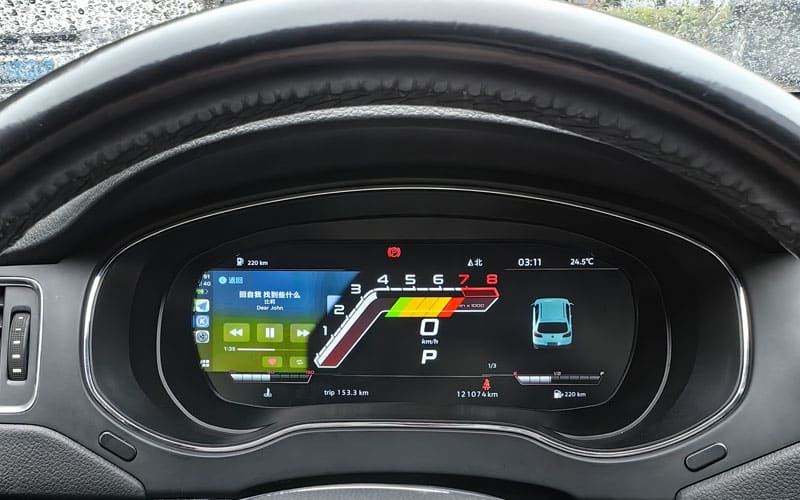
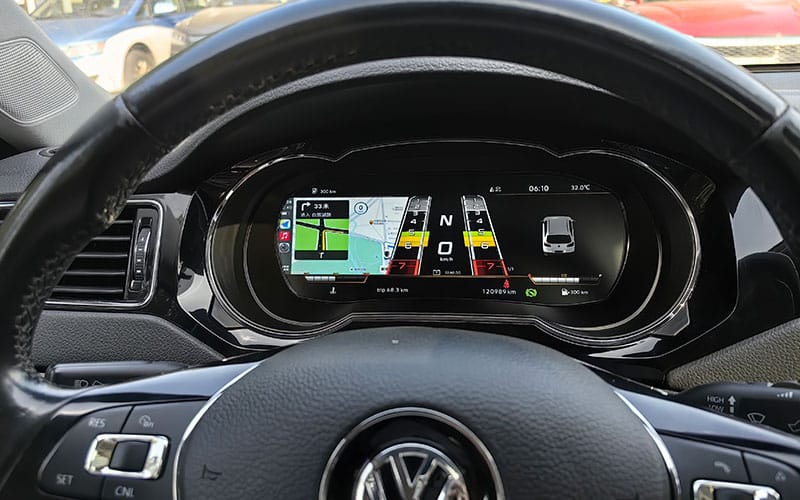
After installation and setup are completed, the finished dashboard should look clean, integrated, and consistent with the factory interior layout. The following reference images help installers compare the completed in-vehicle appearance after wiring transfer, board installation, configuration, and calibration work have already been completed.
Earlier Version Final Installed Results
The following images show the completed installation appearance for the earlier supported version after the digital cluster has been fully fitted and configured inside the vehicle.
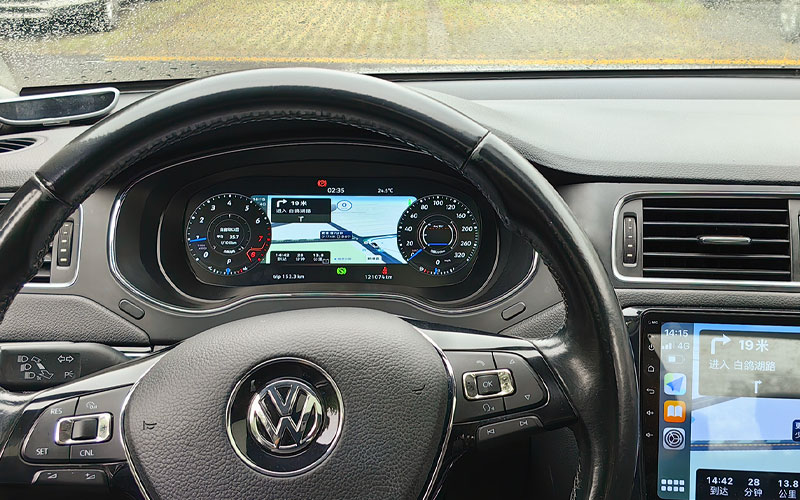
Later Supported Version Final Installed Results
The following images show the completed installation appearance for the later supported version after the digital cluster has been fully fitted and configured inside the vehicle.
Često postavljana pitanja
Does this Volkswagen Jetta Digital Instrument Cluster require wire cutting?
Under normal supported installation conditions, it is designed around a non-destructive replacement concept and typically does not require cutting the factory harness.
Do I need coding or ECU flashing?
The installation concept is intended to avoid ECU flashing and major vehicle-data modification, although some setup checks may still be required depending on the original vehicle configuration.
How do I know which version I need?
Select the version that matches your actual vehicle year group, original analog cluster layout, and steering orientation. Do not rely only on the general model name.
How do I choose between left-hand-drive and right-hand-drive?
Choose the version that matches the actual steering orientation of your vehicle. Left-hand-drive and right-hand-drive versions should not be treated as interchangeable.
Will the original warning lights and body information still display?
The product is designed to retain important warning-lamp behavior, vehicle alerts, and body-information display where supported by the application and the original vehicle configuration.
What causes inaccurate fuel-level readings after installation?
In some cases, a fuel-tank calibration step is required after installation. If the tank is full but the gauge is not showing full, the calibration value should be corrected through the settings.
Is this guide suitable for every Jetta cluster type?
No. This guide is intended for supported analog-cluster applications. Certain trims or factory equipment levels may require extra confirmation before purchase or installation.
What should I confirm with the seller before ordering?
Confirm the vehicle year group, a clear photo of the original cluster, and whether the car is left-hand-drive or right-hand-drive. That is the safest way to reduce fitment mistakes.


Add comment